
You've got a manuscript, a title, and a half-formed cover in your head. The question is whether that cover will make a reader stop scrolling long enough to click, pick up, or buy. Book cover design is the visual system that does that work, and it has to do it fast, often at the size of a small phone thumbnail before anyone ever sees your book in print.

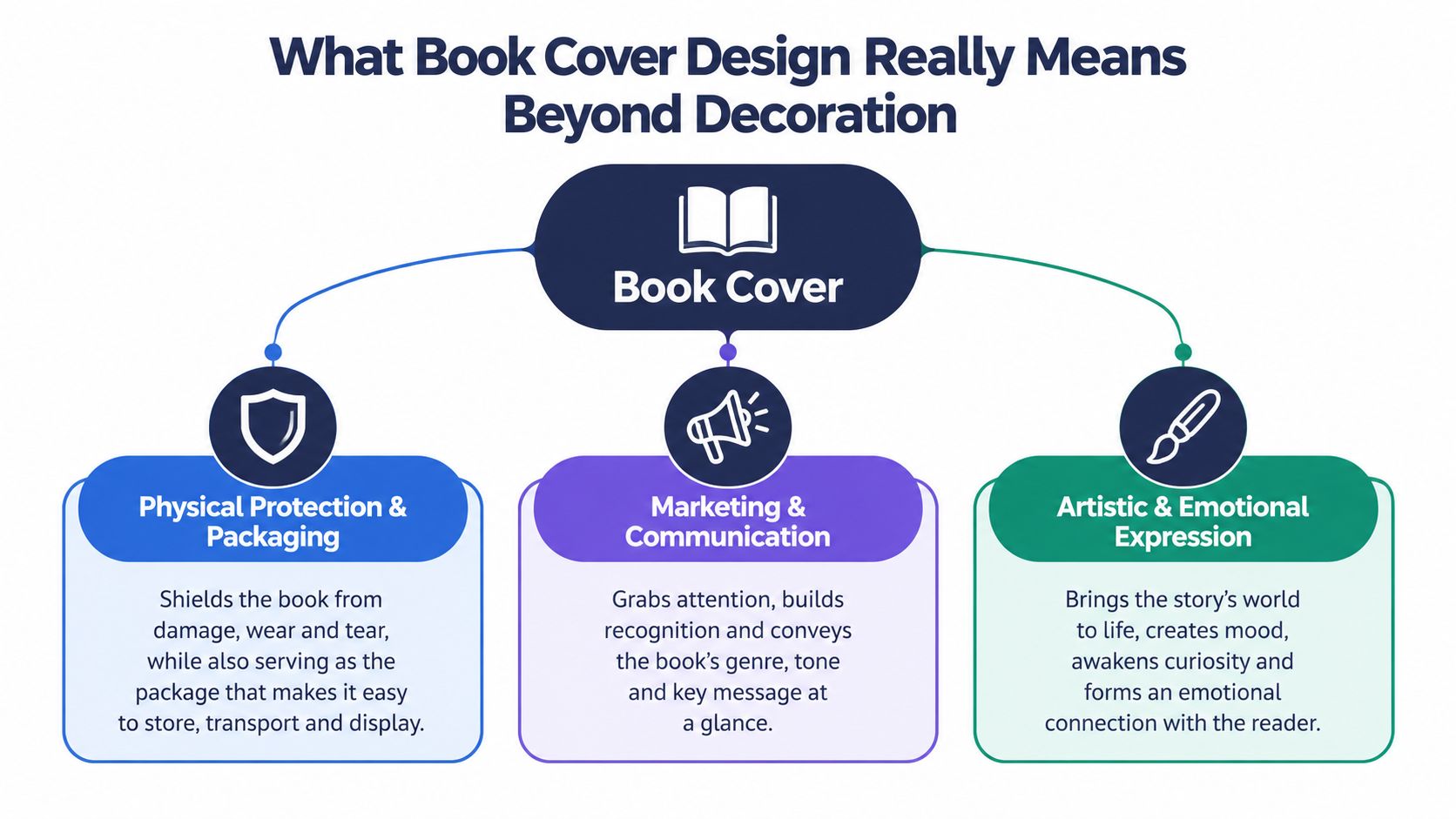
A good cover is not decoration wrapped around a manuscript. It's a promise, a signal, and a piece of sales packaging all at once. Historically, covers evolved from protection into a market-facing part of the book, especially once cloth publisher's bindings and later illustrated typography turned the outside of the book into something readers judged before they opened page one, with that shift accelerating in the paperback era after Penguin launched in 1935 (historical overview).
Introduction Why Your Cover Sells Before Your First Page
You're scrolling through Amazon, Apple Books, or a social feed, and a dozen covers are competing for attention in a few seconds. On a shelf, the same thing happens in a different way, your eye moves across spines and front covers, and one book feels right before you've read a single line. That's the moment book cover design earns its keep.
A cover has to do three jobs at once. It needs to look professional, tell the reader what kind of book this is, and create enough interest that the reader wants to know more. If it misses any one of those jobs, the book can still be good inside and struggle outside.
That's why first-time authors often get confused. They think the cover is the final polish, when it's part of the pitch. A strong cover says, without explanation, “this is your kind of book,” and it does that with typography, color, imagery, and layout working together.
Practical rule: if a cover can't communicate at a glance, it isn't finished yet.
The easiest way to understand the whole topic is to treat the cover like a storefront window. People don't enter because a window is beautiful alone, they enter because the display gives them a reason to step closer. In the same way, a cover must attract attention, set expectations, and make the book feel worth a click or a pickup.
What Book Cover Design Really Means Beyond Decoration
At its most basic, book cover design plans and builds the book's outer appearance. For print, that includes the front, spine, and back. For an ebook listing, it usually means the standalone front image. These parts form the reader's first explanation of what the book is, who it is for, and why it deserves attention.
A cover is a communication system
The cover must guide a decision before the reader reaches the first page. Typography, color, imagery, and spacing work like signposts. The title identifies the book, the visual style suggests its mood or genre, and the overall arrangement signals whether the book feels considered and professional. Authors who want more background on graphic design importance explained can apply the same principle here: visual choices shape how people understand and judge an offer.
Each physical panel has a separate task. The front cover presents the central promise. The spine helps the book remain visible on a shelf. The back cover supports the decision with the blurb, positioning, and author information. Together, these panels create one reading experience rather than three unrelated designs.
The history of covers shows how this role developed. Early bindings focused on protecting the pages. As printing and illustration became more common, the outside of the book also became part of its public identity and sales message. BarkerBooks' book cover design history provides useful context for that shift.
Design must work at two distances
A reader holding a printed book can notice texture, small details, and subtle image choices. An online shopper often meets the same cover as a small tile among many competing results. The design therefore needs a clear hierarchy at full size and at thumbnail size.
Test the cover at 80×120 pixels first. If the title becomes unreadable, the concept fails before the reader sees the full jacket. A decorative detail may look beautiful in a large file but turn into visual noise when reduced. Strong contrast, a recognizable shape, and a title that remains clear give the thumbnail a better chance of earning a click.
At thumbnail size, legibility comes before beauty.
That priority can feel unfamiliar to first-time authors, especially when they have invested time in fine visual details. A professional cover preserves those details where they help, but removes anything that competes with the main message. The goal is a design that attracts attention in a small tile, then rewards closer inspection.
The commercial role of this work is reflected in a 2026 market report, which estimates the global book cover design services market at $1.15 billion in 2025 and projects $1.89 billion by 2030, with a 10.5% CAGR. It identifies North America as the largest region in 2025 and Asia-Pacific as the fastest-growing region (market report). The figures underline the main point: a cover is part of the product's sales system, not a finishing touch added after the writing is complete.
The Core Elements That Make a Cover Work
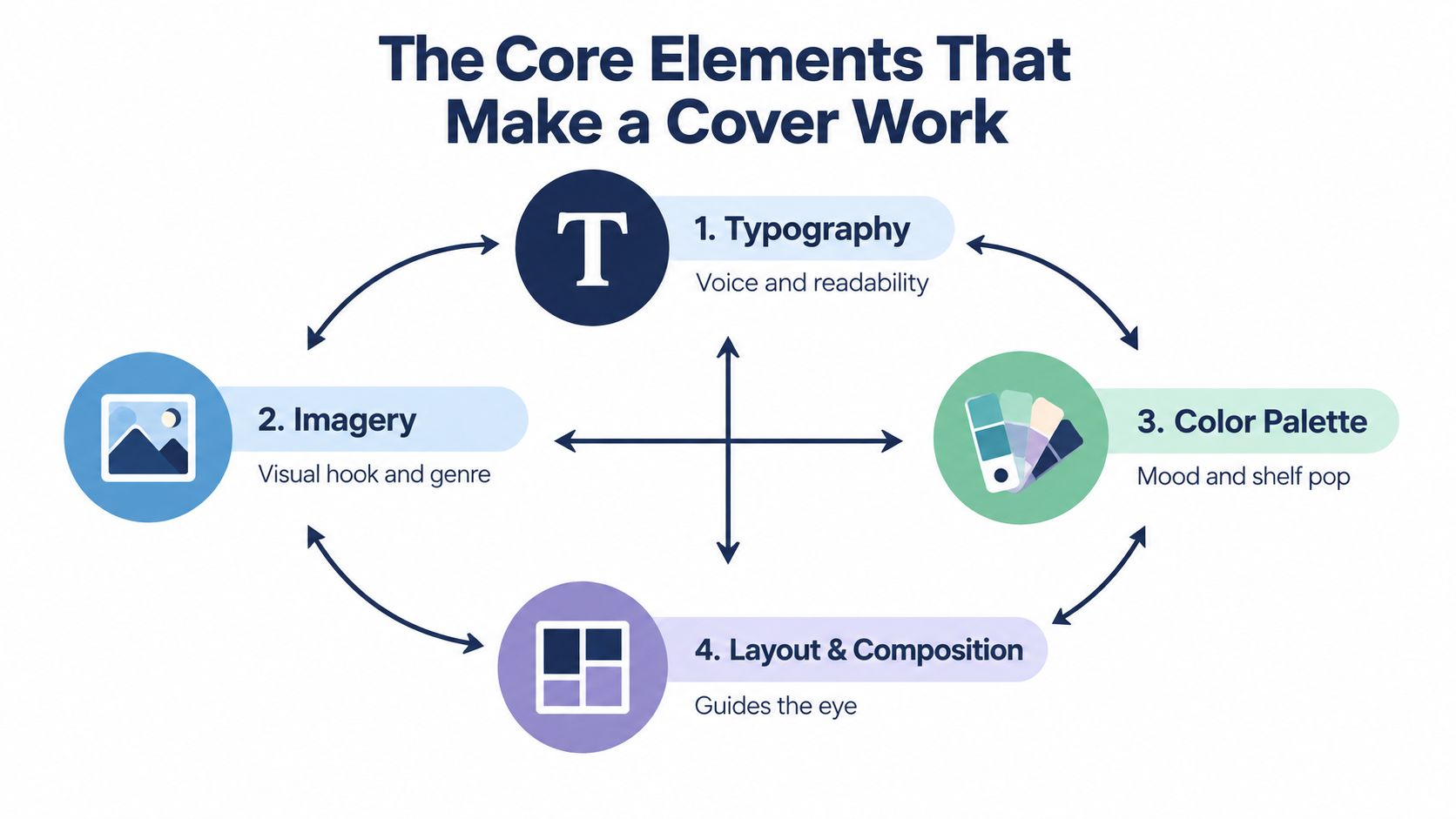
A cover has four working parts: typography, imagery, color, and layout. Together, they create a visual order that must function on a screen before it can impress in print. At roughly 80×120 pixels, readers need to identify the title and the book's tone quickly enough to decide whether to click.
Typography establishes the reading order
Typography is the cover's speaking voice. A clean sans serif can feel direct, a high-contrast serif can feel literary, and a hand-drawn title can suggest intimacy or informality. The question is whether the typeface gives the book a fitting personality while remaining readable at thumbnail size.
Typography establishes hierarchy: the title must be legible first, then the image, then the author name. That principle also appears in logo design for small businesses, where controlled type choices help viewers recognize the message quickly. On a book cover, title size, weight, spacing, and placement should support that same order.
Imagery supplies the emotional shortcut
Imagery gives readers a fast mental entry point. A face can suggest character, an object can hint at plot or theme, and an abstract shape can communicate tone without explaining the story. At small size, a clear silhouette or strong focal subject usually survives reduction better than a crowded scene.
Color reinforces that first impression. Dark, quiet palettes create a different mood from bright, energetic ones, while a restrained palette can help the central image and title remain distinct. Color also helps a cover feel appropriate to its category without carrying the entire meaning alone.
Layout keeps the message readable
Layout controls spacing, alignment, scale, and movement. It determines which element receives the greatest visual weight and where the eye travels next. Good spacing gives each part room to breathe, so the cover remains clear even when it contains several elements.
Hierarchy matters more than decoration. If every element shouts, nothing gets heard.
Test a draft by temporarily removing one element at a time. If the design collapses without the image, the image is carrying too much of the message. If it collapses without the title, the typography needs more authority. The strongest covers distribute meaning across the elements instead of asking one feature to do all the work.
Book cover design basics are closely related to logo logic: both depend on instant recognition, controlled emphasis, and visual consistency. The cover must remain identifiable in a small online tile, then offer more detail when a reader opens the product page or sees the printed book.
How Genre Conventions Guide Reader Expectations
A reader scrolling through book covers has only a moment to decide whether a title belongs on their reading list. At 80 x 120 pixels, a cover's genre cues must remain clear before its finer details or artistic beauty can register. A thriller dressed like literary fiction may attract the wrong audience, while a memoir styled like fantasy can weaken trust before anyone reads the blurb.
Genre works as a visual agreement between a book and its intended readers. You are not copying a template. You are using a shared vocabulary of typography, imagery, color, and composition. The choices can be fresh, but they should still help readers identify the kind of experience inside.
| Genre | Typography Signal | Imagery Signal | Color Palette |
|---|---|---|---|
| Thriller | Bold, high-contrast, often condensed | Tension, shadows, isolated objects, faces with concealment | Dark, stark, or sharply contrasted |
| Romance | Softer, expressive, often elegant or flowing | Couples, intimate gestures, symbolic objects, emotional focus | Warm, bright, or sensual tones |
| Memoir | Clear, readable, often restrained | Author-centered, personal objects, candid or symbolic imagery | Natural, balanced, or understated |
| Fantasy | Decorative, atmospheric, sometimes ornate | Worldbuilding, symbols, artifacts, settings | Rich, deep, or otherworldly colors |
| Nonfiction | Clean, direct, highly legible | Concepts, diagrams, portraits, simple symbols | Controlled, professional, and uncluttered |
These signals help readers decode a shelf, search result, or small product tile. A cover that borrows too heavily from another category can create the wrong click, while the intended audience continues scrolling. Thumbnail clarity comes first. Detailed texture, symbolism, and visual charm matter after the cover has earned attention.
The most useful comparison set is the successful books in your exact niche. Study their title scale, type style, color relationships, image treatment, and the amount of information visible at a small size. Then identify one or two ways your cover can feel distinctive without abandoning familiar cues.
A fresh cover still needs to be readable to the reader it hopes to attract. If the genre is unclear at thumbnail size, the design may be beautiful yet commercially quiet. Choose recognition first, then add personality through the details that survive closer viewing.
Technical Specs for Print and Ebook Covers That Actually Print Right
A strong concept can still fail at the printer or on a retailer page if the file is built incorrectly. Print files must align, fold, and trim cleanly. Ebook files must remain sharp and readable after they are reduced to a small thumbnail.
Build the print file as one complete spread
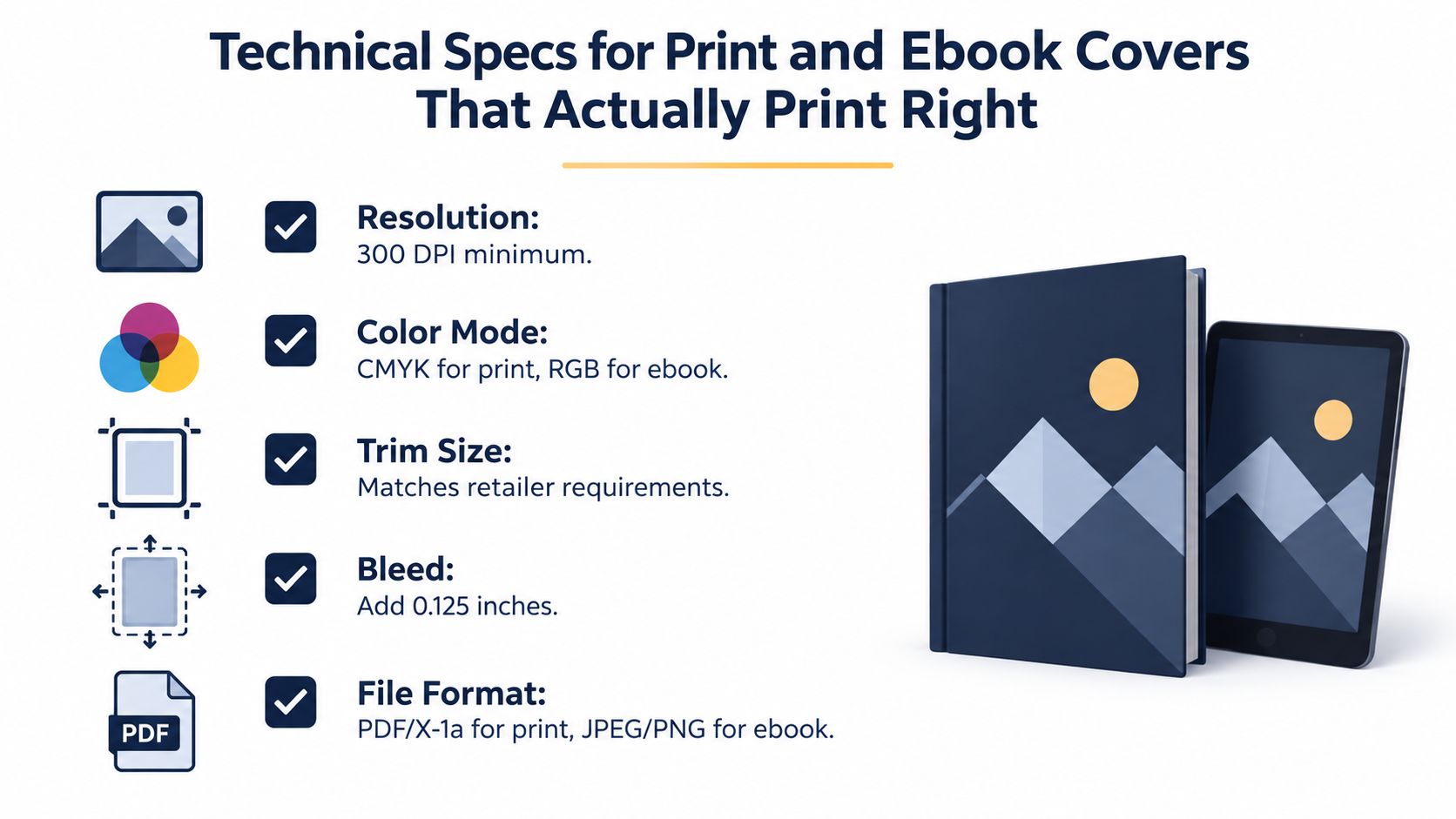
Set print artwork to 300 dpi/ppi, then build the full cover from the final trim size, spine width, and bleed (production guide). The file is a single spread, not a front cover placed beside separate pieces. It includes the back cover, spine, and front cover in their final positions.
Extend background colors and images at least 0.125 inches beyond every trim edge. This extra area gives the cutter room to move without exposing a narrow white strip. Keep important text and faces inside the trim area, since anything too close to the edge may be cut away.
Technical rule: design for the printer's requirements, not your screen's convenience.
A common template for a 6 x 9 book uses a 17 x 11 inch canvas, with space for the spine and bleed already included. Use the printer's template whenever one is available. It shows where the fold lines, trim edges, and safety areas fall, so the title does not drift onto the spine or disappear near the cut.
Color settings affect how the finished cover looks on paper. A bright blue on a screen may print darker or less saturated, especially when the file uses a different color profile. Check the final setup against BarkerBooks' color profile for printing before exporting, and follow the printer's requested format and profile.
Ebook files rely on instant clarity
An ebook cover needs one front-facing image, with no spine or wraparound back panel. Its title, author name, and main visual must remain clear when the retailer shrinks the file for browsing. At thumbnail size, legibility decides whether the cover earns a click before fine detail has a chance to impress.
Print rewards accurate dimensions and bleed. Ebook design rewards strong hierarchy, readable type, and a recognizable focal point. Export both versions from a controlled master file, then inspect the print proof and the smallest digital preview before publishing.
Why Covers Drive Discovery and Sales in a Thumbnail First World
Online discovery has changed what good cover design means. A reader often sees the cover as a tiny square or rectangle first, not as a full jacket on a table. That's why the thumbnail is no longer a side issue, it's the front line.
The practical reading order is usually title first, then dominant image, then author name. If the title can't be read at small size, the design has already lost most of its selling power. Recent trend coverage says covers in 2026 are being designed to read instantly at thumbnail size first, then reward closer inspection, with bold typography, high contrast, and minimal-but-distinct compositions becoming more important in crowded digital marketplaces (trend overview).
Test the tiny version first
A strong cover should still make sense at around 80 x 120 pixels, because that's close to the size many readers experience in retail browsing (typography guidance). If the title blurs, the image becomes muddy, or the author name disappears, the cover is underperforming before the reader has even tapped it.
That's why high contrast and negative space matter so much. They make the title easier to read and the main image easier to recognize. Decorative complexity can be beautiful, but if it creates visual noise at thumbnail size, it works against the book.
Think clickability, not just aesthetics
A cover doesn't need to be plain to work well. It needs a clear hierarchy that survives compression and a visual idea that can be understood in a glance. That is why digital shelves reward simple, confident designs more reliably than busy ones.
For a practical framework on how searchable packaging connects to discoverability, the internal guide at book search engine optimization sits in the same strategic lane as cover work. A cover can't replace metadata, but it can absolutely influence whether a reader decides to click after search puts the book in front of them.
Choosing Your Path to a Professional Cover That Sells
The choice isn't DIY versus professional, it's whether your cover can do the job your book needs it to do. A debut novel with a crowded genre signal, a memoir that needs emotional restraint, and a nonfiction book that depends on clarity all call for different levels of support. The right path is the one that matches your genre, your distribution plan, and your confidence with technical production.
Use this checklist before you approve anything:
- Concept clarity: Can someone name the genre and mood in a few seconds?
- Thumbnail test: Does the title stay readable when the cover is very small?
- Technical readiness: Are the trim, bleed, and resolution correct for print?
- Genre fit: Do the type, image, and color choices match reader expectations?
- Final polish: Does the cover feel intentional, not assembled by accident?
If you're unsure on more than one of those points, the cover needs more work. That might mean more iteration with a designer, or it might mean handing the project to a publishing team that can handle the file, the layout, and the distribution details together.
BarkerBooks is one option for authors who want cover design as part of a wider publishing workflow, alongside editorial, layout, ISBN support, and global distribution. The key is not just making a pretty image, it's building a cover that can sell the book in print and online.
If you want your cover to do more than look finished, BarkerBooks can help you turn the manuscript into a publishable book with design, formatting, and distribution handled in one place. Visit BarkerBooks to see how its publishing support can fit a project that needs a cover built for real-world discovery.