
Before your manuscript can become an ebook, it needs some serious prep work. This isn’t the glamorous part, but trust me, it’s where a good book becomes a great one. This stage is all about transforming your raw text into a polished, professional document that’s ready for digital conversion.
Getting this right prevents those dreaded one-star reviews about typos or clunky formatting. It’s the foundation for everything that follows.
From Raw Manuscript to Polished Ebook
Taking a manuscript from a Word document to a publish-ready file is a journey. It’s more than just running spell-check; it’s about meticulously refining your work so it shines. Many authors get excited and rush past this part, eager to see their cover or upload to Amazon, but that’s a mistake. A clean manuscript is the single most important factor for a successful ebook.
This process can be broken down into three essential parts: deep editing, smart structuring, and adding the necessary front and back matter.

Nail the Editing: From Big Picture to Fine Details
First things first: the edit. This is a two-pronged attack on anything that could weaken your book.
You start with developmental editing, which is all about the story itself. This is where you zoom out and look at the big picture.
- Pacing and Flow: Does the story sag in the middle? Does the beginning hook the reader fast enough?
- Character Arcs: Do your characters grow and change in a way that feels authentic?
- Plot Cohesion: Are there any glaring plot holes or loose ends that need tying up?
Once the structural elements are solid, you move to copyediting. This is the nitty-gritty, sentence-level work. Here, you’re hunting down grammar mistakes, awkward sentences, punctuation errors, and overused words. Both editing phases are crucial. And throughout it all, keep your ideal reader in mind. A key part of this is identifying your target audience, which will inform your voice, tone, and even your story choices.
Structure Your Document for a Seamless Reading Experience
With the words themselves polished, it’s time to structure the document. E-readers need clean, consistent formatting to work properly.
A huge rookie mistake is hitting the “Enter” key a bunch of times to start a new chapter. Don’t do it! Instead, use the “Page Break” function in your word processor. This tells the ebook conversion software to start a new section, ensuring clean chapter breaks on any device.
Your Front Matter Checklist
Every professional ebook needs a few standard pages at the very beginning. They lend your book credibility and give readers essential information. Make sure you have these.
- Title Page: Simple and clean. Just the book title, subtitle (if you have one), and your author name.
- Copyright Page: This is a must. Include the copyright symbol (©), the year, your name, and a rights statement like “All rights reserved.”
- Dedication (Optional): A short, personal note.
- Table of Contents: Most formatting tools can generate this automatically later, but having a simple list of your chapters helps keep things organized from the start.
Should You DIY or Hire a Pro?
Deciding whether to handle manuscript preparation yourself or bring in an expert is a major crossroads for many authors. It’s a balance of budget, time, and skill. Here’s a breakdown to help you decide.
Ebook Preparation DIY vs Professional Service
| Task | DIY Approach (Pros & Cons) | Professional Service Advantage |
|---|---|---|
| Developmental Editing | Pro: You save money and maintain full creative control. Con: It’s incredibly difficult to spot your own plot holes or pacing issues. | An experienced editor provides an objective, expert eye to identify structural weaknesses you’re too close to see. |
| Copyediting | Pro: Tools like ProWritingAid can catch many errors. Con: Automated tools miss context, nuance, and sophisticated grammatical mistakes. | A human copyeditor ensures your manuscript is not just grammatically correct, but also polished, professional, and consistent in tone. |
| Basic Structuring | Pro: It’s easy to add page breaks and create a title page. Con: You might miss subtle formatting rules required for specific e-readers. | A formatting specialist knows the technical requirements for every platform, ensuring a flawless reading experience and no rejected files. |
Ultimately, while the DIY route can save money upfront, professional services are an investment in quality. A poorly edited or structured book can kill sales and lead to bad reviews, whereas a professionally prepared manuscript sets your book up for success from day one.
Diving Into Ebook Formatting and Conversion
Think of great formatting as the invisible framework that makes your book a pleasure to read. It’s what allows your words to flow effortlessly from a giant tablet screen to a tiny smartphone without a single awkward break. This isn’t about hitting “Save as PDF.” Crafting a professional ebook is a much more intentional process.
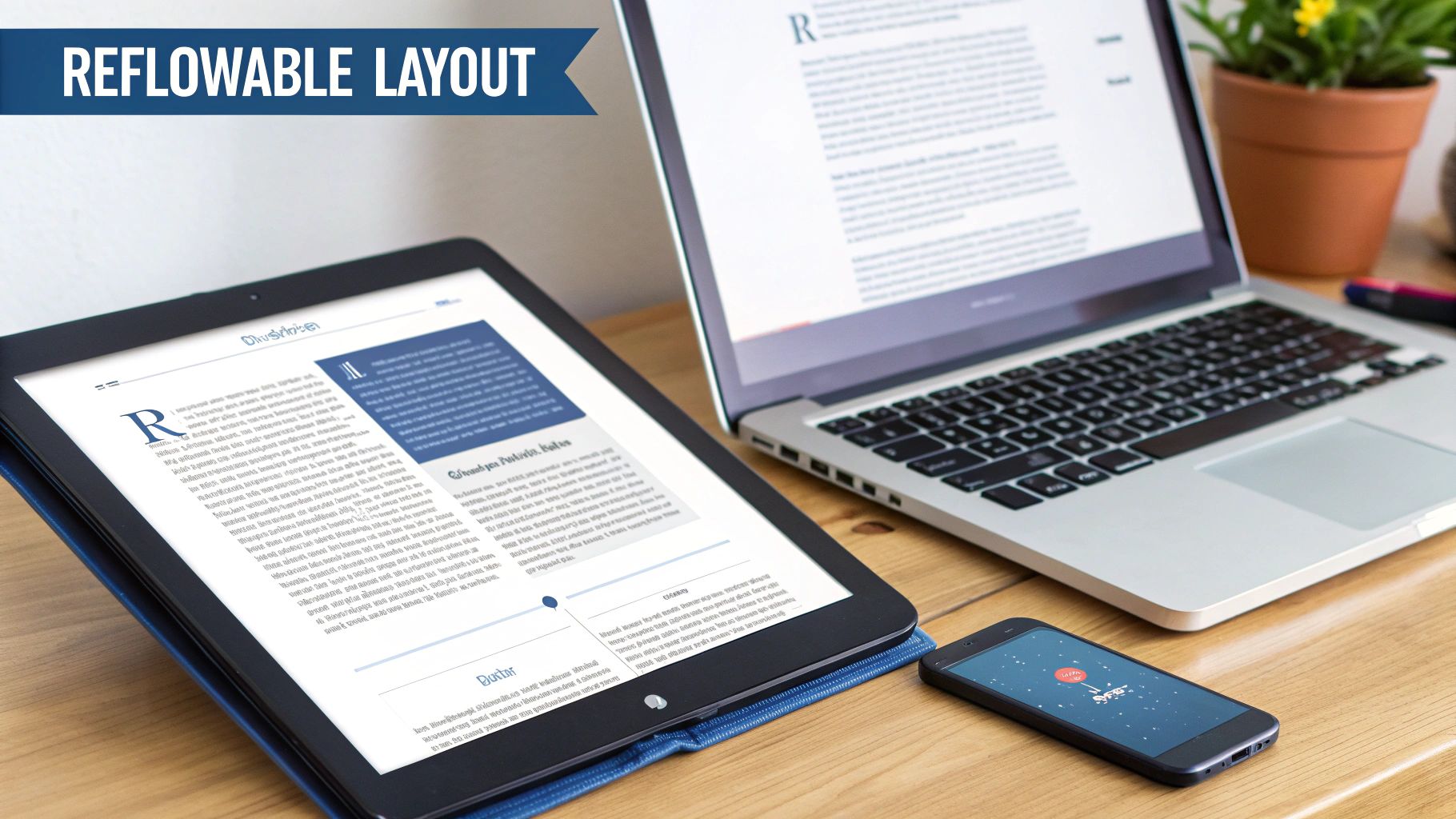
The holy grail here is creating a reflowable layout. This simply means the text automatically reshapes itself to fit any screen, big or small. It’s the defining feature of a well-made ebook and guarantees your readers have a smooth, comfortable experience no matter how they’re reading. Getting this right comes down to smart choices about fonts, margins, and how you handle images.
Crafting a Clean, Readable Interior
When it comes to your ebook’s interior, simplicity is your best friend. The more you try to do in your Word document—with elaborate fonts, multiple columns, or floating text boxes—the more likely it is to fall apart during conversion. E-readers are built for clean, straightforward text.
Your first job is to strip out all the fancy stuff. I recommend setting the entire manuscript in a single, standard font like Georgia or Times New Roman. Go ahead and use bold and italics, but stop there.
Here are the fundamentals to nail down:
- Stick to Standard Fonts: While you can embed custom fonts, it often causes more problems than it solves. It’s much safer to stick with classics that are universally available on e-readers. This lets the reader’s device—and their own personal settings—handle the final look.
- Don’t Fret Over Margins: There’s no need to set wide, print-style margins in your manuscript. Readers can adjust margins on their own devices, so a standard 1-inch margin in your source file is perfectly fine.
- Fix Your Paragraphs: This one is critical. Use your word processor’s built-in paragraph settings to create a first-line indent. Never, ever use the tab key or the spacebar to indent. That’s a recipe for disaster.
One of the biggest mistakes I see authors make is treating an ebook like a print book. A print book’s layout is set in stone. An ebook’s layout is fluid. Your goal isn’t to design a static page; it’s to create a clean, well-structured document that can adapt to anything.
Managing Images and Your Table of Contents
Images can be a real headache. If they’re too big, they’ll bloat your file size, which can lead to higher delivery fees from stores like Amazon. Worse, they can slow down the reader’s device. Before inserting any images, compress them for the web—a resolution of 72-150 DPI is usually plenty.
Also, make sure every image is set to “In Line with Text” in your document. This one little setting keeps them from floating around and messing up the flow of your words, which is a very common formatting bug.
And for navigation? A clickable Table of Contents (ToC) is absolutely essential. It’s the main way people will jump around in your book.
- Use Heading Styles: In your word processor, format all your chapter titles using the “Heading 1” or “Heading 2” style.
- Generate the ToC Automatically: Once the styles are applied, use the built-in function to create your Table of Contents. This automatically creates all the internal links needed for it to work on an e-reader.
Choosing Your Conversion Path
Once your manuscript is squeaky clean, it’s time to turn it into a proper ebook file. You’ve really got two paths here: do it yourself with software, or hire a professional.
DIY Tools Like Calibre
If you’re comfortable with a bit of tech, free software like Calibre is an incredibly powerful option. It can convert your document into EPUB (the universal industry standard) and MOBI (for older Kindle devices). You get total control, but you have to be willing to learn the ropes and troubleshoot the occasional glitch. For the DIY author on a budget, it’s a fantastic tool.
Professional Formatting Services
On the other hand, if all the technical jargon makes your head spin, investing in a professional formatter is money well spent. These experts know the picky little requirements of every retail platform and will deliver a flawless file. It costs money, of course, but it saves you a ton of time and ensures your book looks perfectly polished. To see what’s involved, you can check out guides on the professional Word to EPUB conversion process and decide if it’s the right move for you.
Designing a Cover That Demands a Click
In the digital bookstore, your cover is everything. It’s your first impression, your sales pitch, and your promise to the reader, all delivered in a split second. We’re talking about less than three seconds for a potential buyer to decide whether to click or keep scrolling.
A great cover isn’t just about looking pretty—it’s about signaling quality and speaking the right visual language. It has one job: to make someone stop and investigate. An amateurish cover does the opposite; it’s a red flag that screams “don’t bother,” even if the writing inside is brilliant.
Your cover needs to whisper the genre to the reader instantly. Is it a thriller? It better have some moody colors and sharp, tense typography. A swoon-worthy romance? You’ll probably see softer fonts and imagery that hints at connection. The best way to learn the language is to study the bestsellers in your category. Go to Amazon, look at the top 20, and see what they all have in common. You’re not trying to copy them, but to understand the visual shorthand your ideal readers are already trained to recognize.
DIY Templates vs. Professional Design
I get it, the temptation to use a free template is strong. Tools like Canva are powerful, but they have a downside: they often produce covers that look generic. Thousands of other authors are using the same templates, and seasoned readers can spot a DIY cover from a mile away.
A professional designer brings much more to the table than just software skills. They’re experts in composition, typography, and what’s currently selling in your market. They’ll find unique stock photos or create custom illustrations that set your book apart.
Most importantly, they understand how to make a title legible even as a tiny thumbnail—which is how most people will see it for the first time. Think of it as a one-time investment in your book’s most critical marketing asset. To get inside a designer’s head, check out these professional book cover design tips.
Your cover is commercial art, not fine art. Its only purpose is to stop a reader mid-scroll and entice a click. Every choice, from font weight to color saturation, has to serve that goal.
Getting the Technical Specs Right
Beyond the artistry, your cover file has to be technically perfect. Each retail platform has strict rules, and submitting a file with the wrong dimensions, resolution, or color profile will either get your book rejected or leave you with a blurry, pixelated mess.
The two biggest players, Amazon KDP and Apple Books, have similar but slightly different requirements. Nailing these specs is a non-negotiable step in preparing your ebook for the world.
Essential Cover Specifications
- File Format: Stick with a high-quality JPEG (or JPG). While some platforms might accept a TIFF, JPEG is the universal standard that balances quality with a manageable file size.
- Color Profile: Your cover must be in RGB (Red, Green, Blue) mode. This is the color space for digital screens. If you upload a file in CMYK (for print), the colors will look dull and washed out online.
- Resolution: The standard is 300 DPI (Dots Per Inch). Even though screens display at a lower resolution, this high-res file ensures your cover looks crisp everywhere and can be repurposed for marketing materials.
- Dimensions: A great all-around size to start with is 1600 pixels wide by 2560 pixels tall. This 1.6:1 ratio looks fantastic on most e-readers and store pages.
Here’s a quick-glance table for the two main platforms:
| Platform | Ideal Dimensions (Pixels) | Minimum Width (Pixels) | Maximum File Size |
|---|---|---|---|
| Amazon KDP | 2560 x 1600 | 625 on shortest side | Under 50 MB |
| Apple Books | At least 1400 wide | 1400 | N/A |
As a final check, always visit the platform’s help pages for the absolute latest specs before you upload. A technically sound cover file goes through the system smoothly and ensures your book looks sharp and professional from day one.
Getting Your Metadata, ISBN, and Copyright in Order
Your manuscript is polished, formatted, and wrapped in a gorgeous cover. Awesome. But before you hit publish, there’s some critical “behind-the-scenes” work to do. This is the stuff that isn’t visible inside the book but is absolutely essential for getting it discovered, sold, and protected: your metadata, ISBN, and copyright.
Nail these details, and you’ll pop up in front of the right readers. Get them wrong, and you risk getting buried in the digital slush pile.
Think of your book’s metadata as its digital DNA. It’s how online stores like Amazon and Apple Books understand what your book is about, who it’s for, and how to recommend it. It powers everything from search results to those “Customers also bought…” carousels.
Writing a Blurb and Keywords That Actually Sell
First up, your book description, or blurb. This is your sales pitch, plain and simple. It’s not a dry summary of the plot; it’s an emotional hook designed to make someone stop scrolling and click “Buy Now.”
Start with a killer one-sentence hook that grabs your reader by the collar. For a novel, introduce the core conflict. For non-fiction, state the biggest promise or solution you offer. From there, build out a couple of short, punchy paragraphs that raise the stakes or highlight key benefits. Keep it lean, compelling, and end with a clear nudge to buy the book.
Next, keywords and categories. Time to get inside your reader’s head. What words are they typing into the search bar when they’re looking for a book just like yours? Don’t be generic.
- Go Niche: Instead of just “romance,” try “billionaire boss workplace romance.”
- Think Tropes and Themes: Readers search for things like “found family fantasy” or “psychological thriller with a twist ending.”
- Fill Every Slot: Most platforms give you 7 to 10 keyword slots. Use every single one with a unique, targeted phrase.
Your metadata isn’t just about filling in boxes. It’s about teaching the store’s algorithm how to sell your book for you. The better you describe your book in terms readers actually use, the more the algorithm will reward you with visibility.
What’s the Deal with an ISBN?
An ISBN (International Standard Book Number) is a unique 13-digit code that acts like your book’s fingerprint. It’s a universal identifier that lets retailers, libraries, and distributors all over the world know they’re talking about the exact same ebook edition.
So, do you really need one? It depends entirely on where you want to sell.
If you’re an Amazon exclusive, they’ll give you a free ASIN (Amazon Standard Identification Number), which works perfectly fine within their ecosystem. But that’s where it stops. If you want to sell on Apple Books, Barnes & Noble, Kobo, or use an aggregator to go wide, you will need your own ISBN.
When you buy your own ISBN (from an agency like Bowker in the US), you list yourself as the publisher. This gives you full control and makes your book look more professional across the board. If you’re weighing the options, check out this guide on when you need an ISBN for an ebook.
Protecting Your Work
Finally, let’s talk about protecting your intellectual property. The moment you write something, you own the copyright. That’s automatic. But formally registering it with the U.S. Copyright Office creates a public record of your ownership, which is a must-have if you ever need to pursue legal action for infringement.
Every ebook needs a copyright page, usually placed right after the title page. Don’t overthink it; just keep it simple and professional.
A standard copyright page includes:
- The copyright notice: © [Year of Publication] [Your Name or Publisher Name].
- A rights statement, like “All rights reserved.”
- Your ISBN (if you have one).
This small page is a big deal. It clearly states that this work is yours and lays out the legal ground rules for readers. It’s a non-negotiable step for a professional launch.
Choosing Your Global Distribution Channels
You’ve done the hard work. The manuscript is polished, the cover is stunning, and your ebook file is ready to go. Now comes the moment of truth: how will you get your book into the hands of readers?
Your distribution strategy is one of the most important decisions you’ll make as an author. It directly shapes your income, your marketing power, and how many people you can actually reach. The whole thing really comes down to one big question: do you go all-in with one platform, or do you spread your book far and wide? There’s no single correct answer—it’s about matching the strategy to your specific goals.
The Big Debate: KDP Select Exclusivity vs. Going Wide
For almost every indie author, the conversation starts with Amazon. Their Kindle Direct Publishing (KDP) platform isn’t just a marketplace; it’s the marketplace. But Amazon offers a tempting deal to get you to sell only with them: the KDP Select program.
When you enroll in KDP Select, you agree to make your ebook exclusive to the Kindle Store for a 90-day period. It’s a big commitment, but in return, Amazon gives you access to some seriously powerful promotional tools:
- Kindle Unlimited (KU): Your book joins a massive library where subscribers can read it for “free.” You get paid based on the number of pages they read, which can become a huge income stream, especially for popular genres like romance, sci-fi, and fantasy.
- Kindle Countdown Deals: This feature lets you run limited-time discounts on your book, creating a sense of urgency that can drive sales and give your book a nice bump in the rankings.
- Free Book Promotions: You can offer your book for free for up to five days per 90-day term. It’s a classic strategy for hooking new readers on the first book in a series.
The alternative is “going wide,” which simply means you skip those exclusive tools and sell your ebook on every platform you can. Think Apple Books, Barnes & Noble Press, and Kobo Writing Life. The biggest advantage here is diversification. You aren’t at the mercy of a single company’s algorithm, and you can reach dedicated readers who prefer their Nook or Kobo e-reader over a Kindle.
The choice between exclusivity and going wide is a strategic one. Exclusivity offers potent marketing tools and a massive built-in audience. Going wide provides stability, broader reach, and independence from a single ecosystem.
Exploring the Major Ebook Retailers
If you decide to go wide, you’ll need to get familiar with the other key players in the ebook world. Each has a distinct audience and its own set of strengths.
It’s also worth looking at the global picture. Right now, North America accounts for about 38-39% of all ebook revenue, thanks in large part to Amazon’s dominance. But the Asia-Pacific region is the fastest-growing market out there, with places where Google Play is the go-to platform. These trends show just how important a smart global strategy can be. You can dive deeper into the global eBook market dynamics on ResearchandMarkets.com.
Ebook Distribution Platform Comparison
To make sense of your options, it helps to see the major retailers side-by-side. This table breaks down the key differences to help you decide where to focus your energy.
| Platform | Key Audience | Royalty Rate | Exclusivity Option | Best For |
|---|---|---|---|---|
| Amazon KDP | Largest global ebook audience, Kindle device users | 35% or 70% | KDP Select (Optional) | Authors seeking maximum reach and access to Kindle Unlimited. |
| Apple Books | iOS users, strong international presence outside the US | 70% flat | No | Authors targeting a premium, global audience on Apple devices. |
| B&N Press | Primarily US-based readers, loyal Barnes & Noble customers | Up to 65% | No | Authors with a strong US reader base and brand recognition. |
| Google Play Books | Android users, massive global reach in emerging markets | 52% | No | Authors aiming for visibility in Android-heavy international markets. |
Each platform has its pros and cons. Amazon is the giant, Apple offers a premium experience, Barnes & Noble has a loyal US following, and Google reaches a huge international Android audience.
The Role of Aggregators Like Draft2Digital
Feeling a little overwhelmed by the idea of managing separate accounts, uploads, and sales reports for every single retailer? You’re not alone. This is exactly why aggregator services exist.
Think of companies like Draft2Digital as your distribution partner. You upload your ebook and metadata just once to their dashboard. From there, they push it out to dozens of retailers and library systems on your behalf—including all the big ones and a ton of smaller, niche stores you’d never find on your own.
Of course, they take a small cut of your royalties for this service. But for many authors, the time and headaches saved are more than worth it. It simplifies the entire “going wide” process down to a single point of management.
Common Questions About Preparing an Ebook
Even with a detailed plan, turning that manuscript into a polished ebook brings up a ton of questions. I’ve seen authors get stuck on these same hurdles time and time again. Let’s clear up some of the most common sticking points so you can move forward with confidence and avoid those classic first-timer mistakes.
This is where we tackle the nitty-gritty, from confusing file types to the big-budget question of hiring professional help.
What Is the Best File Format for an Ebook?
This question trips up almost everyone, and it’s easy to see why. The good news is the answer is simpler than you think: you really only need to master one format to reach nearly every reader out there.
The undisputed industry standard is EPUB. Think of it as the universal key. It’s the format used by Apple Books, Barnes & Noble, Kobo, and just about every retailer except Amazon. The magic of an EPUB is that it’s “reflowable,” meaning the text and images automatically adjust to fit any screen, from a tiny phone to a large tablet.
Amazon, of course, has its own system. They use a proprietary format called KPF (Kindle Package Format). While you might have heard of MOBI files from back in the day, KPF is what Amazon’s Kindle Direct Publishing (KDP) platform now uses. Here’s the pro tip: don’t sweat about making a KPF file. Just focus on creating a perfect, validated EPUB. When you upload that flawless EPUB to KDP, their system handles the conversion to their own format for you.
Key Takeaway: Pour all your energy into making one high-quality EPUB file. It’s the master key that opens doors to every major ebook store, including Amazon.
Do I Really Need a Professional Editor?
Let me be direct: yes. I can count on one hand the number of authors who could get away without one. Hiring a professional editor is probably the single best investment you can make in your book’s future.
After you’ve spent months, or even years, staring at the same manuscript, you develop what we call “author blindness.” Your brain knows what the sentences are supposed to say, so it skips right over typos, clumsy phrasing, and glaring plot holes. Self-editing is crucial, but it’s no replacement for a trained, objective set of eyes.
Readers today have high standards and are ruthless with their reviews. A book plagued with errors will get slapped with one-star ratings faster than you can blink, and those early negative reviews can kill your book’s momentum for good. A great editor doesn’t just catch typos; they act as your first real reader, giving you honest feedback on pacing, clarity, and story flow that you simply can’t get from friends or family.
Can I Design My Own Ebook Cover?
Technically, yes, you can. Tools like Canva have put basic design tools in everyone’s hands. But the much more important question is, should you? For most authors, the answer is a hard no.
Your cover isn’t just decoration; it’s your #1 marketing asset. It’s the very first impression you make on a potential reader scrolling through a sea of options. A professional cover designer lives and breathes genre conventions, typography, color theory, and market trends. They know what makes a thriller cover look like a thriller or a romance cover look like a romance.
A DIY cover almost always looks like a DIY cover. It can scream “amateur” to readers, making them assume the writing inside is just as unprofessional. They’ll scroll right past without ever even reading your book’s description. While you’re crafting your content, it can be useful to understand what’s possible in the broader creative space; some guides on the best AI content creation tools offer a wide look at how technology can assist with design and writing tasks.
Do I Need to Buy My Own ISBN?
This all comes down to your ambition for the book. An ISBN (International Standard Book Number) is like a universal barcode for your book, identifying it uniquely across the entire global publishing industry.
Here’s how to decide:
- Selling only on Amazon KDP? You can skip buying one. Amazon will assign your book a free ASIN (Amazon Standard Identification Number), which works perfectly within their store but is useless anywhere else.
- Want to sell “wide” on other platforms? If you have any plans to sell on Apple Books, Kobo, Barnes & Noble, or make your book available to libraries, then you absolutely must have your own ISBN.
When you buy your own ISBN from an official agency like Bowker, you are listed as the official publisher of record. This gives you total control and makes it much easier to expand your reach down the road.
At BarkerBooks, we help authors navigate these decisions every single day. We sweat the technical details, commission covers that grab attention, and untangle the complexities of worldwide distribution so you can get back to what matters: writing your next book. See how we can help you publish like a pro at https://barkerbooks.com.