
Before you even think about EPUB conversion software, the real work begins with your manuscript. A clean, well-structured document is the foundation of a professional-looking ebook. Getting this right from the start will save you from a world of technical headaches down the line.
Think of it like building a house. You wouldn't just start throwing bricks together; you'd begin with a solid blueprint. Your manuscript is that blueprint.
Preparing Your Manuscript for a Flawless EPUB
At its core, an EPUB file is just a neatly packaged website in a zip file. This format has its roots in the Open eBook Publication Structure (OEBPS) from way back in 1999, which was essentially a single HTML file bundled with a package file. This eventually grew into the EPUB 2.0 standard in 2007, setting the stage for the ebooks we use today.
Structure Your Text with Semantic Headings
This is the single most important thing you can do. Use your word processor’s built-in styles to give your document a logical structure. Instead of just making a chapter title bold and a larger font size, apply a Heading 1 style. Use Heading 2 for subheadings, Heading 3 for smaller sections, and so on.
This semantic structure is what conversion tools use to automatically generate a clickable table of contents for your ebook. It's the key to giving your readers a smooth navigation experience. For a more detailed walkthrough, you can find our full manuscript formatting guidelines at https://barkerbooks.com/manuscript-formatting-guidelines/.
Pro Tip: Resist the urge to hit the Enter key multiple times to add space between paragraphs. This creates messy code. Instead, modify the "space after" setting in your paragraph styles. It's a cleaner approach that guarantees consistent spacing in the final EPUB.
Keep Formatting Consistent and Simple
Simplicity and consistency are your best friends here. Make sure all your main body text uses one single style, like "Normal" or "Body Text." When you need a list, use the built-in bullet or numbering tools instead of typing hyphens or numbers by hand.
The whole idea is to structure first, then style, and then organize all the pieces together.
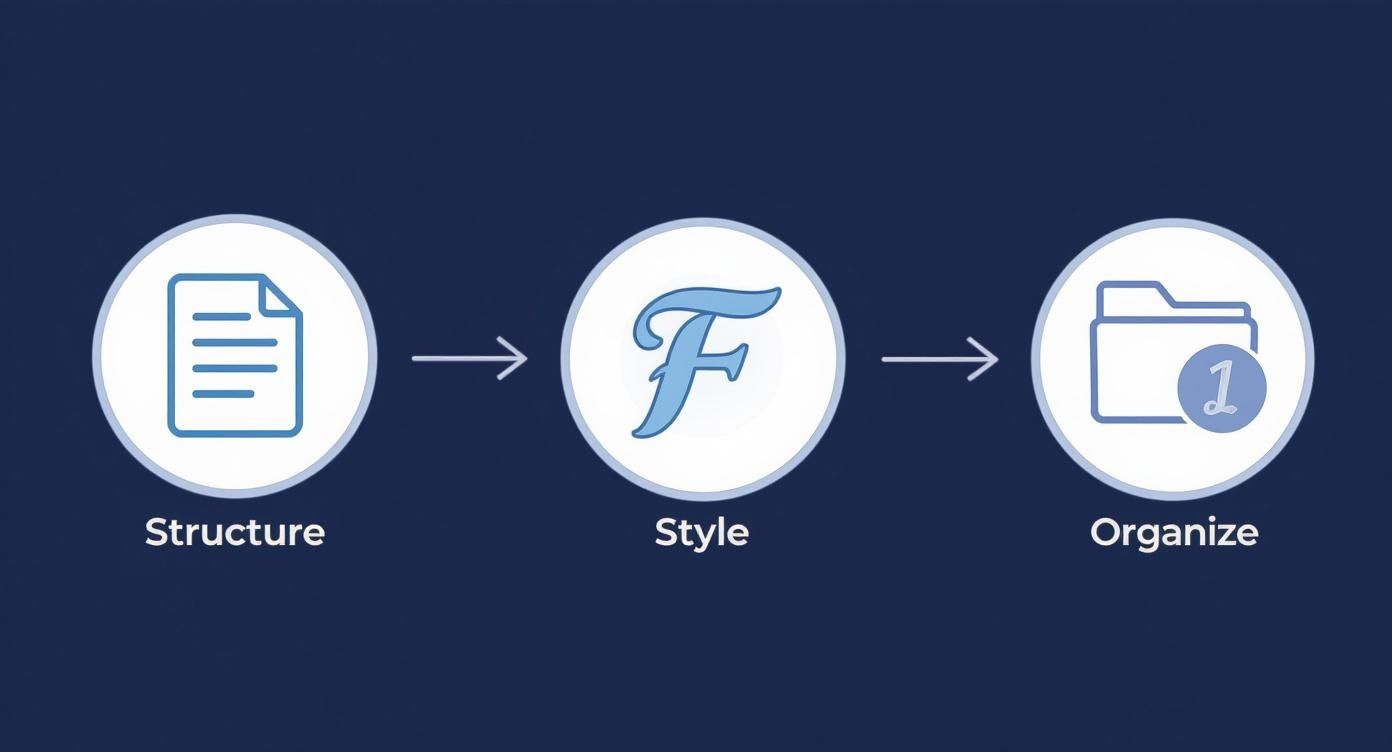
This workflow really drives home the point: a great EPUB starts with a clean, organized document, long before you get to the conversion part.
Prepare and Organize Your Assets
Now, let's get organized. Create a single project folder on your computer and gather every single file related to your book. This isn't just a suggestion—it's a critical step that prevents broken images and missing files later on.
Your project folder should contain a few key things:
- Your Manuscript: The final, fully-edited text document.
- Images Folder: A subfolder containing every image that will appear in your book. Make sure they're at least 150 DPI and have simple, descriptive names like
castle-ruins.jpginstead ofIMG_8472.jpg. - Cover Image: Your front cover as a high-resolution JPEG. A good standard size is 1600×2560 pixels.
- Fonts Folder (Optional): If you're embedding custom fonts, put the
.ttfor.otffiles in their own subfolder.
Getting everything in one place ensures your EPUB software knows exactly where to find and package each element. Understanding this organizational step is part of grasping the bigger picture; if you're new to this, it helps to read a comprehensive guide to digital downloads to see how EPUBs fit into the wider ecosystem. This context makes the entire creation process feel much more intuitive.
Finding the Right EPUB Creation Software

With your manuscript prepped and ready, it's time to pick your weapon of choice for the final conversion. The software you land on really depends on two things: your technical comfort level and how much control you want over the final ebook. There’s no single "best" tool—it's all about finding the right fit for your project and your personality.
The great news is that creating a solid EPUB is more straightforward than ever. That's because the format has become the undisputed global standard since its formal adoption back in 2007. Today, over 90% of ebooks on major platforms like Apple Books and Google Play are EPUBs. This dominance is no accident; its open-standard nature and universal device compatibility make it the smartest choice for any author. You can actually read more about the historical development of this powerful format on books-on-books.com.
The User-Friendly Path with Calibre
If you just want to get from a Word document to a clean EPUB file without a headache, start with Calibre. It’s a free, open-source powerhouse that’s best described as the Swiss Army knife of ebook software.
The process is incredibly direct. You import your manuscript—it handles .docx, .rtf, .html, and more—fill in the metadata like your author name and title, pop in your cover image, and hit "Convert." Within minutes, you have a working EPUB file.
But that simplicity comes with a trade-off. Calibre is built for automation, meaning it makes a lot of formatting decisions for you. For a standard novel, this is usually perfectly fine. But if you need to fine-tune the internal code or get picky with the styling, you’ll find its capabilities a bit limited. For a look at other easy-to-use options, check out our guide on the best book formatting software available today.
For Total Control, Meet Sigil
Now, if you're the type who wants to tweak every detail—from the exact spacing between paragraphs to the underlying HTML code—then Sigil is your new best friend. Unlike Calibre, Sigil isn't a converter; it’s a dedicated WYSIWYG (What You See Is What You Get) EPUB editor, built from the ground up for one job: crafting perfect EPUB files.
This is where the real power is for perfectionists. Sigil gives you a split-screen view: a live visual preview of your book on one side and the raw HTML code on the other. This dual perspective is a game-changer.
You can make a visual change, like bolding some text, and instantly see the <strong> tag appear in the code. Or, you can dive directly into the code to fix a weird formatting glitch and watch the preview update in real-time. This level of control is essential for hunting down the strange artifacts that automated converters often leave behind.
Having direct access to the code means you can embed custom fonts, write your own CSS styles, and make sure your ebook's internal structure is absolutely flawless before it ever reaches a reader.
The Power User's Choice: Pandoc
For those who are comfortable working in a command-line terminal, Pandoc is an incredibly potent tool. It's a universal document converter that can create a beautiful EPUB from a simple Markdown (.md) text file. This approach is a favorite among technical writers and developers because it completely separates your writing from the formatting.
You write your entire book in plain text using simple cues (like # for a chapter title and * for italics). When you're done, you run a single command, and Pandoc builds a perfectly structured EPUB.
For instance, a command might look like this:pandoc my-book.md -o my-book.epub --metadata title="My Awesome Book" --epub-cover-image=cover.jpg
The learning curve is definitely steeper here. But the payoff is a clean, repeatable workflow that’s incredibly efficient, especially if you're using a version control system like Git. It allows you to manage your book like a software project and just focus on the words.
Key Takeaway: Your software choice boils down to a trade-off between convenience and control. Calibre is fast and automated. Sigil is for hands-on, detailed editing. Pandoc is for a streamlined, code-first workflow.
Honestly, there's no wrong answer. Many authors I know actually use a hybrid approach. They might use Calibre for the initial, quick-and-dirty conversion and then open that EPUB in Sigil to clean up the code and add the final polish. This often gives you the best of both worlds—a fast start with the power to perfect every last detail.
Building the Core Structure of Your Ebook
https://www.youtube.com/embed/8rsr45TcOC4
A professional ebook is so much more than just the words on the page. Under the hood, it's built on a solid, invisible framework that e-readers rely on to present your content correctly. The best way to think about an EPUB file isn't as a single document, but as a tiny, self-contained website zipped into one neat package. Once you grasp this concept, creating a polished, functional ebook that works everywhere becomes much easier.
At the heart of every EPUB are a few critical components. The most important of these is the OPF file (Open Packaging Format), which you'll see with a .opf extension. This file is the book's master blueprint. It literally lists every single file inside the EPUB—every HTML chapter, every image, every font, and the CSS stylesheet that makes it all look good.
But that's not all it does. The OPF file also holds all of your book's metadata. This is the crucial information that online stores and e-reader libraries use to identify, categorize, and sell your book. Get this data right, and your book is discoverable. Get it wrong, and your book might as well be invisible.
Mastering Your Ebook Metadata
Editing your metadata is a non-negotiable step before you even think about publishing. Thankfully, tools like Sigil make this process simple with a dedicated metadata editor. You don't have to dig into raw XML code unless you really want to; instead, you just fill out a form with the essential details.
This isn't just about filling in blanks. It's about ensuring your book is properly cataloged for a global audience.
A Quick Note on Identifiers: If you plan on selling your book through major retailers like Amazon or Apple Books, you will almost certainly need an ISBN (International Standard Book Number). This is the global standard for book publishing and serves as your book's unique fingerprint. You'll enter this into the "Identifier" field.
To create a valid EPUB file that stores will accept, you need to get the core metadata fields right. Here’s a look at the essentials.
Essential EPUB Metadata Fields
This table breaks down the non-negotiable metadata fields you must complete. Filling these out correctly is the first step to ensuring your book is accepted by distributors and displayed properly on e-reader devices and in online stores.
| Metadata Field | What It Is | Why It's Important |
|---|---|---|
dc:title |
The official title of your book. | This is the primary field retailers use to display your book's name. It has to be accurate. |
dc:creator |
The author's name. | Ensures you are credited correctly. Use the file-as attribute to control sorting (e.g., "Doe, John"). |
dc:identifier |
Your book's unique ID, typically the ISBN. | This is the key to tracking sales and distribution. Without it, most major stores will reject your file. |
dc:language |
The language of the book (e.g., en for English). |
Helps e-readers apply the correct hyphenation rules and helps stores categorize your book for the right audience. |
dc:publisher |
The name of the publisher or your imprint. | Adds a layer of professionalism and is often required by distributors. |
Once your metadata is locked in, you have a professional foundation for your ebook. But there are still a couple more structural pieces you need to put in place.
Creating a Navigable Table of Contents
Right behind the OPF file in importance is the Navigation Document. In older EPUB 2 files, this was often called toc.ncx, but in modern EPUB 3, it's typically nav.xhtml. This is the file that generates the clickable table of contents (TOC) that your readers will use to jump between chapters.
The good news is, if you did your homework and used proper heading styles (H1, H2, etc.) when you prepared your manuscript, most tools can build this for you automatically. In Sigil, for instance, you can just go to "Tools > Table of Contents > Generate Table of Contents." It scans your document's headings and builds the navigation list in seconds. It’s a huge time-saver.
Assigning Your Cover Image
Finally, let's talk about the cover. Your beautiful cover image file should already be inside your EPUB package, but you have to explicitly tell the e-reader software that this specific image is the cover.
This is another simple but critical step you'll handle in your EPUB editor. The process usually looks something like this:
- Add the File: First, make sure your high-resolution cover JPEG is in the "Images" folder of your EPUB project.
- Define Its Role: In Sigil, you can just right-click the image file in the book browser and select "Add Semantics > Cover Image."
That one click embeds a tiny piece of code in the OPF file, flagging that image and ensuring it shows up as your book's thumbnail in digital stores and on your reader's virtual bookshelf. Once you’ve handled these structural elements, you've officially transformed a simple collection of files into a valid, professional EPUB.
Giving Your Ebook Its Interior Style with CSS
The cover gets readers in the door, but the interior design is what makes them stay. While clean HTML provides the skeleton of your book, Cascading Style Sheets (CSS) are the skin—the design layer that controls typography, spacing, and the overall feel of the reading experience.
Think of it this way: good design is invisible, but bad design is a roadblock. CSS acts as the interior decorator for your book. It takes the raw text (the furniture) and arranges it perfectly, making sure everything from paragraph indents to chapter headings looks intentional and professional. Without it, you’re left with a plain document that feels more like a first draft than a polished book.
The Power of a Central Stylesheet
The smartest, most efficient way to style your ebook is with a single, external CSS file. This is a non-negotiable for maintaining consistency. When you decide the body font is just a little too small, you can change one line in one file, and that update instantly applies across every single chapter. The alternative—editing dozens of individual HTML files—is a nightmare you don't want to live through.
If you're using a tool like Sigil, the process is straightforward:
- Create a new, blank CSS file (I usually call it
style.css) inside the "Styles" folder. - Make sure every single one of your HTML chapter files links to it.
- Put all your styling rules into this one central
style.cssfile.
This simple practice separates your content (HTML) from your presentation (CSS), a core principle that keeps your ebook project clean and easy to manage. To see how this fits into the bigger picture, our guide on what book formatting is offers some great foundational context.
Essential CSS You Can Use Right Now
Let's look at some practical CSS snippets you can drop into your stylesheet to immediately improve your book's appearance.
For a classic, novel-style paragraph, you'll want a first-line indent without extra space between paragraphs. It's easy on the eyes and a standard for most fiction.
p {
text-indent: 1.5em; /* Indents the first line of each paragraph */
margin-top: 0;
margin-bottom: 0;
}
Chapter titles, which are usually marked up as <h1> or <h2> tags, need to make a statement. You can center them, give them a distinct font, and add plenty of white space to signal a new beginning for the reader.
h1 {
text-align: center;
font-family: 'YourCustomFont', serif;
font-size: 2em;
margin-top: 3em;
margin-bottom: 2em;
}
Reflowable vs. Fixed-Layout: A Critical Choice
One of the first and most important decisions you'll make is whether to create a reflowable or a fixed-layout EPUB. This choice is dictated entirely by your book’s content, and getting it wrong can ruin the reading experience.
A reflowable layout is like water; it pours itself into whatever container it's in. This is the standard for almost all text-heavy books like novels, memoirs, and most non-fiction. Readers can change the font size and style, and the text automatically "reflows" to fit their screen perfectly. For 95% of authors, this is the format you should be using.
A fixed-layout EPUB, on the other hand, is more like a static image or a PDF page. Every single element—text, images, illustrations—is locked into a precise position.
You should only ever choose fixed-layout when the exact visual relationship between text and images is absolutely critical to understanding the content. Think of:
- Children's picture books where text is wrapped around illustrations.
- Graphic novels and comics.
- Complex textbooks with detailed diagrams and callouts.
- Coffee table books filled with photography or art.
Be warned: creating a fixed-layout EPUB is a much more complex, specialized, and often frustrating process. Unless your book absolutely cannot function without it, stick with a reflowable layout. You'll ensure maximum compatibility and give your readers the flexible, enjoyable experience they expect.
Validating and Troubleshooting Your EPUB File
Before you can get your ebook into the hands of readers, it has to pass a crucial technical inspection. Think of ebook retailers like Amazon KDP and Apple Books as strict gatekeepers; their automated systems will bounce a file back for even the tiniest coding error. This final quality check isn't optional—it's what guarantees your book works flawlessly on every device.
This is the stage where you catch all the little mistakes that automated converters often miss. I'm talking about broken links, an image that isn't listed in the manifest, or a stray bit of malformed HTML. Fixing these things now saves you from the frustration of rejection emails later and, more importantly, gives your readers a perfect experience from page one.
Your Go-To Tool: EPUBCheck
When it comes to validation, the undisputed industry standard is EPUBCheck. This is the official tool maintained by the W3C, and it's the very same one used behind the scenes by almost every major ebook distributor. Simply put, if your file passes EPUBCheck, you can be confident it will be accepted by retailers.
You have a few ways to run it:
- Web Interface: The most straightforward method is the online validator. Just upload your
.epubfile, and it spits out a detailed report. - Command-Line Tool: If you're comfortable working in a terminal, the downloadable Java application is much faster for running checks locally and offline.
- Integrated in Software: Many professional EPUB editors, like Sigil, have EPUBCheck built right in. This is incredibly convenient, as you can run validation checks as you work without ever leaving the app.
The report it generates gives you a clear, actionable list of errors and warnings. It's the ultimate source of truth for your file's technical health.
To really get ahead of problems, it helps to adopt a mindset focused on quality assurance best practices throughout your entire creation process. This will help you catch issues systematically instead of just reacting to error messages at the end.
Decoding Common Validation Errors
At first glance, an EPUBCheck report can look a bit intimidating, but you'll quickly find that most errors fall into a few common buckets. Learning to interpret these messages is the key to fixing problems fast.
A typical error message tells you three things: the exact file where the issue is, the specific line number, and a description of what’s wrong. Here are some of the usual suspects I see all the time.
-
File 'OEBPS/images/chapter_art.jpg' is not reachable: This is a classic manifest error. It means you have an image file inside your EPUB package, but you forgot to declare it in thepackage.opf(the manifest). The fix is easy: open your OPF file and add a new manifest item for that image. -
Invalid attribute 'align' for element 'p': You're looking at outdated HTML. Modern ebooks must use CSS for all styling, not old HTML attributes likealignorfont. You have to remove the attribute from the HTML tag and create a CSS rule to do the same job (for instance,p.center { text-align: center; }). -
Fragment identifier is not defined: This means you have a broken internal link. It typically happens when a link points to a specific spot in a chapter (likechapter_one.xhtml#section2), but the destination anchorid="section2"is missing from the HTML tag it's supposed to be pointing to.
Pro Tip: Don't skip the warnings! While errors are what get your book rejected, warnings flag potential display problems on certain e-readers. I always recommend fixing these too. It’s a bit of extra work, but it ensures maximum compatibility and a better book.
Once EPUBCheck finally gives you the green light with "No errors or warnings found," you can pop the champagne. You now have a technically perfect EPUB file that's ready for the world.
Common Questions About Creating EPUB Files
As you get your hands dirty building an EPUB, you're bound to run into a few recurring questions. It’s a process that sits at the intersection of technical standards and real-world creative choices, so it's natural to hit some sticking points.
Let's clear up some of the most common hurdles authors and creators face when navigating the specifics of e-readers and the different retail platforms.
Do I Need to Buy an ISBN for My EPUB?
This one comes up all the time, and the answer really boils down to where you want to sell your book. If you're aiming for major retailers like Apple Books, Barnes & Noble, or Kobo, then yes, you absolutely need an ISBN. Think of it as your book's unique fingerprint—a 13-digit identifier that lets the global publishing industry track your sales and metadata.
Now, you might notice that a platform like Amazon KDP offers to assign its own identifier, called an ASIN, if you don't have an ISBN. While that sounds easy, that ASIN is locked to Amazon's ecosystem. It won't work anywhere else. For maximum reach and a truly professional setup, buying your own ISBN is always the best move.
Can My EPUB Have Audio and Video?
Technically, yes! The EPUB 3 standard was designed to handle embedded audio and video, a feature often called "media overlays." This opens up some amazing possibilities for certain kinds of books.
Imagine:
- Language books where you can tap a word to hear the pronunciation.
- Kids' stories with professional read-aloud narration that highlights the text.
- Technical manuals or textbooks that include short video demonstrations.
The real challenge isn't building the EPUB with multimedia, it's finding e-readers that can consistently play it. Support across major devices and apps is still very hit-or-miss. So, while it's a powerful feature, it’s best suited for targeted projects where you have more control over the reading environment, like a custom web-based reader.
How Do I Handle Fonts in My Ebook?
When it comes to typography, you have two paths. You can either let the e-reader use its own default fonts, or you can embed your own custom fonts into the file.
For the vast majority of books, especially standard fiction and non-fiction, sticking with the device defaults is the way to go. It respects the reader's own preferences for font size and style, which is a core part of the ebook experience.
However, if a specific font is crucial to your book's identity—say, a unique script for chapter titles in a fantasy novel—you can embed the font files (.otf or .ttf) directly. Just make sure you have the correct license to distribute that font. A word of caution: only embed fonts for special elements like headings or drop caps, never for the main body text. It keeps your file size down and avoids overriding the reader's personal settings.
Ready to turn your manuscript into a professionally published book that reaches readers worldwide? At BarkerBooks, our team of experts handles everything from editing and design to global distribution and marketing, so you can focus on writing. Learn how we can help you achieve your publishing dreams today!