
In 2015, U.S. coloring-book sales rose from about 1 million copies to 12 million. Detailed artwork and adult-focused positioning helped publishers present coloring as adult nonfiction and wellness publishing. Nielsen BookScan's year-end review records the scale of the change.
A publishable interior needs more than a stack of drawings. Set the intended reader and session length first: intricate pages suit longer coloring sessions and fine-tip tools, while bold, open artwork supports shorter sessions and broader coloring tools. Check that line weight and page density suit the reader's vision and tools, then proof at the intended trim size. Choose software and finalize artwork only after those decisions are clear.
Why Coloring Book Design Still Sells
Coloring-book design can shape how readers understand a book before they open it. The adult coloring-book boom showed publishers that a familiar activity could support a distinct product, with artwork and positioning built for readers seeking a focused coloring session.
Johanna Basford's Secret Garden and Enchanted Forest made that proposition visible through intricate black-and-white illustrations designed for adults to explore over time. Their appeal came from the relationship between detailed artwork, a recognizable visual style, and adult-focused presentation. The pages offered a different experience from a standard children's coloring book, rather than relying on a new label alone.
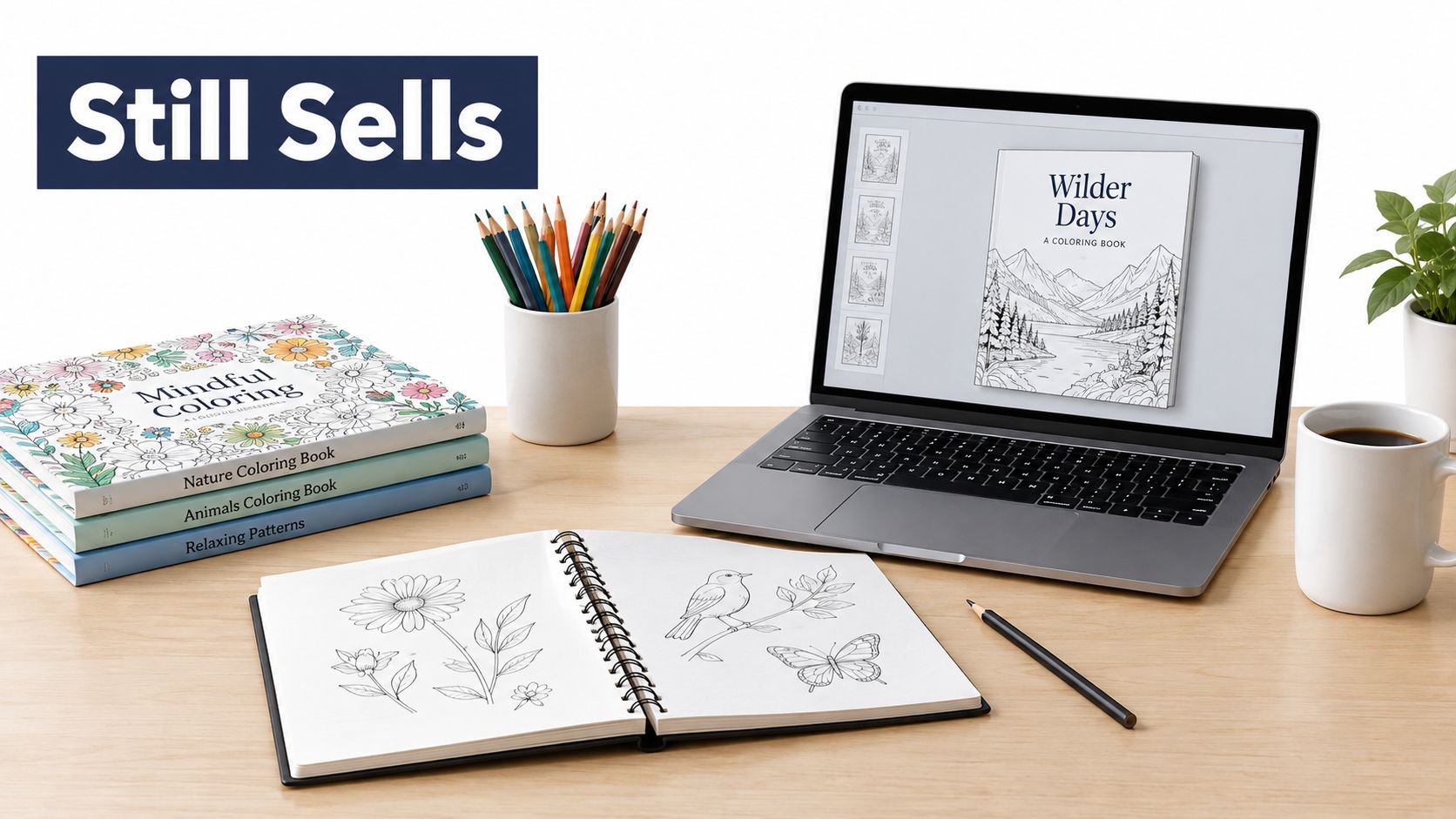
For an independent publisher, this is a precedent, not a promise of sales. Design needs to fit the reader's intended session and tools. Intricate botanical pages can suit adults who want to spend longer coloring with fine pencils, while broad shapes and open spaces may work better for quick breaks or broad markers. A single book can include both, as long as the shifts in complexity feel deliberate and the cover sets an honest expectation.
Design is a publishing decision
No one level of detail suits every reader. Dense pages can reward patient coloring, but small enclosed areas may frustrate someone using a thick marker or looking for a brief activity. Bold pages are easier to start and finish, though readers seeking a longer, absorbing session may find them less satisfying. Complexity is a practical choice about session length and tool fit, not a quality ranking.
Test accessibility on the printed page, not only on screen. Check whether line weight remains clear at the chosen trim size, whether small spaces can be colored with the likely tools, and whether open areas give less experienced readers room to work. Varying page density lets intricate adult designs and easier pages coexist without making one trend the book's default.
Start with the reader: Define who the book serves and what kind of coloring session it offers. Use that decision to guide the artwork, then check that the cover and interior make the same promise.
A clear audience helps the illustrator create pages that belong together. Before files leave the desk, review the finished trim, printed line weight, and page variety against that promise.
Plan Theme Audience and Session Length
A useful coloring-book brief makes design choices concrete before anyone draws finished pages. Decide on a theme, identify the reader, name the likely coloring tool, and set the expected time-on-page. Those choices affect how much detail a page can comfortably hold and what kind of paper and layout the finished product may need.
Complexity is a choice, not a quality score. One market snapshot estimates that nearly 40% of top-selling books promoted bold-and-easy designs, while more than half used intricate, detailed, or story-driven approaches. The market snapshot points to segmentation, not a single winning format. A hobbyist may enjoy working through dense botanical detail. A beginner, an older reader, or someone using broad markers may prefer larger regions and a page they can finish during a short break.
Build a tiered page map
Give the book a mix of page experiences instead of repeating one level of density throughout. Quick pages can use broad shapes and open space. Medium pages can add pattern or background detail. Advanced spreads can reward readers who want a longer, more involved session. A coherent theme, such as botanical illustrations, city scenes, mindfulness patterns, or cultural motifs, can connect the tiers even when their complexity varies.
Make the layout rhythm intentional. Follow a dense page with a more open one, or intersperse easier designs among elaborate spreads. A consistently intricate interior can look impressive in a preview but feel tiring to use. Conversely, a book made entirely of very simple pages may not satisfy readers expecting a longer coloring project.
Fill in a planning table before commissioning or drawing final artwork:
| Page tier | Session length | Typical tools | Line and space notes |
|---|---|---|---|
| Quick | Short break | Broad markers, crayons | Large open regions, generous space between details |
| Medium | Moderate session | Colored pencils, fine markers | Clear focal shapes, some patterned detail |
| Advanced | Longer session | Fine pencils, gel pens | More intricate areas, with distinct boundaries and room to work |
Treat these as editorial labels, not promises about exactly how long each reader will take. Readers color at different speeds, and tools change how comfortably they can fill a region. The labels still help keep the page map balanced and set clear expectations for the illustrator and the buyer.
Record the intended tool, difficulty, and paper considerations alongside each design. If a spread is meant for broad markers, avoid making its coloring areas so narrow that the tool becomes awkward. If an advanced page includes tightly repeated motifs, make sure the visual rhythm still feels legible at the final trim size. A clear brief defines what “done” means before production begins.
Turn Artwork into Print-Ready Line Art
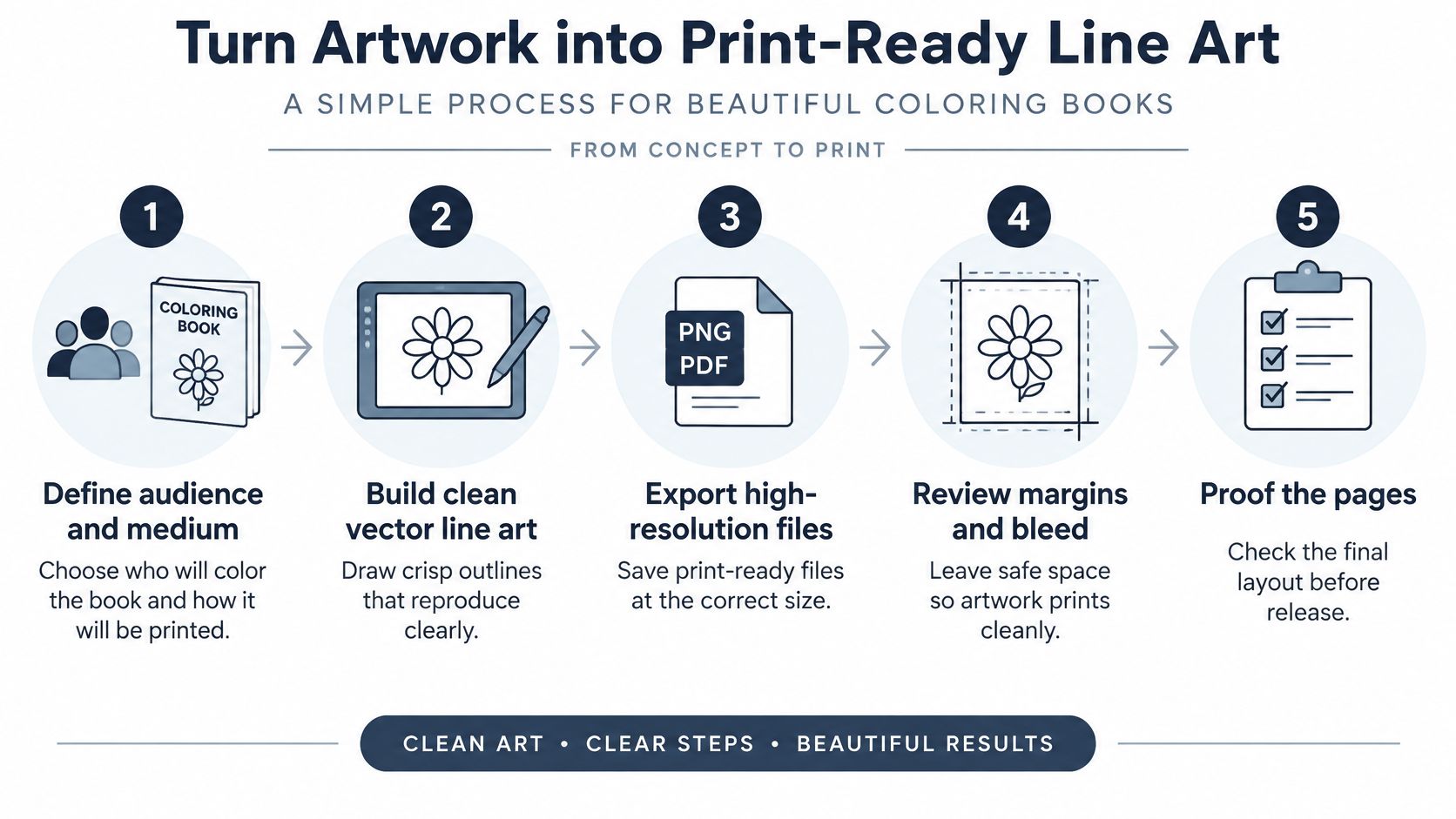
A page can look clean on a monitor and still reproduce poorly in a printed book. The production workflow should account for the chosen audience and medium from the outset, then preserve line clarity through export, layout, and physical proofing. Every page needs to behave consistently when it reaches the printer.
Set the artwork up to reproduce
Choose vector artwork when you need crisp, scalable outlines, or use high-resolution raster art prepared at the final size. For general-purpose interiors, a practical baseline is a minimum line weight of 0.3 mm, approximately 0.75–0.9 pt, pure 100% black line art, and output of at least 300 dpi. For delicate scanned artwork, a 600 dpi scan gives fine detail more protection against breakage than a 300 dpi scan. These production recommendations are detailed in QinPrinting's coloring-book printing guidance.
Set the trim size with the printer before laying out the pages. Different trim families are available, but the correct choice depends on the product and the printer's requirements. Keep important details away from the trim edge. When artwork runs off the edge, include 3 mm bleed so small cutting variations don't leave an unintended unprinted border.
Hairline rules are a common weak point: they may disappear or break during reproduction. Antialiased gray edges can also print softer than intended, while missing bleed risks an uneven edge on full-bleed art. Scaled-up scans deserve scrutiny too. Enlarging a drawing substantially after scanning can reveal softness or broken detail that wasn't obvious at its original size.
Preflight and proof the actual pages
Run the preflight on every page at 100% size. Check that line art is black only, trim and bleed are correct, and any fonts used in text are embedded. Review the artwork at its final size rather than relying on a zoomed-in view that hides cramped regions or weak lines.
If you're building outlines from an existing sketch, this guide to refining a tattoo outline sketch offers a useful example of treating contour cleanup as a deliberate stage before final artwork. The same production principle applies here: the source drawing isn't finished just because its subject is recognizable. For related print color-profile decisions, consult BarkerBooks' guidance on color profiles for printing.
The handoff should finish with a printed proof. A screen can't tell you everything about how a boundary, fine line, or blank area feels on paper. Approve the pages only after checking the physical sample, and ask the printer to clarify any file requirements that depend on its equipment or production workflow.
Check Complexity Accessibility and Proofs
More detail doesn't automatically make a page more engaging. In a randomized study of 84 undergraduates, participants coloring structured mandala or plaid designs experienced greater anxiety reduction than participants coloring an unstructured blank page. A separate randomized, one-week study of 104 university students found lower depressive symptoms and anxiety among the daily coloring group than among participants doing logic puzzles. Living Life's overview discusses these findings. They support coloring as an accessible stress-reduction activity, not as a substitute for clinical therapy.
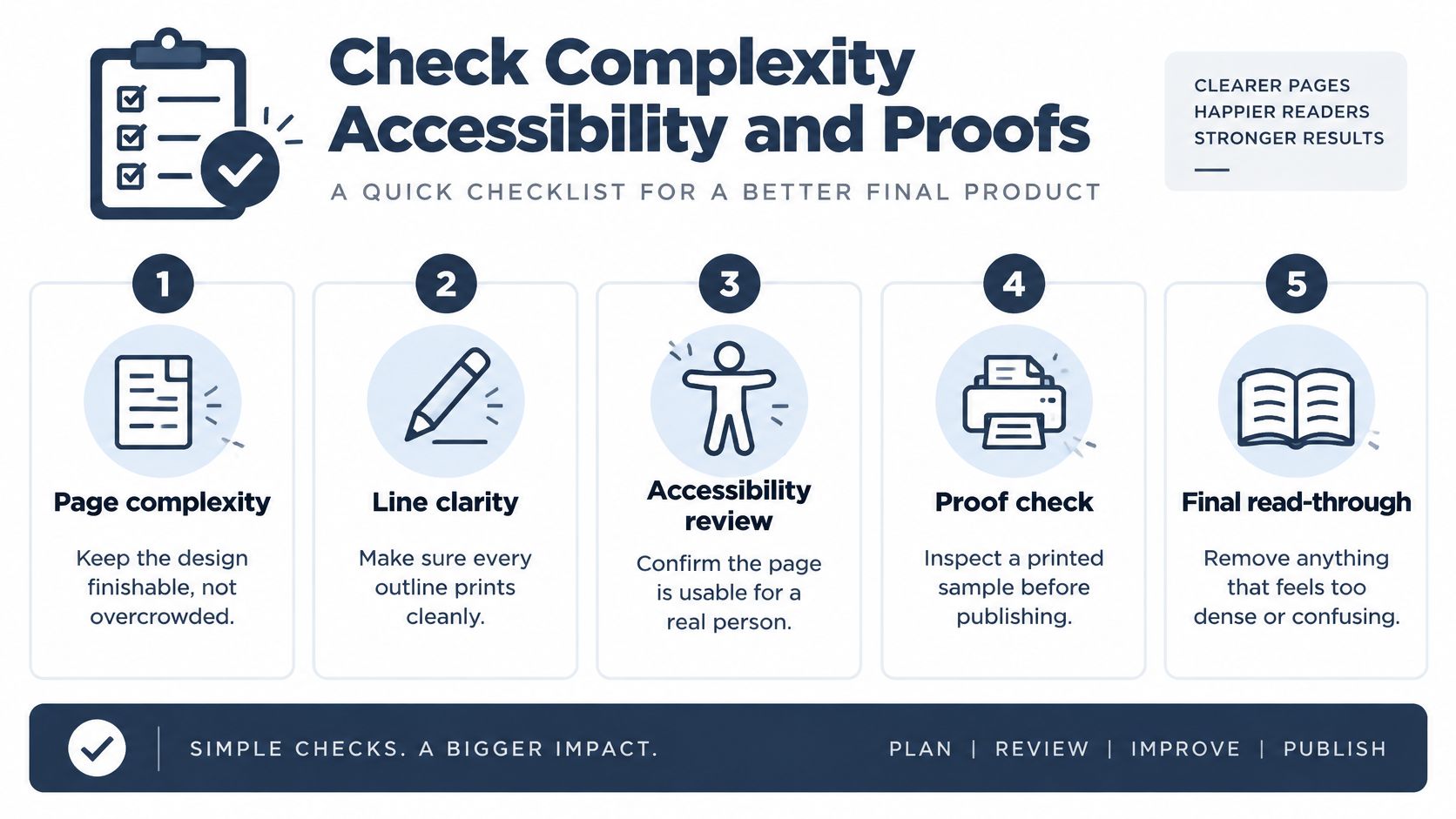
Turn the design assumption into a test. Make simple, moderate, and intricate prototypes, then ask representative readers to color them. Record completion time, boundary errors, perceived difficulty, and whether participants want to continue. Those observations reveal more than a designer's guess about how a page will feel.
Review the page as a person will use it
A refined theme doesn't require clutter. Keep large primary shapes easy to identify, use repeated motifs to give the page visual rhythm, and leave enough negative space for the intended tools. Uniform micro-detail, narrow enclosed regions, and ambiguous crossings can make coloring frustrating, particularly when users are working with broad markers or have limited dexterity.
Accessibility means more than making every outline thicker. Guidance on accessible graphic representation favors simple, non-overlapping lines and clearly identifiable elements, which can make visual information easier to interpret. Research on accessible graphic representation points to the value of clarity. Preserve a mature subject while reducing unnecessary overlaps, separating objects, and adding redundant cues such as texture or symbols where color alone might not communicate a distinction.
Test the page in grayscale and with color-vision simulation, and check that small details remain distinguishable at actual print size. Broad-marker users need clear areas and adequate white space. If you're considering raised or tactile outlines, ask the printer whether the chosen production method can create them before designing around that feature. You can also consider an alternate version of a page with a simpler layout, so different readers can engage with the same theme.
Finish with a pass-or-fail review, not a vague impression. Can readers identify the main shapes? Are there unintended intersections? Do the smallest regions suit the stated tools? Can a participant finish the page without feeling overwhelmed? BarkerBooks' guidance on traditional book sizes can inform the format decision, but the page still needs to be assessed at its final trim and with real users.
Choose Tools Partners and Publishing Paths
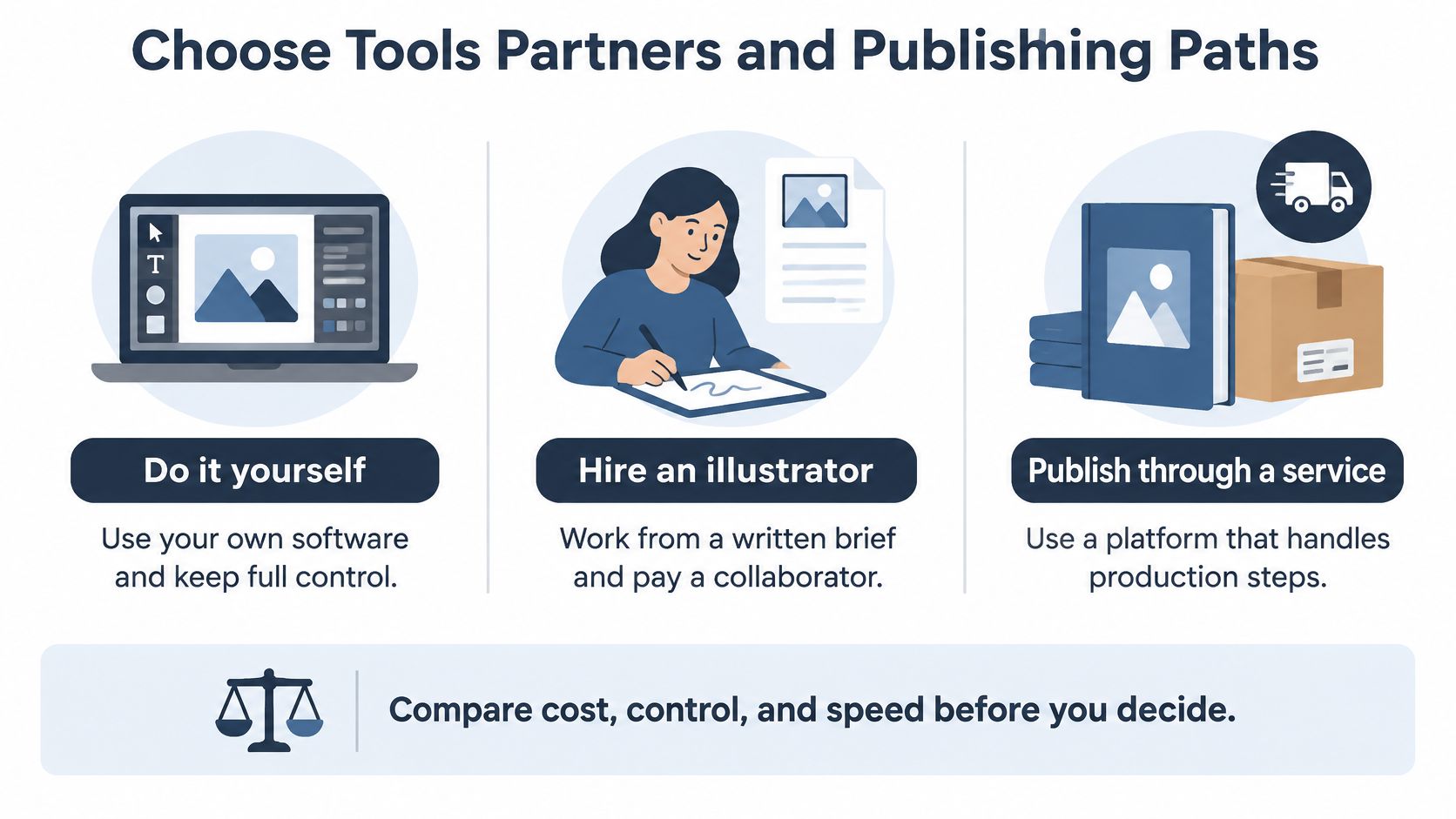
Choose the production route around the work you can manage in-house and the control you need over the finished pages. Drawing and laying out the book yourself offers direct control, while an illustrator or publishing service can take on specific production tasks. Each route still needs clear specifications and agreements.
| Path | Works well when | Confirm before committing |
|---|---|---|
| Do it yourself | You can draw and lay out pages in software such as Adobe Illustrator or Affinity Designer. | Confirm final-size files, consistent strokes, black-only line art, and bleed. |
| Hire an illustrator | You have a clear concept but need a collaborator to develop the artwork. | Put usage rights, file delivery, revisions, and resale restrictions in writing. |
| Use a publishing service | You need help with production, layout, cover design, or distribution as well as artwork preparation. | Ask which deliverables and publishing services are included, and who retains rights. |
Agree on trim size, file format, line weight, and bleed before production begins. Check that the cover suits the same readers as the interior. For early concept exploration, you can generate custom coloring pages, then review each design for print suitability and confirm its usage rights before publication.
Put ownership and format in writing
For commissioned artwork, distinguish a work-for-hire arrangement from a license. State who owns the drawings, what uses the license permits, and whether the artist can reuse or resell the motifs. Stock art and traced references also require rights checks before commercial use. Confirm permissions for every image.
Print and digital editions call for different file decisions. If readers will use markers, compare single-sided printing with heavier paper, and ask the printer about available stocks and show-through. Screen pages need a layout suited to viewing on a device. A print-ready PDF may not work as an ebook without adjustments to its layout and reading experience.
BarkerBooks offers authors editorial support, cover design, interior layout, ISBN registration, copyright help, and distribution through Amazon Kindle, Apple Books, Barnes & Noble, and Google Books. Its packages range from Essential to Elite, with options including author landing pages, multilingual publication, and marketing support. Before selecting a publishing partner, ask which source files and final files you will receive, who controls the illustration rights, and what the service covers. For print production, compare the specifications and services offered by professional book printing services with your trim, paper, and file requirements.
Publish Your Coloring Book with Confidence
A coloring book is ready to release when its creative decisions, files, and permissions all line up. Before you submit anything to a printer or upload a digital edition, confirm that your page map reflects the intended readers and session types, every illustration has cleared rights, and the interior files match the agreed trim and print specifications. Keep the accessibility notes with the production records so later revisions don't undo tested decisions.
Prepare the interior PDF and cover file, then write a short description that names the audience and the tools the pages suit. Explain the balance of quick, medium, and advanced designs so buyers know what kind of coloring experience to expect. Approve a printed proof before publication.
Your pre-upload check can stay simple:
- Interior and cover: Confirm the files match the chosen edition and printer requirements.
- Rights: Record the license or ownership status for every illustration.
- Page map: Make sure the stated difficulty mix matches the finished pages.
- Reader fit: Document the intended tools and any accessibility choices.
BarkerBooks provides ISBN and copyright support alongside distribution through Amazon Kindle, Apple Books, Barnes & Noble, and Google Books, helping authors prepare books for international readership. Before starting, gather your page map, three prototype pages, and rights status. Then begin a project conversation at BarkerBooks so layout, cover, ISBN, and distribution can be considered as parts of one publishing job.
A finished coloring book is a tested interior plus cleared illustration rights, not a folder of pretty sketches.
BarkerBooks offers coloring-book interior formatting and cover design, along with publishing support such as ISBN registration and distribution. Bring your page map, prototypes, and rights information to BarkerBooks to discuss turning your designs into a market-ready book.