
You sit down to write, open the manuscript, and immediately discover that your workspace is solving the wrong problem. The novelist drafting alone needs protection from interruptions. The researcher needs source material visible without constant window switching. A bilingual author may need language references and collaboration tools, while a ghostwriter may need client feedback, notes, and several active documents available at once.
The best writing set up isn't a collection of expensive gadgets. It's a physical and digital arrangement built around the work in front of you. This roundup compares eight configurations for focus, research access, collaboration, mobility, comfort, and long-term sustainability.
Choose the setup that removes your biggest obstacle at the current stage of writing. Once the manuscript is drafted, organized, and ready for professional attention, BarkerBooks can support the next steps through editorial, design, formatting, and publishing services.
1. Minimalist Digital Setup
A minimalist digital setup gives the manuscript most of the available attention. Use one reliable screen, a comfortable keyboard, a distraction-free writing application, and dependable cloud synchronization. The point isn't to make the desk look empty. It's to remove every visible task that isn't connected to the chapter you're writing.
This configuration suits a novelist drafting alone, an author preparing a submission, or anyone who loses momentum through constant application switching. Scrivener works well for a long manuscript because chapters, research notes, and scenes can live in one project. A writer who prefers a lighter interface might use iA Writer across a Mac and iPad. A bilingual author collaborating with an editor may prefer Google Docs because comments, revisions, and shared access are immediate.
Dedicated writing software remains a significant drafting choice among independent authors. A 2024 survey of 1,007 authors reported that 38% used Scrivener as their primary drafting tool, compared with 31% for Microsoft Word and 14% for Google Docs. The same survey reported that dedicated writing software users saved an average of 4.1 hours per week on file management, reformatting, and cross-document search, though those figures come from the survey rather than a guarantee for every writer. See the survey's comparison of writing software for novelists.
Keep the creative layer separate
Write in full-screen mode, silence nonessential notifications, and keep the desktop out of sight. Set a repeatable writing period rather than waiting for ideal inspiration. Keyboard shortcuts can preserve flow when you need to move between scenes, notes, and search.
Cloud version history matters before editorial handoff. It gives you a recoverable record of the manuscript and makes it easier to distinguish a working draft from a later revision. BarkerBooks' writing tools for authors can help you think through the software side of that workflow. If presentation matters during a later formatting stage, you may also want to review these cursive typefaces in Word, but don't let decorative formatting distract you during drafting.
2. Dual-Monitor Research and Writing Setup
A second monitor earns its place when reference material is part of nearly every paragraph. Put the manuscript on the primary display and keep research papers, interview notes, a style guide, client feedback, or submission requirements on the other. This arrangement reduces the repeated cycle of minimizing the draft, finding a source, copying a detail, and trying to recover the sentence you were writing.
Researchers and nonfiction authors benefit most. An academic writer can keep a manuscript beside a database or source PDF. A bilingual author can place a language reference tool and terminology list beside the draft. A ghostwriter can keep the client brief and communication window visible without allowing messages to take over the main writing screen.
The physical placement matters more than the number of screens. Raise the primary display so you aren't constantly bending your neck, and position it directly in front of you. Keep the secondary screen close enough to read without repeatedly twisting your torso. Window managers such as Rectangle or Magnet can create consistent layouts, while monitor stands with integrated USB hubs can reduce the cable clutter that often makes a two-screen arrangement feel chaotic.
Practical rule: The second monitor should answer a recurring question. If you rarely consult research while drafting, it may become another surface for distraction rather than a writing aid.
Use a style sheet instead of relying on memory. Record names, terminology, capitalization, citation preferences, and decisions that must remain consistent. For a BarkerBooks project, keep the relevant submission guidance or editorial notes available, but close unrelated tabs before a focused session.
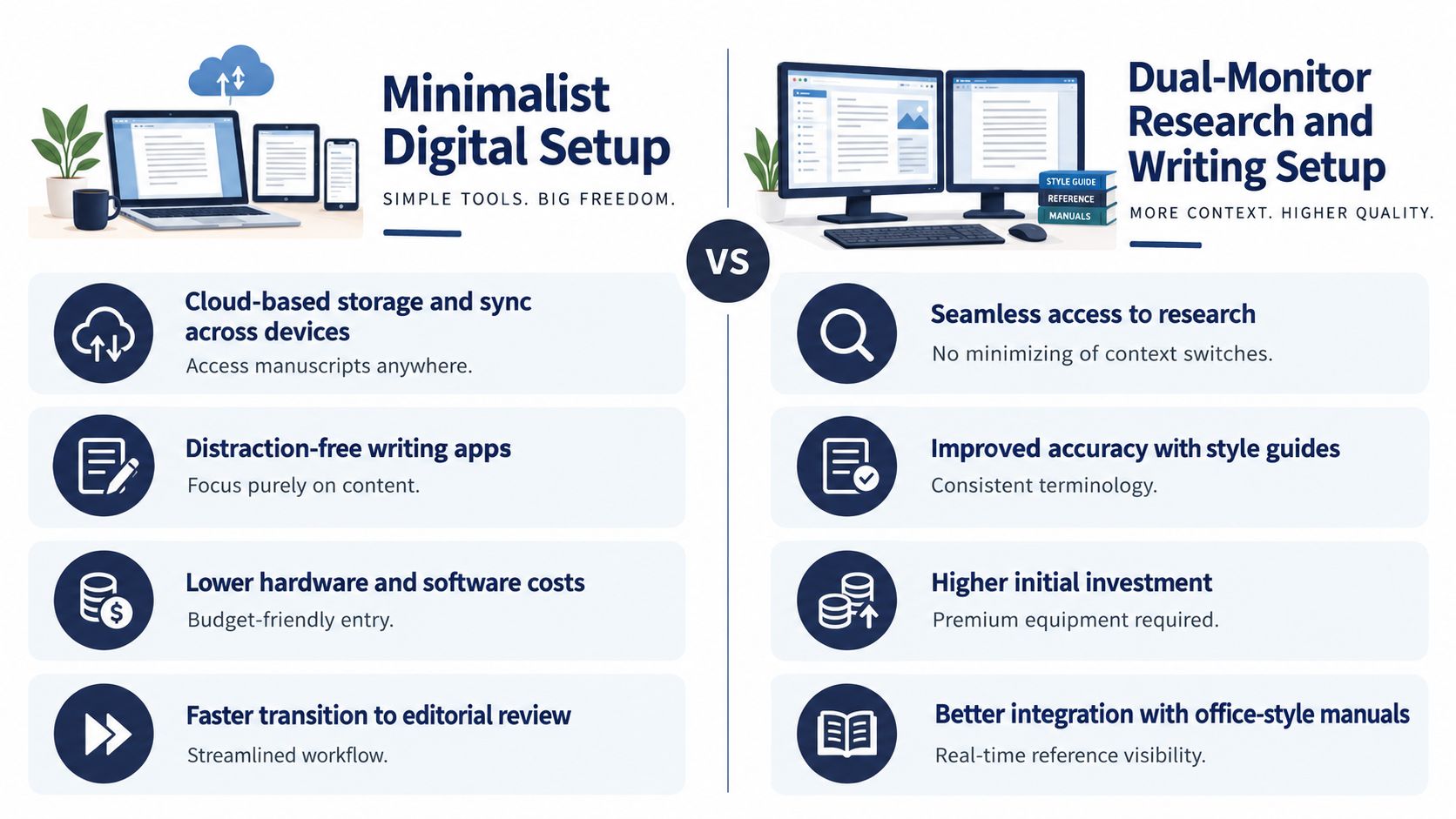
The trade-off is visual complexity. Two screens can support research-heavy writing, but they can also encourage constant checking. Use the second display as a reference shelf, not as an invitation to monitor every incoming message.
3. Analog-Digital Hybrid Setup
Some writing begins before the author knows what the writing is. A notebook can make that early stage feel less performative and more exploratory. Handwritten pages work particularly well for scene fragments, character questions, chapter maps, poems, and ideas that would feel over-structured in a formal document.
The hybrid arrangement combines that tactile beginning with digital control later. Keep a notebook and pen beside a laptop or tablet, then establish a regular process for transferring useful material into Scrivener, Word, or another manuscript system. A novelist might draft a difficult scene by hand and type only the strongest version. A poet may keep journals and later transcribe selected work. A bilingual author might think through an idea in a first language before developing the final English manuscript with editorial or ghostwriting support.
The main risk is losing the bridge between the two systems. Handwritten material that stays in a pile becomes an archive rather than a working draft. Mark pages with clear headings, dates, scene names, or project labels, and create a consistent digitization habit. If you use an iPad, Notability and Goodnotes can offer handwriting with searchable digital storage, though a paper notebook may remain better for writers who find screens distracting.
Treat transcription as an editorial stage
Don't copy every sentence automatically. During transcription, identify repetitions, missing transitions, useful images, and unresolved questions. That process turns raw notes into material that can support a coherent manuscript.
A simple folder structure helps:
- Current project: Keep active pages and scans together.
- Scene or chapter labels: Name files so you can find ideas without reopening every image.
- Revision notes: Separate questions from prose so they don't accidentally enter the manuscript.
- Submission material: Store the clean digital draft apart from exploratory notes.
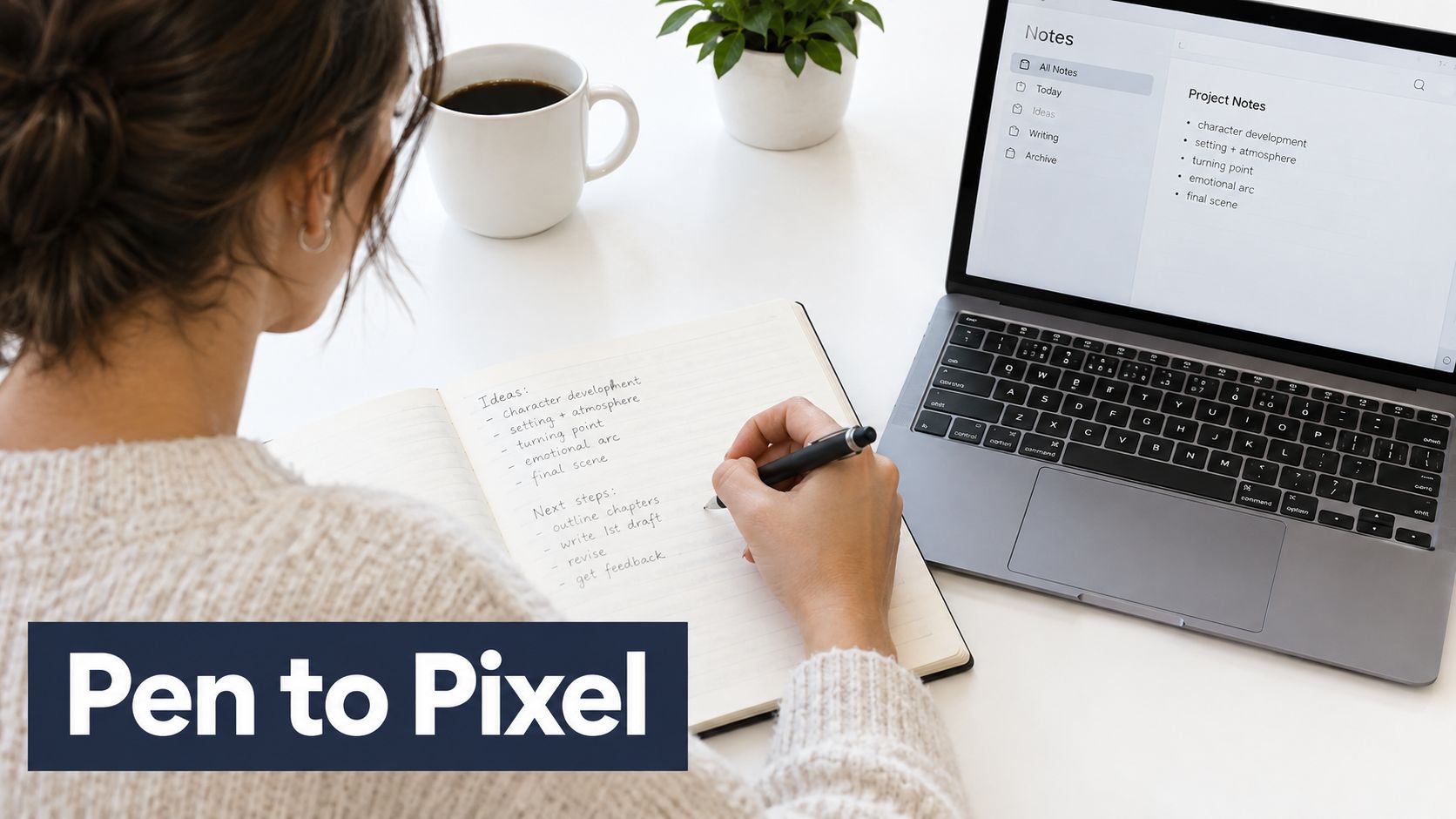
This setup works when handwriting creates momentum, not when it becomes a way to postpone revision. Keep the physical and digital systems connected, and the hybrid approach can support both creative discovery and professional manuscript preparation.
4. Standing Desk Workstation
A standing desk is useful when changing position helps you stay engaged through a long writing day. It isn't a replacement for a good chair, and standing continuously isn't the goal. The practical arrangement lets you move between seated drafting, standing review, reading, and short tasks that don't require the same concentration as composing a paragraph.
An adjustable desk suits a full-time author managing several manuscripts, a ghostwriter moving between client projects, or a translator-author working across languages. Standing can also make it easier to read printed pages, review a proof, or dictate an idea while looking away from the keyboard. The benefit comes from flexibility, not from treating one posture as automatically correct.
Start with short standing periods and change position before discomfort arrives. Keep the monitor at a height that doesn't force your head down, let your elbows rest near a right angle, and use a supportive mat if your feet become tired. A footrest can give you another way to shift weight. Comfortable shoes are often more useful than an elaborate accessory.
Build movement into the workflow
Use posture changes as natural transitions. Stand while reviewing yesterday's pages, sit for concentrated drafting, and walk away from the desk when a scene needs thinking rather than typing. A timer can remind you to move, but your own discomfort is already useful feedback.
Writers who want to make equipment decisions carefully can also review writer tax deductions before treating workspace purchases as business expenses. Keep records and confirm the applicable rules for your location rather than assuming every desk or accessory qualifies.
A standing desk won't repair a chaotic workflow. It works best when it supports deliberate changes between drafting, reading, editing, and recovery.
The trade-off is cost and setup precision. A desk that wobbles, places the keyboard too high, or leaves the monitor at the wrong level may create new problems. Adjust one variable at a time and judge the arrangement by how your body feels after repeated sessions, not by how impressive the workstation looks on its first day.
5. Collaborative Home Office Setup
A shared manuscript needs a shared operating system. A collaborative home office combines a writing station with clear video and audio, real-time documents, scheduled meetings, and a way to record decisions. It suits co-authors, ghostwriter-client teams, bilingual writing partnerships, and authors working with an editorial team from home.
The desk should support conversation without making the manuscript difficult to access. Place the webcam at eye level, test the microphone in the actual room, and keep a light facing you rather than sitting behind your head. A clean background helps, but reliable audio matters more than decorative styling. Virtual backgrounds can protect privacy when the room also functions as a family or living space.
Google Docs can support live comments and revision for a co-authored book. A ghostwriter might use a shared document for the working draft, a separate folder for interviews and source material, and scheduled calls for decisions that shouldn't be buried in comments. A bilingual team may maintain parallel language documents with a shared terminology sheet.
Agree on the rules before the first call
Collaboration becomes difficult when people use different meanings for “final,” “reviewed,” and “ready.” Establish who owns each decision, where feedback belongs, and when a document becomes the current version.
- Use descriptive file names: Include the project, chapter, and revision status.
- Separate comments from decisions: Resolve feedback in the document, then record major choices in the project notes.
- Set meeting boundaries: Dedicated collaboration sessions protect writing time better than continuous open messaging.
- Use consistent comment colors: Assign colors or labels to editorial, factual, language, and author questions.
The central trade-off is interruption. Real-time access can accelerate decisions, but continuous availability can destroy concentration. Keep collaborative tools open during planned review periods and close them during deep drafting. A good shared writing set up makes cooperation easier without turning every writing session into a meeting.
6. Mobile Writing Station
A mobile writing station is a portable version of your working method, not merely a laptop in a bag. The laptop, keyboard, mouse, stand, headphones, charger, and file system should work in the same way whether you're at home, in a library, or in a temporary workspace. Consistency matters because changing locations already adds enough friction.
This setup fits an author traveling for research, a ghostwriter working from several locations, or a bilingual writer moving between time zones. Choose locations with dependable Wi-Fi, manageable noise, and few visual interruptions. Noise-cancelling headphones can create a boundary in a public place, but they shouldn't encourage you to ignore poor posture or work through discomfort.
A laptop-only arrangement is convenient but physically compromised for extended sessions. The built-in screen and keyboard force your hands and eyes into a fixed relationship. A separate keyboard and mouse, combined with a laptop stand or external display, lets you position the screen and typing surface independently. Guidance from Cleveland Clinic on setting up a laptop workstation also supports treating these components as separate ergonomic decisions.
Make file access boring
Cloud synchronization through Google Drive, Dropbox, or OneDrive can keep the current manuscript available across locations. Maintain a local copy as well, because a connection problem shouldn't prevent you from writing or recovering a recent draft. Before leaving for a trip, open the project offline and confirm that the files you need are stored on the device.
The mobile trade-off is reduced control. Cafés change temperature, public spaces bring interruptions, and a small table may not accommodate a full ergonomic arrangement. Use mobile writing for drafting, notes, and review when it suits the task, then reserve demanding editing or formatting for a stable workstation. If your preferred application doesn't travel well, compare alternatives to Microsoft Word before committing to a new workflow.
7. Dedicated Writing Room with Ambient Environment
A dedicated writing room separates the act of writing from the rest of domestic life. When the room has one clear purpose, entering it can become a reliable cue to begin. This is especially useful for a novelist completing a large project, a professional author working on several books, or a bilingual writer who needs to switch deliberately between language environments.
Start with the basics. Place the desk where daylight doesn't create screen glare, use task lighting that keeps the page visible, and make the chair comfortable enough for focused work. Bookshelves, curtains, and rugs can soften echoes. A solid door helps establish a boundary, but even a small room can work if household members understand when interruptions are appropriate.
The ambient layer should support the writing rather than become another project. Some writers prefer silence, while others work with low-volume nature sounds, white noise, or background music. Keep the temperature and lighting reasonably consistent, then adjust based on your own concentration and comfort instead of copying a supposedly perfect room.
Design for the manuscript you have
A researcher may need a reference shelf, printer, and visible notes. A novelist may need a clear wall for scene cards. A ghostwriter may need a clean video background and space for client files. The room should reflect the writing mode, not an abstract image of a professional office.
Design test: Remove anything that asks you to make a decision unrelated to the current manuscript.
Inspirational objects can help if they reconnect you with the project. A book cover mockup, a character map, or a photograph tied to the setting may be useful. A crowded display of unfinished projects may have the opposite effect. The room's trade-off is permanence. It offers strong focus but less flexibility, so make sure your primary writing work benefits from a fixed environment before investing heavily in it.
8. Ergonomic Specialist Setup with Health Monitoring
Some writers need more than general desk advice. Chronic pain, repetitive strain, visual fatigue, or the physical demands of intensive manuscript work can make a specialist setup worthwhile. This arrangement starts with the person rather than the equipment, using professional assessment, adjustable furniture, and measured changes to create a sustainable way to work.
Prioritize the chair, desk height, screen position, keyboard, and mouse before buying posture gadgets. A posture monitor can increase awareness, but it won't replace movement or solve a poorly arranged workstation. Health apps can help you record breaks, discomfort, and writing patterns, but the useful question is whether a change improves your actual working day.
An ergonomic assessment may be appropriate when pain persists, symptoms interfere with writing, or a previous injury affects how you sit and type. A clinician or qualified ergonomic professional can identify issues that a generic online checklist misses. For writers working intensively across several projects, that advice may protect the ability to continue rather than just improve a single session.
Measure the problem before adding technology
Keep a brief record of when discomfort appears, which tasks trigger it, and whether changing the chair, keyboard, screen, or work position helps. Test one adjustment at a time. If you change everything simultaneously, you won't know which decision made the difference.
Movement belongs in the writing process. Stand to review pages, walk while dictating ideas, stretch between tasks, and look away from the screen regularly. Any monitoring system should make these actions easier, not turn writing into a stream of alerts.
For another perspective on arranging a healthier desk, read this guide to setting up a remote workspace with Madeira Remote. The right setup may be simple or highly specialized. Its value comes from responding to a demonstrated physical problem, not from accumulating biometric devices.
8-Point Writing Setup Comparison
| Setup | Implementation Complexity 🔄 | Resource Requirements ⚡ | Expected Outcomes ⭐📊 | Ideal Use Cases | Quick Tip 💡 |
|---|---|---|---|---|---|
| Minimalist Digital Setup | Low, simple cloud apps, minimal integrations | Low, single/dual monitor, writing app, internet | High focus and faster drafting; limited formatting feedback | Authors preparing manuscripts before editorial review | Use full-screen mode, cloud versioning, set daily word goals |
| Dual-Monitor Research and Writing Setup | Medium, multi-display configuration and window management | Medium–High, two high-res monitors, desk space, arms | Improved accuracy, faster fact-checking, reduced context-switching | Non‑fiction, academic, bilingual authors needing constant references | Keep style sheet on secondary screen; use window managers |
| Analog‑Digital Hybrid Setup | Medium, scanning/OCR and organization workflow | Low–Medium, notebooks, scanner/smartphone, OCR apps | Enhanced creativity and memory retention; slower digitization | Creative drafting, ideation, authors who prefer handwriting | Digitize within 48 hours; use 0.5–0.7mm pens and consistent sessions |
| Standing Desk Workstation | Medium, ergonomic setup and habit adjustments | Medium–High, adjustable desk, mat, monitor arm, space | Increased energy, better posture, sustained productivity with routine | Prolific authors and long-session writers prioritizing health | Start with short standing intervals; invest in anti‑fatigue mat |
| Collaborative Home Office Setup | High, AV, conferencing, and project tooling | High, professional webcam/mic, lighting, multi-monitor, software | Faster review cycles and real-time collaboration; risk of over-collab | Co‑authorship, ghostwriting, multilingual editorial teams | Establish communication protocols; use quality mic/webcam |
| Mobile Writing Station (Laptop‑Centric) | Low, portable peripherals and sync setup | Medium, quality laptop, portable keyboard, backups, headphones | Flexible productivity anywhere; limited screen real estate | Traveling authors, digital nomads, flexible schedules | Use laptop stand + external keyboard; maintain local and cloud backups |
| Dedicated Writing Room with Ambient Environment | High, room optimization (lighting, acoustics, climate) | High, dedicated space, lighting, soundproofing, climate control | Deep focus, habit formation, reduced interruptions | Serious/full‑time authors and multi‑project professionals | Optimize lighting (5000–6500K), acoustics, and set fixed writing hours |
| Ergonomic Specialist Setup with Health Monitoring | High, personalized ergonomics and device calibration | Very High, premium chair, adjustable desk, sensors, assessor | Prevents RSI, sustainable long‑term productivity, health insights | Authors with chronic pain or intensive multi‑manuscript workloads | Consult ergonomic assessor; prioritize chair investment first |
Choose the Setup That Removes Your Biggest Bottleneck
The best writing set up depends on what currently prevents you from doing the work. If you keep opening unrelated applications, start with the minimalist digital setup. If research interrupts every paragraph, use a dual-monitor arrangement. If ideas arrive more freely on paper, choose the analog-digital hybrid and create a dependable transcription process.
A standing desk workstation makes sense when changing position helps you stay engaged, but it shouldn't replace a stable chair or thoughtful movement. Choose the collaborative home office when the manuscript depends on shared decisions, scheduled feedback, or live language work. A mobile writing station is the better option when travel, multiple homes, or changing environments are part of your real schedule.
A dedicated writing room supports authors who need a strong boundary around deep work. An ergonomic specialist setup deserves attention when pain, strain, or long-term physical sustainability is the primary obstacle. These categories can overlap. A researcher may use dual monitors in a dedicated room, while a traveling ghostwriter may combine a mobile station with specialist ergonomic equipment.
Don't buy everything at once. Identify the bottleneck that appears repeatedly, change the smallest part of the workspace that could address it, and test the arrangement through a defined writing routine. Notice whether you start more easily, switch tasks less often, find research faster, or finish sessions with less discomfort. If the change doesn't solve a real problem, remove it.
The physical setup is only one layer of manuscript readiness. Your software should preserve versions, your folders should make the current draft obvious, and your editorial process should turn exploratory writing into a coherent book. For scholarly authors, editing can be closely connected to publication outcomes. One institutional study of 191 edited manuscripts found that 114, or 60%, were eventually published in the authors' chosen journals, while 103, or 54%, were published within one year. The study also reported a median of 224 days from first submission to eventual acceptance in a related cohort, with manuscripts followed through as many as seven journal submissions. Review the Editage report on manuscript editing and acceptance. Those findings don't promise a result for every author, but they illustrate why revision and editorial support deserve a place in the publishing workflow.
Language can create another bottleneck. A global author survey reported that 76% of ESL authors found it difficult to prepare a manuscript in English, and separate journal data reported lower acceptance rates for non-English-speaking countries than English-speaking countries, 29.1% compared with 40.3%. The same source describes editing as part of the formal publication workflow in many journals, rather than an optional final polish. Read the overview of pre-submission manuscript editing.
Once your manuscript is organized, decide what kind of help it needs. That may be proofreading, structural editing, language support, ghostwriting, cover design, interior layout, distribution preparation, or a combination of services. A workspace that helps you finish the draft is valuable. A publishing process that helps you turn that draft into a clear, professionally prepared book is the next practical step.
BarkerBooks supports authors with editorial services, ghostwriting, book design, formatting, and publishing assistance for manuscripts at different stages. If your writing set up has helped you create a draft but you need guidance turning it into a finished book, visit BarkerBooks to explore the available author services and choose the next step.