
So, you’ve finished your manuscript and are ready to share it with the world. Publishing a book on Amazon is probably the most direct path to do just that, and you can handle the entire process yourself using their Kindle Direct Publishing (KDP) platform. It’s completely free to use.
The whole thing boils down to getting your manuscript and cover files ready, uploading them to the KDP system, and filling in the details like your price and keywords. Once you hit that final button, your book can be live and available to a global audience in as little as 72 hours.
Your Realistic Path to Publishing on Amazon
This is your no-nonsense guide to getting your book published. We're skipping the jargon and the endless, overwhelming checklists. Instead, we'll break down the KDP process into clear, manageable stages that real authors actually follow. It’s about more than just uploading a file; it’s about having a smart strategy.
The real work doesn't start on the KDP dashboard. It begins long before, by creating a professional-quality book that readers will want to buy. I'll walk you through everything from preparing your manuscript for both ebook and print formats to designing a cover that grabs attention and navigating the KDP interface like a pro.
The Prepare, Publish, Promote Framework
If you want to succeed on Amazon, you need to think about the journey in three distinct phases. Each one builds on the last. First, you prepare a polished manuscript and a stunning cover. Next, you publish by uploading those files and setting up your book's details correctly. Finally, you promote your work to connect with readers.
This flowchart maps out the entire process, showing you exactly how these pieces fit together.
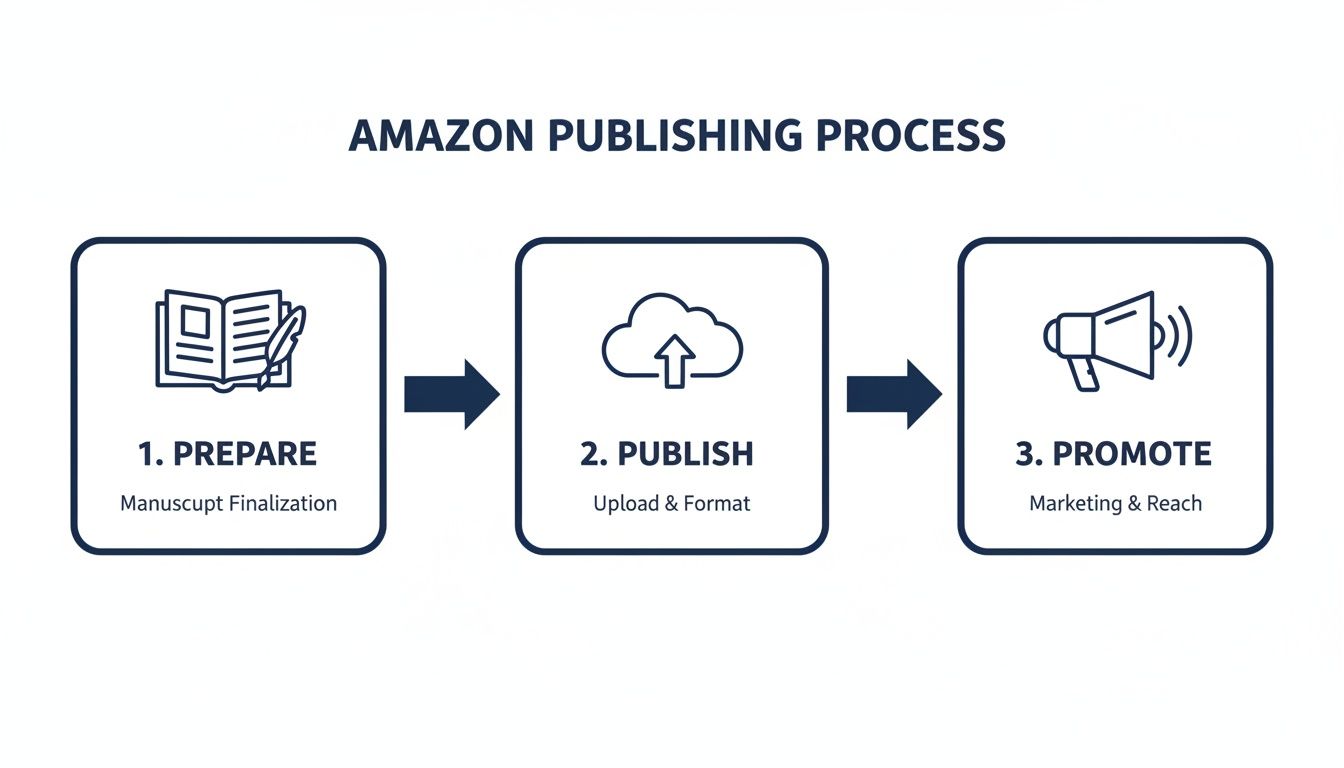
When you look at it this way, you can see that the "publish" part is really just the technical step that connects your finished product to your marketing efforts. Too many new authors get fixated on just this middle piece and then wonder why their book isn't selling.
Success comes from mastering all three stages. You’ll learn how to price your book to maximize royalties, not just sales, and discover the marketing tactics that actually move the needle after you launch.
Key Takeaway: Publishing isn't a single event; it's a strategic process. The quality of your preparation and the consistency of your promotion are just as crucial as the moment you click "publish."
To give you a clearer picture, here's a quick breakdown of what each phase involves.
Amazon KDP Publishing at a Glance
| Phase | Core Tasks | Main Objective |
|---|---|---|
| Prepare | Writing, editing, cover design, and formatting the manuscript for Kindle and print. | Create a professional-quality book that is ready for the market. |
| Publish | Setting up a KDP account, uploading files, writing a book description, and choosing keywords and categories. | Make the book available for sale on Amazon with optimized metadata for discoverability. |
| Promote | Running Amazon Ads, seeking reviews, using price promotions, and building an author platform. | Drive traffic to your book's page and generate consistent sales. |
Each phase requires a different mindset and skillset, but mastering them all is what separates a hobby from a career.
This guide is your roadmap from a finished manuscript to a live, selling book. For an even deeper dive, our comprehensive overview of self-publishing on Amazon Kindle offers more context on the tools and opportunities waiting for you.
Preparing Your Manuscript and Cover for Launch
Before you even think about logging into your KDP dashboard, the real work has to be done. Let's be honest: successfully publishing a book on Amazon isn't about clicking the "upload" button. It’s all about the quality of what you're uploading. A professionally polished manuscript and a cover that looks like it belongs on a bestseller list are your foundation. These two things are completely non-negotiable.
So many authors get excited and rush this part. It's a huge mistake. Amazon readers are savvy, and a book full of typos, formatting glitches, or a homemade-looking cover will get you buried in one-star reviews. That'll kill your book's momentum before it even has a chance.
Invest in Professional Editing
Yes, you need to self-edit. But it's never enough. After you've spent months, or even years, living inside your story, you become blind to its flaws. You know what you meant to write, so you read right over the mistakes. A professional editor brings that crucial, objective eye needed to turn your manuscript from a passion project into a professional product.
Don't think of editing as an expense—it's an investment in your career as an author. There are a few different layers to it, each tackling a different problem:
- Developmental Editing: This is the big-picture stuff. A developmental editor looks at your plot, character arcs, and pacing. Is the story sagging in the middle? Is the ending satisfying? They make sure the core story works.
- Line Editing: This gets down to the sentence level. A line editor sharpens your prose, improves the rhythm and flow, and helps your unique voice shine through on every page.
- Copy Editing: This is the final, meticulous polish. The copy editor is your hawk-eyed grammar expert, hunting down every last typo, punctuation error, and consistency mistake that could trip a reader up.
Skipping these steps is like building a house without a foundation. It might stand for a little while, but it's going to crumble. While a good editor can cost anywhere from a few hundred to several thousand dollars, the payoff comes in the form of glowing reviews and readers who come back for your next book.
Perfect Your Interior Formatting
How your book looks on the inside is just as important as what it says. Nothing screams "amateur" faster than wonky formatting. It can make a book genuinely difficult to read, leading to frustrated readers and refund requests. Whether it’s for an ebook or a paperback, your goal is a clean, professional reading experience that feels seamless.
You've got a few ways to tackle this:
- DIY Formatting: You can absolutely format your own book in Microsoft Word, but be warned: the learning curve is steep. You have to get every little detail right, from margins to page breaks.
- Formatting Software: This is where tools like Vellum (for Mac) and Atticus (for PC/Mac) are a godsend. They are built for authors and can generate gorgeous, professional-grade ebook and print files in minutes.
- Amazon's Tools: If you're on a tight budget, KDP's free Kindle Create tool is a decent option. It helps turn your Word doc into a properly formatted Kindle file and is a solid starting point.
Pro Tip: Never, ever hit publish without first using the KDP Previewer tool. It shows you exactly how your book will look on different devices—Kindles, tablets, phones. This is your last chance to catch any ugly formatting errors before your readers do.
If you're ready to get into the weeds of digital formatting, our guide on how to format a book for Kindle will walk you through every step.
Design a Cover That Sells
Let me say this plainly: your book cover is your number one marketing tool. It’s the very first thing a reader sees, and in a split second, it has to communicate your genre, tone, and quality. On a crowded digital bookshelf like Amazon, a fantastic cover gets the click. A bad one gets scrolled past.
A great cover follows the unwritten rules of its genre. A thriller cover needs to look like a thriller; a romance cover needs to feel like a romance. Spend some time browsing the bestseller lists in your specific category. Notice the fonts, color palettes, and imagery. That's the visual language your target readers are trained to look for.
When it's time to create your cover, you have two main routes:
| Approach | Pros | Cons | Best For… |
|---|---|---|---|
| DIY Design | Low cost, total creative freedom. | High risk of looking amateurish, time-consuming, requires design skill. | Authors with a solid design eye using tools like Canva for simple, font-based covers. |
| Professional Designer | Genre expertise, top-tier quality, saves time. | Higher cost ($300-$1,000+), finding the right person can take time. | Authors who are serious about their career and need a cover that can compete. |
Your cover isn't just a pretty picture; it's a piece of sales equipment. Hiring a professional designer who specializes in your genre is one of the smartest moves you can make. They know how to create something that doesn't just look good but actually convinces people to buy your book.
Alright, you've done the hard work. Your manuscript is polished, your cover is ready to grab attention, and now it's time to head into the mission control for your book launch: the Kindle Direct Publishing (KDP) dashboard.
Don't be intimidated if it looks a bit technical at first. Think of it as the place where your files officially become a book that people can buy. The whole process is broken down into a few manageable sections.
Before you can upload anything, you’ll need to handle a bit of one-time housekeeping. KDP will walk you through a quick tax interview and ask you to link a bank account. Get this done first, and you'll be set up to receive those royalty payments as soon as they start rolling in.
Here’s a look at the KDP Bookshelf, which will quickly become your command center.
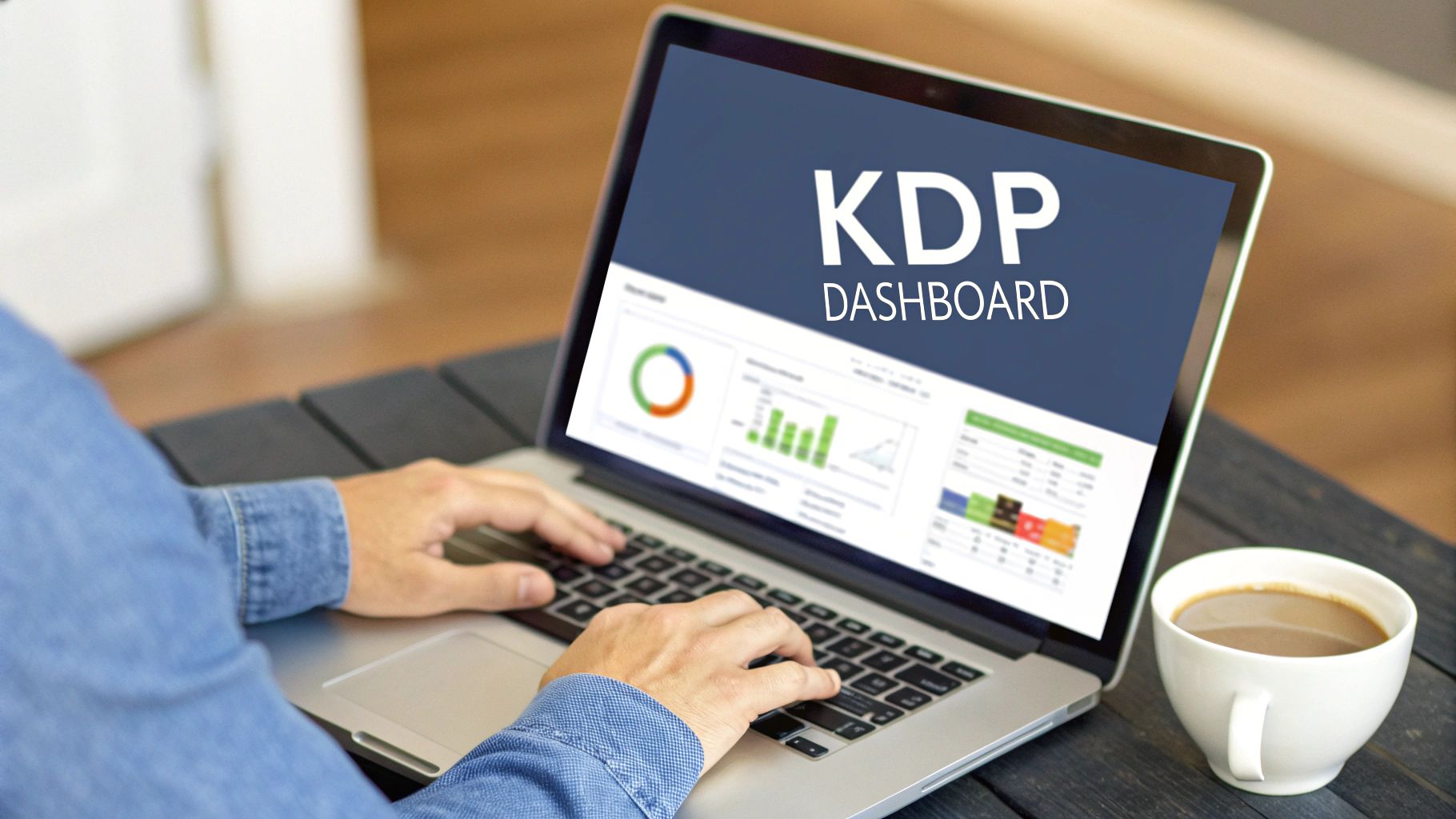
From here, you can create a new Kindle ebook, paperback, or hardcover. The interface is clean and designed to guide you straight through the process.
Nailing the Book Details Page
The first screen you'll tackle is all about metadata. This is the behind-the-scenes information that tells both readers and Amazon’s algorithm what your book is all about. Getting this right is probably one of the most critical steps for discoverability. You'll enter the basics like your title and author name, but the real magic happens in three key areas.
1. Your Book Description: More Than a Summary
This is your sales pitch, not a book report. It’s the text that shows up on your Amazon page, and its only job is to get someone to click "Buy Now." You have 4,000 characters to work with, so make every one count.
Lead with a killer one-sentence hook. Amazon only displays the first few lines before a reader has to click “Read more,” so your opening has to be compelling. To make your description pop, you can use a little bit of simple HTML.
<b>text</b>for bolding key selling points.<i>text</i>for italicizing a key quote or title.<h3>text</h3>to create subheadings that break up the text.<ul>and<li>to make snappy bulleted lists.
These tags stop your description from becoming a dreaded wall of text and give it a professional, scannable look.
2. Your Seven Keywords: Think Like a Reader
Amazon gives you seven keyword slots, each with a 50-character limit. This is your direct line to Amazon's search engine. Don't just throw in single words or repeat what's already in your title—that’s a huge missed opportunity.
Get inside a reader's head. What would they actually type into the search bar? Instead of a generic keyword like "fantasy," a much more powerful phrase would be "epic fantasy with dragons and magic." If you're stuck, start typing ideas into the Amazon search bar and see what it auto-suggests. Tools like Publisher Rocket are also fantastic for uncovering what real readers are searching for.
3. Your Two Categories: The Secret to Bestseller Status
You get to pick two "browse categories." This is the virtual bookshelf where your book will live. Choosing wisely here is how authors get that coveted orange "#1 Bestseller" tag.
It’s tempting to aim for a massive category like "Thrillers," but that's like trying to shout in a stadium. A smarter move is to find a smaller, more specific sub-category where you can actually compete.
Pro Tip: Go look at the top-selling books in your genre. Click on them and scroll down to the "Product details" section to see what categories they're in. Find a niche where the #1 book has a bestseller rank of 5,000 or higher. That’s a good sign it’s a less competitive pond, giving your book a real shot at hitting the top spot.
Uploading and Finalizing Your Content
The next tab is where you bring everything together. You’ll upload your formatted manuscript (an EPUB file is the gold standard for ebooks) and your cover (a high-resolution JPG or TIFF).
This is also where you'll make a key decision about your ISBN.
- Free KDP ISBN: This is the easy, no-cost option. The catch? It lists "Independently published" as your publisher and can only ever be used on Amazon.
- Your Own ISBN: If you buy an ISBN from a service like Bowker (the official source in the US), you list yourself as the publisher. This gives you total control to sell your print book on other platforms and is the way to go if you're building a serious author career.
Once your files are uploaded, do not skip the "Launch Previewer" tool. This is a non-negotiable step. The previewer shows you exactly how your book will look on different Kindle devices, tablets, and phones. Click through every single page. Look for weird line breaks, funky chapter headings, or images that didn't load right. Catching a mistake here will save you from the agony of a one-star review later. Consider it your final quality check before going live.
Getting Your Pricing, Royalties, and Distribution Right
You’ve made it through the manuscript details and content uploads. Now you’re at the final, and arguably most critical, step before your book goes live: setting the price. This isn't just about plucking a number out of thin air. It's a strategic move that has a huge impact on your income, how many copies you sell, and even how Amazon's algorithm views your book.
Honestly, how you handle pricing when publishing a book on Amazon can make or break your launch. The whole financial side of KDP can seem a bit intimidating at first, but it really just comes down to a few key decisions. Your goal is to find that sweet spot between what readers are willing to pay and the royalty plan that puts the most money back in your pocket.
Ebook Royalties: The 35% vs. 70% Decision
For your Kindle ebook, Amazon gives you two royalty options: 35% or 70%. Everyone obviously wants the 70% rate, but getting it means you have to play by Amazon's rules. If you miss even one of their requirements, you're automatically bumped down to the lower tier.
To lock in that 70% royalty, your ebook must:
- Be priced somewhere between $2.99 and $9.99. This is the magic window for maximizing your earnings.
- Be sold in one of the eligible countries (thankfully, most major markets like the US, UK, Canada, and Australia are on the list).
- Not be a public domain work.
If you price your book below $2.99 (like for a $0.99 launch promo) or above $9.99, your royalty immediately drops to 35%. This makes a massive difference in your take-home pay. Earning $0.35 on a $0.99 book feels a lot different than pocketing nearly $2.10 on a $2.99 sale.
How Paperback Royalties Are Calculated
Print-on-demand paperbacks work on a completely different model. Instead of a straight percentage, your royalty is figured out using a specific formula. This makes sense, as it has to cover the actual cost of printing the physical book before you see a dime.
Here’s the formula KDP uses:
(List Price x 60%) – Print Cost = Your Royalty
That print cost is the big variable. It’s based on your book's page count, the trim size you chose, and whether you went with standard black and white ink or the pricier premium color option. A bigger, longer book costs more to print, which naturally cuts into your profit.
The good news is that KDP has a built-in calculator on the pricing page. As you play with the list price, it instantly shows you the exact print cost and what your final royalty will be.
Let's break it down with an example: Say your 250-page paperback costs $4.25 to print. If you price it at $14.99, your royalty works out to ($14.99 x 60%) – $4.25 = $4.74 per sale. But if you price it too low, like at $9.99, you’d only make ($9.99 x 60%) – $4.25 = $1.74 per sale.
This calculation gives you the power to find a retail price that feels fair to customers while still ensuring you make a decent profit. If you want to dive deeper into this, you can learn more about the different models for royalties for books in our other guide.
To Enroll in KDP Select or Not?
Right at the end of the KDP setup process, you'll hit one last big decision: should you enroll your ebook in KDP Select?
By checking that box, you're agreeing to sell your ebook exclusively on Amazon for a 90-day period. This term automatically renews, so you have to manually opt out if you change your mind later.
So, what’s in it for you? Why give up other stores?
- Kindle Unlimited (KU) Access: Your book gets added to the massive Kindle Unlimited library. Subscribers can read it for "free," and you get paid for every single page they read from a shared global fund.
- Exclusive Promotional Tools: You unlock some of Amazon’s most powerful marketing features, like Kindle Countdown Deals (where you can run temporary price drops) and Free Book Promotions to create a huge spike in visibility.
Going exclusive isn't the right move for every author. If your long-term plan is to "go wide" and sell your ebook on platforms like Apple Books, Kobo, and Barnes & Noble, then KDP Select isn't for you. But for many authors just starting out, the discoverability and income from KU page reads can be a game-changer for building an audience on the biggest bookstore on the planet.
Your Post-Launch Marketing Playbook

Hitting "Publish" isn't the finish line—it’s the starting gun. The moment your book goes live on Amazon, your job shifts from writer to marketer. Your polished manuscript and beautiful cover won't sell themselves; you need a solid plan to drive traffic and build momentum from day one.
The good news is, Amazon gives you a whole suite of tools to find your audience. The trick is to be strategic. Don't try to do everything at once. Just focus on a few key activities that will make the biggest difference right away: getting those first crucial reviews and dipping your toes into advertising.
Securing Your First Vital Reviews
On Amazon, social proof is everything. A book with zero reviews looks like a risk to a potential buyer, but one with even a handful of honest opinions provides instant credibility. Your very first marketing goal should be to get at least 5-10 reviews as quickly as you can.
The best way to do this ethically is by putting together an Advance Reader Copy (ARC) team. This is simply a small group of dedicated readers who get a free digital copy of your book before it's released, in exchange for leaving an honest review once it's live.
Where do you find these people?
- Your own email list or social media followers are the perfect place to start.
- Look for Facebook groups dedicated to ARC readers in your specific genre.
- Services like BookSirens or NetGalley exist specifically to connect authors with reviewers.
Think of your ARC team as your launch-day secret weapon. When they post their reviews within the first week, it sends a powerful signal to both shoppers and Amazon's algorithm that your book is worth checking out.
Your Introduction to Amazon Advertising
Amazon Advertising (which used to be called AMS) is a pay-per-click platform that lets you put your book right in front of people who are actively searching for something to read. It might look a little intimidating, but starting with a simple, low-budget campaign is easier than you think.
Of course, the best ads won't save a weak book page. Before you spend a dime, make sure your cover, description, and keywords are compelling. It's well worth your time to learn how to optimize Amazon product listings to convert browsers into buyers.
The easiest entry point is a Keyword Targeting campaign. You'll bid on specific search terms that you think readers will type into Amazon's search bar. When they do, your book can show up in the results as a "Sponsored" product.
Let's say you've just published a new fantasy novel. Your starting keywords might be:
- "epic fantasy books"
- "fantasy series with dragons"
- "books like Lord of the Rings"
- Names of well-known, similar authors in your genre.
Start small with your budget. Even $5 or $10 a day is plenty to start gathering data. The goal here isn't to get rich overnight; it's to see which keywords actually get clicks and lead to sales. That data is gold for refining your marketing down the road.
Key Insight: Think of your first ad campaign as a research project, not a profit machine. You're paying for data that will tell you exactly what your target readers are searching for.
Leveraging KDP Select Promotional Tools
If you enrolled your book in KDP Select, you've unlocked a couple of powerful promotional tools designed to create sales spikes and give your book's ranking a serious boost.
- Kindle Countdown Deals: This lets you run a limited-time discount on your ebook for up to seven days. You can create urgency by scheduling price increases—for instance, price your book at $0.99 for two days, then $1.99 for two days, before it goes back to normal.
- Free Book Promotions: You can make your ebook totally free for up to five days during each 90-day KDP Select period. You won't earn royalties, but a "free run" can result in thousands of downloads. This introduces your work to a massive new audience who might then buy your other books or leave that all-important review.
Using these tools strategically, especially when you pair them with paid promotions from services like BookBub or Fussy Librarian, can shoot your book up the bestseller charts. This creates a halo effect that keeps driving sales long after the promotion is over. The potential is real; independent industry analyses suggest Amazon paid between $516 million and over $520 million to self-published authors in 2022 alone. Just keep in mind that a small percentage of top-tier authors earn a large slice of that pie.
A Few Lingering Questions You Might Have
Even with a solid plan, a few specific questions always seem to come up, especially for authors new to the KDP world. Let's tackle some of the most common ones I hear from writers who are on the home stretch.
Think of this as the practical stuff—the details that can really impact your budget, timeline, and long-term strategy.
What’s the Real Cost of Publishing on Amazon?
Let's get one thing straight: setting up your KDP account and listing your book costs absolutely nothing. It's completely free. But the real cost of publishing a high-quality book lies in everything that happens before you upload those files.
This is where you can't afford to cut corners. Investing in the right services is what separates a book that looks professional from one that screams "amateur."
Here’s a realistic look at what you should budget for a standard-length novel:
- Professional Editing: This is your biggest and most critical investment. A basic proofread might run you $500, but a deep-dive developmental edit from a seasoned pro could be several thousand. It’s worth every penny.
- Cover Design: Your cover is your #1 marketing tool. You can find decent premade covers for $50-$150, but if you want something that truly captures your story, a custom design will likely start around $500 and can go up to $1,000+.
- Interior Formatting: To make sure your book looks clean and readable on any device, plan for $50-$500. You can save money here by using great tools like Vellum or Amazon's free Kindle Create, but there’s still a learning curve.
You could technically try to do all this yourself for free, but investing in these three areas gives your book a fighting chance against traditionally published titles.
Should I Get a Free KDP ISBN or Buy My Own?
Amazon will offer you a free ISBN for your paperback, and it's tempting, I get it. But this convenience comes with a major catch. If you take the free ISBN, Amazon is listed as the publisher.
What does that really mean? It means that specific ISBN is locked to their platform. It can only be used on Amazon. If you ever want to sell your paperback on Barnes & Noble, get it into local bookstores, or sell it directly from your author website, you're out of luck. You'd have to start over with a new edition and a new ISBN.
My Advice: If you're serious about this author thing long-term, buy your own ISBN. When you purchase one from Bowker (the official source in the US), you are the publisher. This gives you total freedom to distribute your book wherever you want, a strategy often called "going wide."
How Long Until My Book Is Actually Live?
So you’ve hit that final "Publish" button. Now what? Your book officially enters KDP's review queue. Amazon says to allow up to 72 hours for this process.
From what I've seen, it's usually faster, but it depends on the format:
- Ebooks tend to fly through review. It's not uncommon to see them go live within 12-24 hours.
- Paperbacks take a bit more time. The files need a more thorough check to ensure they're print-ready, so expect it to take closer to the full 72 hours.
There’s no need to compulsively refresh the page. Amazon will shoot you an email the second your book is officially live and available for sale in the Kindle store.
Ready to transform your manuscript into a professionally published book available to readers worldwide? At BarkerBooks, we handle everything from editing and cover design to global distribution and marketing, so you can focus on what you do best—writing. Learn more about our author services and start your publishing journey today!