
Long before you ever think about running an ad, the real work of marketing a book on Amazon begins. Your book's product page is your digital storefront, and getting it right is the single most important thing you can do for your author career.
This isn't just a box-ticking exercise. It's the engine that will drive every single promotional effort you make down the line.
Build Your Foundation for Amazon Sales
Think of it this way: your cover might earn the click, but it's your product page that has to close the deal. All the ad money in the world can't save a page that doesn't convince a reader to buy. A sloppy, unoptimized page will sink even the most brilliant marketing campaign.
Craft a Compelling Book Description
Your book description is your sales copy, plain and simple. Its job isn't to summarize the plot; its job is to hook the reader emotionally and create an undeniable urge to find out what happens next. The biggest mistake I see authors make is dropping a huge, dense block of text that no one will ever read.
You have to make it scannable. Use some basic HTML to break up the text and guide the reader's eye. A little <b> to bold a killer opening line or <i> to italicize a critical question can make a world of difference. Bullet points (<ul> and <li>) are your best friend for highlighting key hooks or, for non-fiction, the specific problems your book solves.
For instance, a thriller author could ditch the long paragraph and do this instead:
- A missing agent.
- A conspiracy that reaches the highest levels of power.
- One man with nothing left to lose.
See the difference? It's punchy, easy to scan on a phone, and builds far more intrigue than a boring summary.
Master Keywords and Categories
Keywords and categories are how Amazon's algorithm connects your book with the right readers. This is your secret weapon for getting discovered organically. You get seven keyword slots—use every last one of them with intention.
Your goal isn't just to be found, but to be found by the right readers. Targeting broad, hyper-competitive keywords like "thriller" is a losing battle. The key is to find long-tail keywords that signal strong reader intent.
Put yourself in a reader's shoes. What would they type into the Amazon search bar to find a book just like yours? Don't just use "fantasy." Try "epic fantasy with dragons and magic academy." Instead of "romance," get specific with "billionaire workplace romance clean." These longer phrases attract readers who already know what they want and are primed to buy.
Choosing your categories works the same way. Don't just park your sci-fi novel in the main "Science Fiction" category. Drill down into the sub-categories where you have a real shot at hitting a bestseller tag, like "Science Fiction > Cyberpunk" or "Science Fiction > First Contact." Nabbing a #1 spot in a smaller, niche category gives you incredible social proof and boosts your book's visibility across the entire store. For a deeper dive on the technical setup, check out our guide on how to publish an ebook to Amazon.
This initial groundwork is critical. Amazon's Kindle Direct Publishing (KDP) is the biggest player in the game, holding an estimated 65-70% market share of self-publishing platforms. That translates to KDP handling over 50% of physical book sales and an incredible 68% of ebook sales in the US, according to recent industry analyses. You simply can't afford to ignore it.
Before you move on to ads or promotions, run through this checklist. These are the non-negotiable elements that must be in place to give your marketing efforts the best possible chance of success.
Your Pre-Marketing Optimization Checklist
| Element | Optimization Goal | Why It Matters |
|---|---|---|
| Book Cover | Professional, genre-specific, and looks great as a thumbnail. | This is your first impression. A bad cover signals a bad book and stops clicks before they happen. |
| Book Title & Subtitle | Clear, intriguing, and contains at least one primary keyword. | Your title must be memorable, while the subtitle helps Amazon's search algorithm understand your book's content. |
| Book Description | Scannable, hook-driven sales copy using HTML formatting. | This is what convinces a reader to hit the "Buy Now" button after the cover gets their attention. |
| Keywords | Fill all 7 KDP keyword slots with relevant, long-tail phrases. | This is how hungry readers find you organically through Amazon's search bar. |
| Categories | Select 2-3 niche categories where you can realistically compete. | Hitting a #1 Bestseller tag in a niche category provides powerful social proof and a visibility boost. |
| A+ Content | Create visually appealing graphics to enhance your product page. | This breaks up the page, showcases your brand, and provides more opportunities to sell the reader. |
Getting these foundational pieces right is the difference between a marketing campaign that soars and one that falls flat. Take the time to build a strong foundation, and every dollar you spend on promotion will work that much harder for you.
A Guide to Amazon Ads for Authors
Once your book’s page is polished and primed to convert, it's time to add a little gasoline to the fire. I get it—for many authors, the thought of paid advertising is intimidating. But if you want to effectively market your book on Amazon, a smart ad spend is often part of the equation.
Think of it this way: Amazon Ads give you a direct line to readers who are already on the platform with their credit cards out, actively looking for their next book. It's not just an expense; it's a direct investment in visibility. With millions of other books competing for attention, you can't just hope readers will stumble upon yours. A well-run ad campaign shoves your book right in front of the perfect audience, creating the kind of momentum that organic discovery rarely can.
Know Your Ad Types
Before you jump in and start spending money, you need to know what tools you're working with. Amazon offers a few different ad types, but for most authors just starting out, the main focus should be on Sponsored Products.
- Sponsored Products: These are the ads you see most often. They pop up in search results and on the product pages of similar books, blending in seamlessly with the organic listings. They are fantastic for getting in front of readers who have a high intent to buy.
- Sponsored Brands: Think of these as the billboards of Amazon. They are banner-style ads that appear right at the top of a search results page. They can feature your author brand, a custom headline, and even a small collection of your books. These are gold for authors who have a series or a solid backlist.
- Lockscreen Ads: These ads show up on the lockscreens of Kindle e-readers. While their reach is massive, they tend to be less effective for driving direct sales compared to Sponsored Products because the reader isn't in an active "shopping" mindset.
For a new author, Sponsored Products almost always deliver the best bang for your buck. They're the perfect place to start.
Launching Your First Campaign
Setting up your first campaign is far less complicated than you might imagine. Amazon gives you two primary ways to target your ads: automatic and manual.
An Automatic Targeting campaign is the "easy button" for getting started. You just tell Amazon which book you want to advertise, set a daily budget, and its algorithm takes over. It will start showing your ad to shoppers based on keywords and other books it thinks are relevant. This is an absolutely brilliant way to do market research and gather data on which search terms actually lead to sales.
A Manual Targeting campaign, on the other hand, puts you firmly in the driver's seat. You get to provide Amazon with a specific list of keywords (like "cozy mystery with talking cat") or target the book pages of specific authors in your genre. This takes a bit more upfront research but often leads to more precise and profitable campaigns down the road.
My Pro Tip: Don't choose one or the other—start with both. Run a low-budget automatic campaign for a week or two. Let Amazon do the heavy lifting and discover what search terms shoppers are using. Then, grab the best-performing keywords from that campaign's report and use them to build a laser-focused manual campaign.
This is where all your earlier work on your book's foundation really pays off. The keywords, categories, and description you chose are the very things that fuel your marketing efforts.
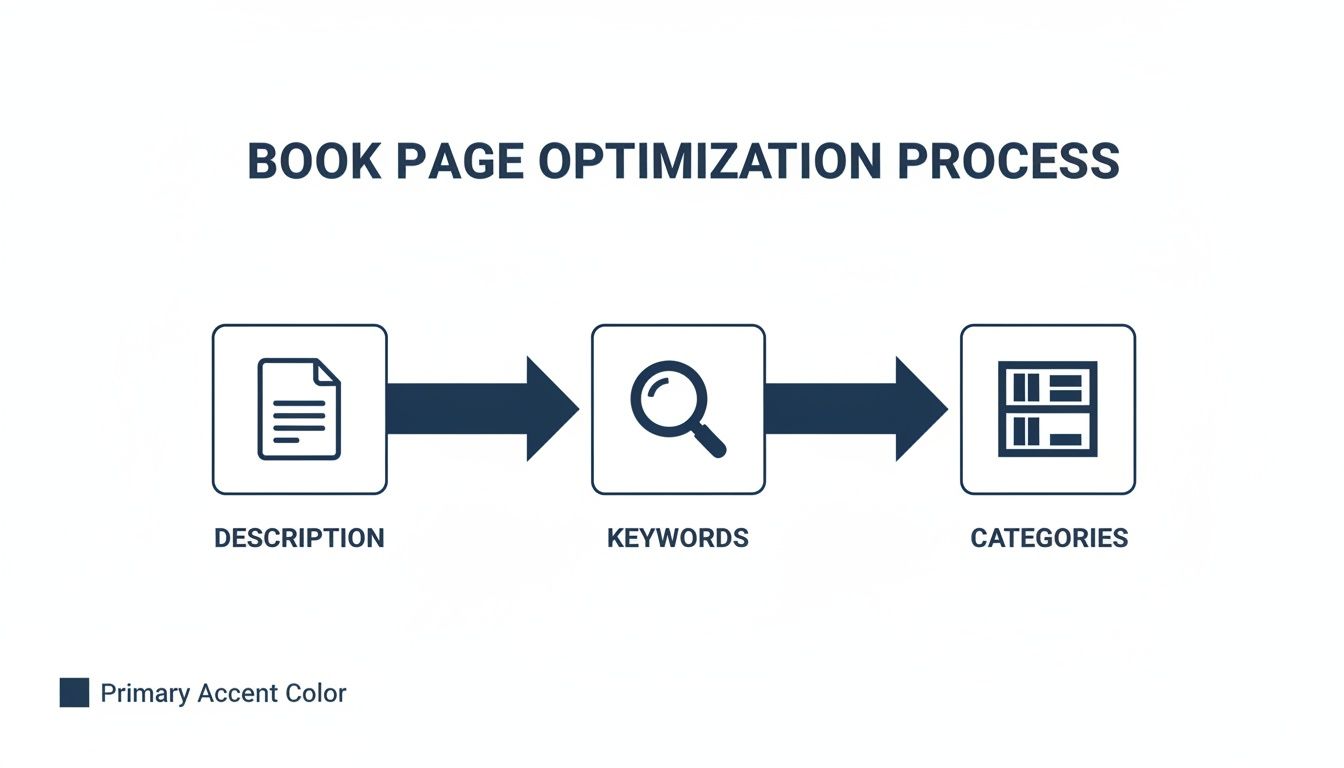
As the visual shows, a strong foundation in these three areas is non-negotiable before you start scaling up with paid advertising.
Optimize for Profit, Not Just Clicks
Anyone can get clicks. The real goal is to get profitable sales. The single most important metric you need to watch is your ACOS (Advertising Cost of Sale). This percentage tells you exactly how much you're spending on ads to generate a single sale.
Here’s a simple example: If your book earns you $3.50 in royalties per sale and your ACOS is 50%, you’re spending $1.75 in ads to make that sale. That's a win!
As your campaigns gather data, you'll need to start optimizing. One of the most powerful tools for this is using negative keywords. Dive into your ad reports, and you might see your automatic campaign is wasting money on totally irrelevant search terms. Let's say you wrote a gritty historical fiction novel, but your ad is showing up for "sweet historical romance." You don't want to pay for those clicks. By adding "sweet" and "romance" as negative keywords, you tell Amazon to stop showing your ad for those searches, making your ad spend instantly more efficient.
For authors ready to really dig in and master the ad platform, we've put together a more comprehensive guide on Amazon advertising for books that gets into the nitty-gritty.
When you're just starting, begin small. A daily budget of just $5-$10 per day is plenty. The initial goal isn't to spend a lot of money; it's to spend money smartly, learn what works, and then slowly scale the campaigns that are driving real, profitable sales.
Get Cozy with KDP Select's Promotional Tools
Deciding to enroll your ebook in KDP Select means giving Amazon exclusive rights for 90 days. It's a big decision, but the trade-off is access to a powerful suite of built-in promotional tools you simply can't get otherwise.
Think of it as gaining an all-access pass to Amazon's internal marketing engine. When used correctly, these tools can spark massive sales spikes, catapult your sales rank, and get your book in front of an enormous audience of hungry readers. You just need to know which lever to pull and when.
The Quiet Power of Kindle Unlimited
The cornerstone of KDP Select is Kindle Unlimited (KU). Once enrolled, your book is immediately available to millions of KU subscribers who can borrow it for free as part of their membership. Instead of a standard royalty, you're paid for every page they read from a global fund Amazon creates each month.
That per-page rate might look tiny—it often hovers around $0.004 to $0.005—but it adds up surprisingly fast. This is especially true for longer books or for an addictive series where readers tear through one book after the next.
More importantly, KU completely removes the price barrier for Amazon's most active readers. A reader might balk at spending $4.99 on a new author, but a "free" borrow is a no-brainer. This is your chance to hook them and create a fan for life.
Going Free for a Flood of New Readers
One of the most potent tools in your arsenal is the Free Book Promotion. This lets you make your ebook completely free for up to five days during each 90-day enrollment period. Yes, you give up royalties for those five days, but the strategic payoff can be huge.
- Launch a Series: A classic move. Offer Book 1 for free to get thousands of readers hooked. A good portion of them won't hesitate to buy Book 2 at full price if they loved the first one. It’s a powerful reader magnet.
- Create a Buzz: A free run, especially when you coordinate it with book promotion sites, can drive a tidal wave of downloads. This signals to the Amazon algorithm that your book is hot, which often leads to better organic visibility long after the promo ends.
- Revive a Flatlining Book: Got a title that's gone stale? A free promotion can be the jolt it needs, bringing in a fresh wave of readers and, hopefully, new reviews.
Driving Urgency with Kindle Countdown Deals
Next up is the Kindle Countdown Deal. This is a totally different beast. It's a time-sensitive discount where a visible ticking clock appears on your book’s page, creating a powerful sense of urgency for anyone browsing.
This tactic works best for books normally priced between $2.99 and $9.99. For instance, you could drop your $4.99 book to $0.99 for two days, then bump it to $1.99 for the next three before it returns to full price. The best part? You still collect your 70% royalty rate on every sale, even at the discounted price.
A Countdown Deal isn’t about getting the most downloads; it’s about driving profitable, rank-boosting sales. It's the perfect play for a book a few weeks after its launch or to give a backlist title a strategic kick without devaluing it with a free run.
The key here is to broadcast the deal. Email your list, shout about it on social media, and hammer home the fact that the price is temporary. This nudges on-the-fence readers to click "buy now," giving you a concentrated burst of sales that can push you right up the bestseller charts.
Generate Social Proof with Reader Reviews

Alright, you've laid the groundwork with a solid KDP setup and have even dabbled in Amazon's promotional tools. Now, it's time to focus on the most powerful currency on the entire platform: reader reviews.
Reviews are the digital version of word-of-mouth marketing. They provide the social proof that can turn a hesitant window-shopper into a paying reader. Think about it—a book page with zero reviews is like an empty restaurant. No matter how enticing the menu looks, most people will just keep walking.
But a book with even a handful of honest, thoughtful reviews? That's a place where readers feel comfortable spending their time and money. The aim here isn't to get a thousand five-star ratings overnight. It’s about building a sustainable system for generating genuine feedback that both fuels the Amazon algorithm and builds trust with your audience. Getting this right is a huge part of marketing a book on Amazon successfully.
Build Your Advance Reader Team
Want to know the secret to a strong launch day? It's having reviews ready to go from the minute your book goes live. The best way to do this is by creating an Advance Reader Copy (ARC) team.
This is simply a hand-picked group of your most dedicated fans who get a free, early copy of your book. In exchange, they agree to post an honest review on or around your release date. Getting even 5-10 reviews live on day one can make a massive difference in your book's initial visibility and sales velocity.
You don't need a huge email list to get started. You can recruit ARC team members from a few key places:
- Your email list: Send an invitation to your most engaged subscribers. They already like your work!
- A private Facebook group: Create an exclusive "street team" or "launch team" group to make your readers feel special and build a community around your books.
- Social media: Announce that you're looking for advance readers and link to a simple sign-up form.
Once your team is assembled, I recommend using a service like BookFunnel or StoryOrigin to distribute the digital copies securely. These platforms make it incredibly easy for readers to get the book on their preferred device and can even help you track who has followed through with a review.
Never, ever pressure your ARC team for a five-star review. The goal is honest feedback. Amazon is incredibly strict about this, and long-term authenticity is way more valuable than a few perfect ratings. Just ask them to share their honest thoughts to help other readers.
Make the Ask in Your Back Matter
One of the most valuable, and often forgotten, pieces of real estate in your book is the "back matter"—the pages right after "The End." This is your golden opportunity to ask for a review when the reader's emotional connection to your story is at its absolute peak.
You don't need to be pushy. A simple, heartfelt request works best.
Here’s a little script you can tweak to fit your own voice:
"Thank you so much for reading! If you enjoyed this book, would you consider leaving a brief, honest review on Amazon? Your feedback helps other readers discover this story and means the world to me. Thank you for your support!"
Adding this simple request can turn a passive reader into an active supporter, creating a slow but steady stream of new reviews long after your launch buzz has faded.
Leverage Amazon's "Request a Review" Button
Did you know Amazon has its own built-in tool for soliciting reviews? It’s a simple button, but it's surprisingly effective and often overlooked by authors.
Inside your KDP dashboard, navigate to your "Orders" report. You'll see a "Request a Review" button next to each eligible order.
When you click it, Amazon sends a standardized, branded email to the customer asking them to rate their purchase. Because the request comes directly from Amazon, it carries a lot of weight and often gets a good response. You can use this feature for any order between 5 and 30 days after the purchase date.
While you can't customize the message, it's a completely compliant and easy way to nudge readers who might have simply forgotten to leave feedback. Make it a weekly habit to go through your recent orders and click that button—you’ll be surprised how those reviews start to add up over time.
Drive External Traffic to Your Book Page
Relying only on Amazon's built-in traffic is a huge missed opportunity. Think of it like opening a store but never telling anyone where it is. Sure, some people might wander in, but to really succeed, you need to bring your own crowd to the party.
When you send readers from your blog, email list, or social media over to your book page, you're doing more than just making a sale. You’re sending a clear signal to Amazon’s algorithm that your book has a life outside of its platform. This external validation can seriously boost your organic visibility and sales rank.
Create Content That Builds Buzz
The best way to get people to your Amazon page is to create content that makes them want to click. This isn't about blasting "buy my book!" everywhere. It's about building a natural bridge from your content to your product page by sparking genuine excitement.
Here are a few ideas that I've seen work incredibly well:
- Go Behind the Scenes: Post a picture of your messy desk during a late-night writing session or share a story about a research trip that inspired a key scene. These little glimpses make you and your work more relatable, getting readers invested on a personal level.
- Interview Your Characters: This is a fun one. Write a short Q&A with your main character or even the villain. It's a creative way to reveal their personality and hook readers without giving away the whole plot.
- Share Thematic Content: If you wrote a thriller about a hacker, share a blog post about a real-life cybersecurity threat. If your book is a fantasy, write about the mythology that inspired your world. Give your audience value that connects directly back to your book.
After you've offered something interesting or entertaining, a simple call-to-action feels completely natural. Something like, "If you found this fascinating, there's a lot more where that came from in my new book on Amazon." For more tips on building that audience, our guide on social media for authors is a great starting point.
The key is to stop selling and start sharing. When you share the world around your book, you create genuine curiosity. That curiosity is what drives clicks far more effectively than any hard-sell tactic ever could.
Track What Actually Works with Amazon Attribution
For the longest time, authors were just guessing. We'd send traffic from Facebook or our email list and watch our sales numbers, hoping for the best. Was it that post that moved the needle, or did the Amazon algorithm just have a good day? The guesswork is finally over, thanks to Amazon Attribution.
This is a free tool inside the Amazon Ads console that lets you create unique tracking links for all your marketing campaigns. You can make one link for your newsletter, another for your TikTok bio, and a separate one for a guest post you wrote. It’s a game-changer.
When someone clicks one of those links and buys your book, Amazon credits the sale directly to that specific source. All of a sudden, you have real data.
You can finally answer crucial questions like:
- Which is more effective for me, my email list or my Instagram stories?
- Which blog topics are actually converting readers into buyers?
- Are the paid ads I'm running on Facebook actually making me money?
This kind of data is gold. It lets you stop throwing money at channels that aren't working and double down on the ones that are. Many authors are now looking into tactics like viral video marketing for books to reach new audiences, and with attribution links, you'll know exactly how many sales those TikToks are generating.
If you're serious about your author career, setting up Amazon Attribution isn't optional. It’s the only way to make truly informed decisions and build a marketing machine that’s both predictable and profitable.
Analyze Your Data to Scale Success
Smart book marketing isn’t a “set it and forget it” activity. It’s a constant loop of testing, learning, and tweaking your approach. Your KDP and Amazon Ads dashboards aren’t just for checking sales—they're goldmines of data that tell you exactly what readers are responding to. Flying blind is the fastest way to waste your marketing budget.
When you start treating your marketing like a series of small, controlled experiments, everything can change. This is the shift from just being an author to becoming a savvy business owner who knows how to double down on what works.

Decode Your KDP Reports
Your KDP dashboard has a few key reports, but two are absolutely critical for understanding performance. The Orders report is a no-brainer—it shows how many units you’ve sold. But for authors in KDP Select, the real story often lies in the KENP Read report.
KENP, or Kindle Edition Normalized Pages, is how Amazon tracks borrows from the Kindle Unlimited library. It’s also how they pay you. This single metric reveals not just if readers are starting your book, but if they're actually finishing it.
- High Borrows, Low KENP Read: This is a classic pattern. It suggests your cover and blurb are doing their job and grabbing attention. But if readers bail early, there might be a mismatch between your marketing promise and the book's first few chapters.
- Steady KENP Read Growth: Now this is a great sign. It means readers are hooked and sticking around until the end, which sends a powerful signal to Amazon's algorithm to show your book to more people.
Considering Amazon paid out over $575 million from its KU Global Fund in 2023, you can't afford to ignore this. Understanding how your page reads translate to income is non-negotiable.
Optimize with Simple A/B Testing
You don’t need fancy software to get started here. A/B testing is just changing one thing at a time to see what happens. It's an incredibly powerful way to let your audience—the people actually buying your book—tell you what they prefer.
Don't assume you know what will work best. Data often surprises us. A cover you personally love might not be the one that sells, and a blurb you thought was clever might be confusing readers. Test, don't guess.
Here are a few simple tests you can run right away:
- Cover vs. Cover: Run your book for a month with one cover. Then, swap it for a different version and run it for another month. Look at your ad click-through rates and overall sales to see if there's a clear winner.
- Blurb Hook Test: Your book description is prime real estate. Try rewriting just the first two lines—the part readers see before clicking "Read more." A stronger hook can make a massive difference in conversions.
- Ad Copy Showdown: In your Amazon Ads dashboard, create two ads for the same book. Make them identical except for the headline. Let them both run for a week, then pause the one with the lower click-through rate and scale the winner.
By changing only one element at a time, you know exactly what caused the change in performance. This creates a data-driven feedback loop that constantly sharpens your marketing.
Measure What Matters in Amazon Ads
It's easy to get lost in the sea of metrics inside your Amazon Ads dashboard. To stay sane, focus on the numbers that directly impact your wallet.
- Impressions: How many eyeballs saw your ad.
- Clicks: How many people were interested enough to click.
- Spend: How much you paid for those clicks.
- Orders: How many sales came from those clicks.
- ACOS (Advertising Cost of Sale): This is the big one. It's your ad spend divided by your sales. This percentage tells you, point-blank, if your ads are profitable.
Keeping a close eye on these helps you spot the winning campaigns and cut the ones that are just burning cash. For instance, if an ad gets tons of clicks but zero orders, it means the ad is working, but your book page isn't. That’s your cue to A/B test your blurb or double-check that your keywords are attracting the right readers.
To truly understand how all your marketing efforts connect, it’s worth learning more about unlocking true ROI with multi-touch attribution. This helps you see the entire journey a reader takes before they finally decide to buy.