
At its most basic, an ebook is simply a book in a digital file, meant to be read on a screen. Think of it like an MP3 is to a CD—it’s the same content, just in a different, more portable format. But to really get a handle on how ebooks work, you need to look at three things: the file itself, the device you're reading on, and the software that brings the two together.
What an Ebook Really Is
It’s tempting to see an ebook as just a fancy document, like a Word file or a PDF. But it's actually a much more sophisticated package. Take a look at something like the 52 Essential Sleep Tips E Book 2—it's not just text on a page. It's a carefully assembled digital product designed for a great reading experience.
Unlike a simple document, every ebook is built from three core components that work in harmony. Together, they turn an author's manuscript into something you can seamlessly enjoy on your screen.
The Three Core Ebook Components
To really see how an ebook comes to life, it helps to break it down into its three essential parts. Each one has a specific job in transforming a raw manuscript into a portable, readable file.
Let's break down those three fundamental pieces that make an ebook tick.
The Three Core Components of an Ebook
| Component | Function | Analogy |
|---|---|---|
| Content | The words and images—the actual substance of the book. This is the manuscript, photos, charts, and graphics. | The ingredients for a recipe. |
| Structure | The underlying code (like HTML/XML) that organizes the content. It defines chapters, headings, and formatting. | The blueprint for a house. |
| Container | The final file format (like EPUB or MOBI) that bundles the content and structure into one distributable file. | The shipping box for a product. |
It's this elegant combination of content, structure, and container that makes an ebook so flexible.
This isn't just a niche market, either. The global ebook industry is booming, projected to hit a value of roughly USD 50.61 billion in 2025. Even more impressively, experts predict it will skyrocket to USD 207.81 billion by 2034, all thanks to features that create a more dynamic and engaging way to read.
An ebook isn’t just a file; it’s a self-contained reading experience. It packages the author's work, the design, and the navigational structure into one tidy digital unit that any compatible device can interpret.
When you get right down to it, the explosive popularity of ebooks comes from a few key advantages that paper books just can't offer.
- Instant Access: Buy and start reading a book in seconds, no matter where you are.
- Extreme Portability: An entire library can live on one lightweight device in your bag.
- Accessibility Features: Effortlessly change font sizes, switch to a night-friendly background, or even have the book read aloud to you.
These practical benefits have completely changed how we find, buy, and read books, making literature more convenient and accessible than ever.
Decoding the Main Ebook File Formats
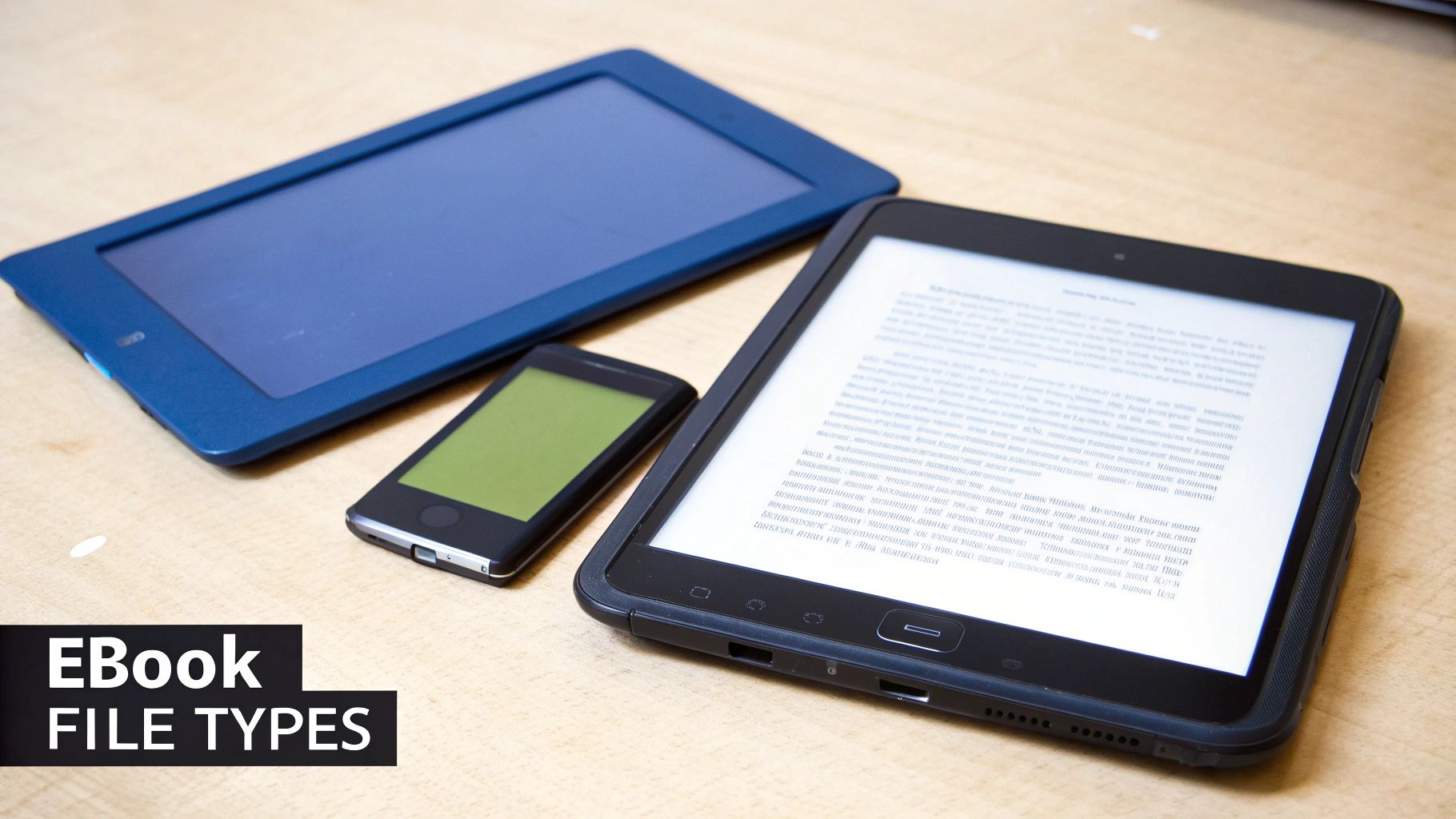
To really get a handle on how ebooks work, you first need to know about their file formats. Think of them like different types of video files—an MP4 will play on almost anything, but a specific MOV file might only work on Apple devices. Ebook formats are similar, with each one built for a specific purpose and set of gadgets.
Choosing the right format is a huge technical decision for any author because it directly controls where and how people can read their book. For readers, understanding the differences explains why a book you bought from one store won't open on another company's e-reader.
The market is really dominated by three main formats: EPUB, MOBI/AZW, and PDF. Each has its own personality, with clear strengths and weaknesses that make it suitable for different kinds of content and reading experiences. Let's dive into what makes each one tick.
EPUB: The Universal Standard
The EPUB (short for Electronic Publication) is far and away the most widely accepted ebook standard on the planet. Because it’s an open-source format, no single company owns or controls it. This is why it’s the go-to choice for a massive range of retailers like Apple Books, Barnes & Noble (for their Nook), and Kobo. The only big player that doesn't use it is Amazon.
The magic of an EPUB file lies in its reflowable text. Picture pouring water into different-shaped glasses—the water just adapts to the container. EPUB text works the same way, automatically adjusting to fit the screen of a tiny smartphone, a mid-sized tablet, or a dedicated e-reader. This lets readers change font sizes, tweak margins, and adjust line spacing on the fly without messing up the layout.
Essentially, an EPUB is just a website neatly packaged into a zip file. It uses standard web tech like XHTML and CSS, which is what gives it that powerful flexibility to look good on just about any device out there.
MOBI and AZW: The Amazon Kindle Formats
If you've ever bought an ebook for a Kindle, you've used one of Amazon's own formats. It all started with MOBI (from a company called Mobipocket, which Amazon bought). Over the years, Amazon evolved it into their own proprietary versions, mainly AZW and AZW3. These formats are the engine that powers the world's biggest ebook ecosystem.
Just like EPUB, these are reflowable formats designed to give you a great reading experience on Kindle e-readers and the Kindle app. The catch? They are locked into a closed system. Amazon uses this format exclusivity, often paired with Digital Rights Management (DRM), to make sure that books bought from the Kindle store can only be read on Kindle devices or apps.
If you want to dig deeper, our guide on what the Kindle format for ebooks is breaks it all down. This strategy has been incredibly successful, helping Amazon build and maintain its dominant position in the ebook market.
Key Takeaway: For authors, the difference is all about distribution. To sell on Amazon, you need an AZW file. To sell just about everywhere else, you need an EPUB.
PDF: The Digital Print Replica
The PDF (Portable Document Format) is the old-timer on this list. Created by Adobe, its whole purpose is to preserve the exact look of a document, no matter what device or software you use to open it. Think of it as a perfect digital photocopy—every word, image, and margin is locked in place.
This makes PDF a fixed-layout format, which is both its greatest strength and its biggest weakness when it comes to ebooks.
- Best For: It's ideal for content where the visual design is everything. Think graphic novels, photography books, textbooks with complex charts, and magazines.
- Worst For: Trying to read a text-heavy PDF on a small phone screen is a nightmare. You’re constantly pinching and zooming just to get through a sentence.
While PDFs give you complete control over the design, that lack of reflowable text makes them a poor choice for standard novels intended for e-readers. They're more often used for things like free downloadable guides (lead magnets) from an author's website, not for sale on the big ebook retail platforms.
Comparing Ebook Formats: EPUB vs. MOBI/AZW vs. PDF
To help you see the differences at a glance, this table breaks down how the three major formats stack up against each other. It covers everything from who uses them to how they handle different types of content.
| Feature | EPUB | MOBI/AZW | |
|---|---|---|---|
| Layout Type | Reflowable (adapts to screen) | Reflowable (adapts to screen) | Fixed-Layout (static page) |
| Primary Use | Standard novels, non-fiction | Kindle Store ebooks | Visually-rich documents, print replicas |
| Compatibility | Apple Books, Kobo, Nook, Google | Amazon Kindle devices & apps only | Nearly all devices (universal viewer) |
| Customization | Excellent (font, size, margins) | Excellent (font, size, margins) | Very limited (zoom only) |
| Best For Readers | Flexible reading on any device | Seamless Kindle ecosystem reading | Preserving original design, printing |
| Best For Authors | Reaching a wide, non-Amazon audience | Selling on the world's largest ebook store | Distributing design-heavy content directly |
Ultimately, the format you choose as a creator, or encounter as a reader, defines the entire experience. EPUB offers freedom, MOBI/AZW provides access to a massive ecosystem, and PDF delivers perfect design fidelity.
Reflowable vs. Fixed Layout: What Authors Need to Know
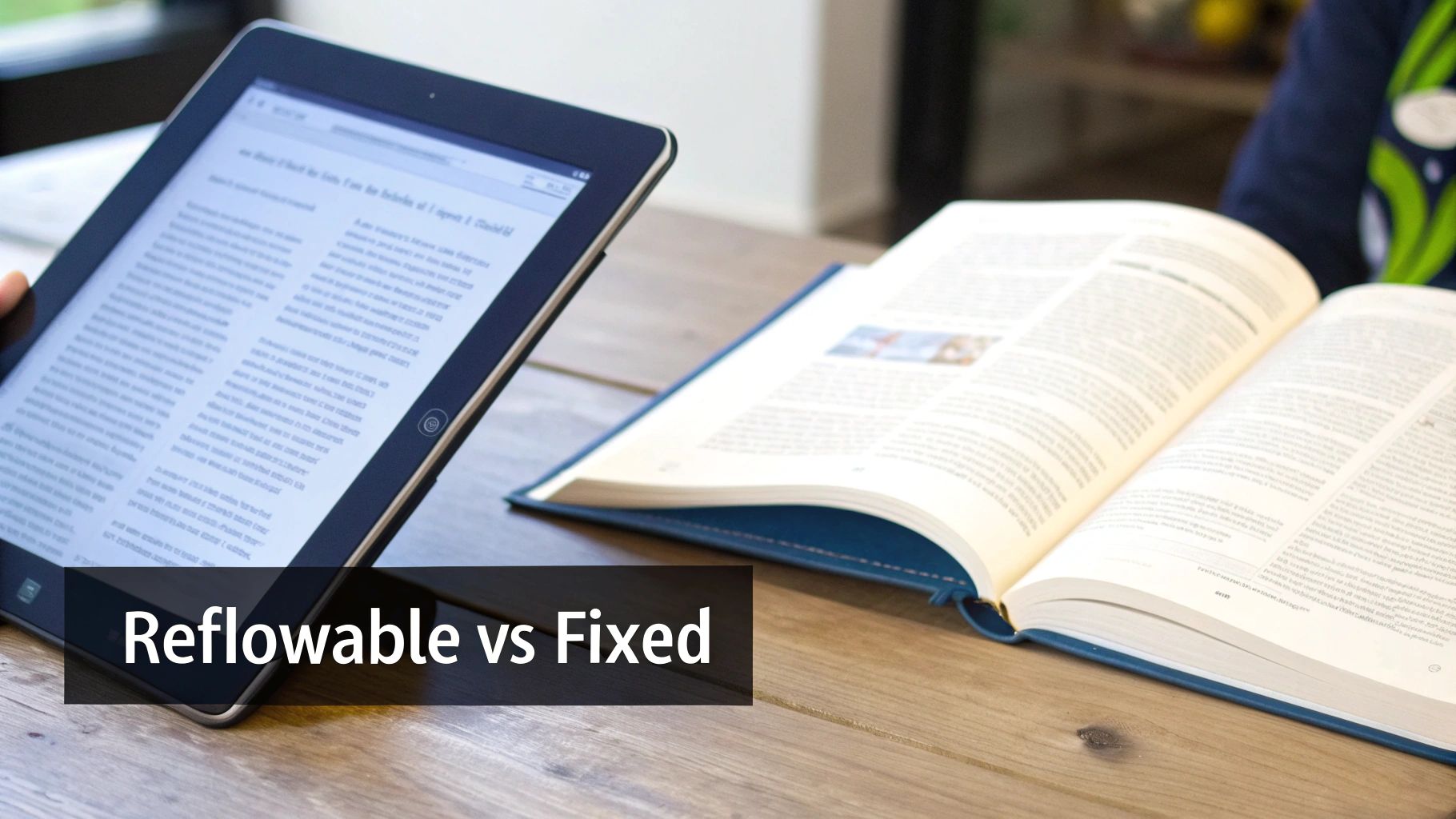
Beyond just the file type, one of the biggest forks in the road for any author is the choice between a reflowable and a fixed layout. This decision goes right to the heart of how your book will look and feel to the reader, and it fundamentally dictates what you can (and can't) do with your design.
Think of a reflowable ebook like a stream of water. It doesn't have a rigid shape; instead, it fluidly fills whatever container you pour it into. Whether it’s a small smartphone screen, a big tablet, or a dedicated e-reader, the text and images simply rearrange themselves to fit the space.
This adaptability is why reflowable is the go-to standard for most text-heavy books, from novels to memoirs. It puts the reader in control, letting them change font sizes, tweak margins, and adjust spacing for their own comfort. It's the very reason formats like EPUB and MOBI/AZW are so popular.
Understanding Reflowable Layouts
With a reflowable layout, the name of the game is flexibility. The content is fluid, which means there are no "pages" in the way we think of them with a print book. The page count can literally change from one moment to the next based on the reader's settings.
This approach brings some huge benefits to the table:
- Accessibility: Readers with visual impairments can blow up the text to a size that works for them.
- Device Independence: Your book will look good and read well on just about any screen out there.
- Lower Production Costs: They're generally much simpler and more affordable to format than their fixed-layout cousins.
Of course, that flexibility comes with a trade-off: you give up absolute control. You can’t guarantee that a specific image will appear right next to a certain paragraph, because everything might shift around. For books where the visual design is everything, this can be a deal-breaker.
When to Choose a Fixed Layout
A fixed-layout ebook, on the other hand, is the digital twin of a printed page. It’s like taking a high-resolution photograph of your book spread. Every single element—text blocks, images, pull quotes, and charts—is locked into a precise position.
This level of control is non-negotiable for certain kinds of books where the visual arrangement is just as important as the words themselves.
Key Takeaway: A fixed layout preserves your design vision perfectly. Every reader sees the exact same page, which is crucial when the relationship between text and images is part of the story.
You’ll want to lean toward a fixed layout for projects like:
- Children's Picture Books: The magic is in how the illustrations and words dance together on the page.
- Cookbooks: You need that photo of the finished dish right next to the recipe, no exceptions.
- Graphic Novels and Comics: The panel structure is a core part of the storytelling medium.
- Textbooks: Complex diagrams have to align perfectly with the text that explains them.
While fixed layouts can look stunning, they can also be a pain to read on small screens, forcing readers to constantly pinch and zoom to navigate the page. The right choice really comes down to your content and your audience.
For authors trying to figure out the best path forward, exploring professional book layout templates can offer a fantastic starting point. Ultimately, your goal is to present your work in a way that’s both effective and enjoyable for your readers.
The Invisible Tech Behind Your Ebook Purchase
When you buy an ebook, it feels like magic. One click, and it appears on your device, ready to read. But behind that seemingly instant delivery, there’s a trio of technologies working together to manage, organize, and protect the digital file on its journey to your screen.
These systems are the unsung heroes of the ebook world, ensuring books are findable, secure, and properly cataloged. For authors, understanding this tech is non-negotiable if you want your book to be taken seriously. Let's pull back the curtain and see what makes it all work.
Digital Rights Management: The Digital Lock
At its heart, Digital Rights Management (DRM) is a "digital lock" applied to an ebook file. Its whole purpose is to stop people from making endless copies and sharing them illegally. It effectively ties the book you bought to your personal account.
Think of it like a key that only fits the lock on your front door. The DRM makes sure only your account can "unlock" and read the ebook. This is exactly why a book you buy from the Amazon Kindle store won't open on a Kobo e-reader. Each major retailer has its own lock and key. While some readers find it restrictive, publishers see it as a crucial defense against piracy, protecting an author's hard work.
Metadata: The Ebook’s Business Card
If DRM is the lock on the door, metadata is the book's digital business card. It’s all the descriptive information baked into the ebook file that tells the world what it's about. This goes way beyond just the title and author name—it's a rich set of details designed to help your book get discovered in a sea of millions of others.
Imagine walking into a massive library where none of the books have titles on their spines. Utter chaos, right? That’s what the internet would feel like without metadata.
Metadata is the language ebooks use to speak to search engines and store algorithms. It tells a retailer's system, "I am a sci-fi novel written by Jane Doe, set in space, and my keywords are 'aliens,' 'starship,' and 'galaxy'."
This information includes the critical details that help both algorithms and actual humans find the right book:
- Title and Subtitle: The official name of the book.
- Author Name: Who brought the story to life.
- Publisher Information: Who published the work.
- Keywords and Categories: These are the breadcrumbs that lead readers to your book when they search for specific genres or topics.
- Book Description: The hook. It's the summary you read on the store page that convinces someone to buy.
For authors, getting the metadata right is one of the most powerful marketing moves you can make. It directly controls how your book gets categorized and recommended, making all the difference in whether your target audience ever finds it.
ISBN: The Official Identifier
Finally, we have the ISBN (International Standard Book Number). This is a unique 13-digit code that acts as a book’s official ID number, kind of like a Social Security number for a person. Every single format of a book—hardcover, paperback, audiobook, and ebook—gets its very own ISBN.
While some platforms (like Amazon's KDP) let you publish an ebook without one, having an ISBN signals that your book is a professional product. It's an absolute must if you want your book available to libraries, universities, or a wider network of retailers. An ISBN ensures your book is officially recognized and trackable within the global book supply chain.
The Ebook Journey from Author to Reader
Once an author polishes off their final manuscript, a whole new journey begins. So, how does that digital file actually make its way from their computer to your e-reader? Understanding this trip from A to B peels back the curtain on how the whole ebook ecosystem works.
For authors today, there are really two main roads they can take to get their book into the hands of readers. Each has its own set of pros and cons, and the best choice often comes down to an author's goals, their comfort with technology, and just how much control they want to keep.
Path 1: Going Direct to Retailers
The most common route is to publish directly with the big online retailers. Think of it like an author setting up their own shop inside the world's biggest digital malls. Platforms like Amazon's Kindle Direct Publishing (KDP), Apple Books for Authors, and Barnes & Noble Press let authors upload their files, name their price, and sell straight to a gigantic audience.
This direct approach comes with some pretty sweet perks:
- Higher Royalties: By cutting out the middleman, authors get to keep a bigger piece of the pie—often up to 70% of each sale.
- Greater Control: Authors are in the driver's seat. They can manage their book's price, run promotions, and upload new versions whenever they need to.
- Faster Publishing: Need to fix a typo or update the cover? Changes can go live in as little as 24-48 hours, which gives authors amazing flexibility.
The trade-off for all that control and cash is that it's a much more hands-on job. The author has to format their book for each specific platform, juggle multiple accounts, and track sales reports from several different places. It takes a real investment of time and effort.
Path 2: Using an Ebook Aggregator
The second path is to work with an ebook aggregator. An aggregator is basically a distribution hub—a one-stop shop that takes an author's ebook and sends it out to dozens, sometimes hundreds, of online stores and libraries all over the world. Big names in this space include Draft2Digital and Smashwords.
Imagine an aggregator as a universal shipping service. An author hands them a single package (their ebook file), and the aggregator takes care of all the logistics to get it everywhere, from the major players down to smaller, niche platforms. This streamlined approach is a lifesaver for authors who want to reach the widest audience possible without the administrative headache.
An aggregator simplifies global distribution. It takes an author's one file, converts it into whatever format is needed, and delivers it to a huge network of retailers, all managed from a single dashboard.
The biggest win here is convenience. Instead of creating and managing a dozen different accounts, an author only has to deal with one. The aggregator handles the tricky formatting rules for each store and pulls all the sales data into one easy-to-read report. For this service, they take a small cut of the royalties, usually around 10-15% of the net sales.
The Publishing and Conversion Process
No matter which path an author chooses, the fundamental steps from a manuscript to a published ebook are pretty much the same. A lot happens behind the scenes to get the file ready for prime time.
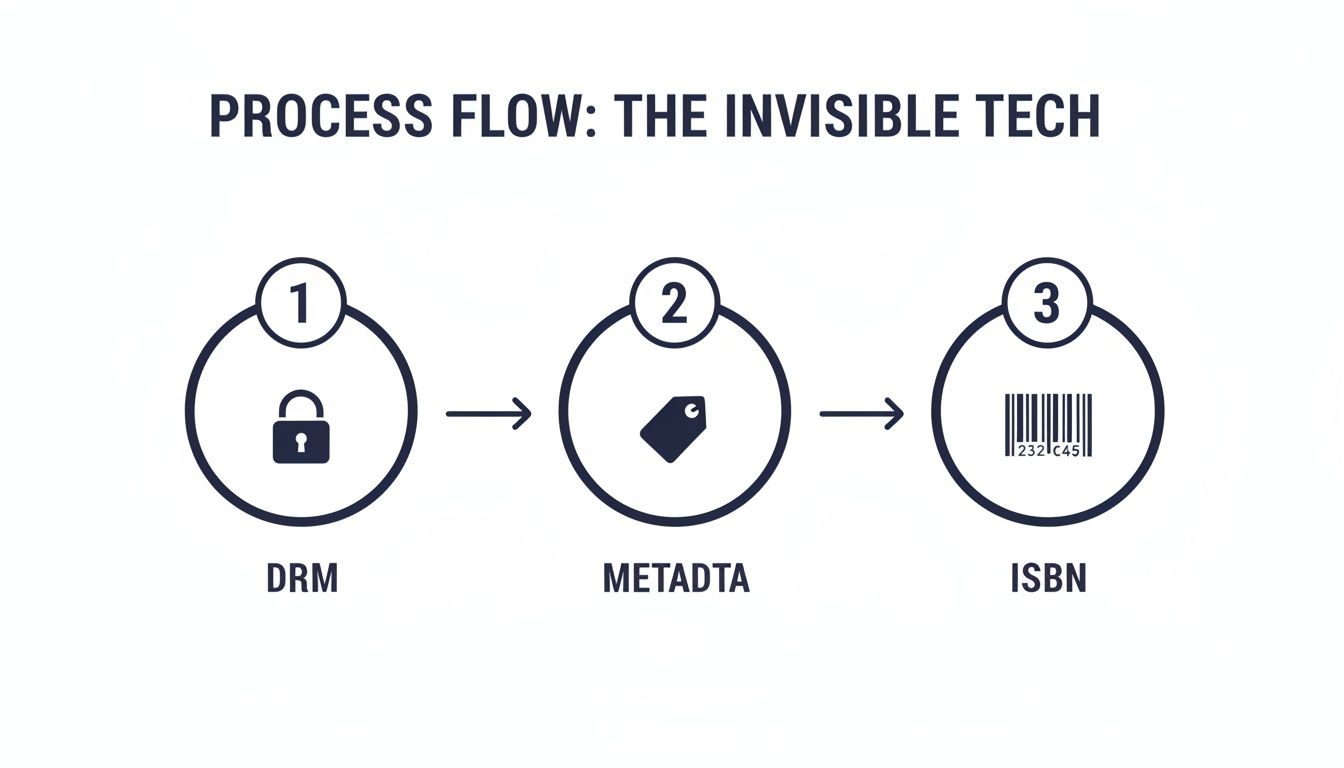
This flow shows how technologies like DRM, metadata, and ISBNs are applied to a simple document, turning it into a professional, trackable product that’s ready to be sold.
Here’s a look at the typical steps an author follows:
- Formatting the Manuscript: The author starts with a clean manuscript, usually a Word doc, making sure chapters, headings, and styles are all set up correctly.
- Conversion to Ebook Format: That manuscript then gets converted into the right file type, most often an EPUB. Direct platforms like KDP have tools to do this, while aggregators handle it automatically.
- Uploading and Metadata Entry: Next, the author uploads their ebook file and cover image. They also fill in all the crucial metadata: title, author name, book description, keywords, and sales categories.
- Setting Price and Rights: The author decides on the price for their ebook in different currencies and chooses the countries where they have the rights to sell it.
- Publishing: With a final click of a button, the book is submitted for review. Once it's approved, it goes live in the store, completing its journey from an idea to a product that millions of readers can discover.
For a deeper dive into the nuts and bolts of this process, you can learn more about how to publish an ebook.
How Should I Read My Ebooks? Finding the Right Device
So, you've got an ebook. Now what? The device or app you choose to read it on is going to define your entire experience, from how comfortable it is on your eyes to whether you can slip it into your pocket. Think of it as choosing between a hardcover, a paperback, or a magazine—each format suits a different situation.
Your options really boil down to three camps: dedicated e-readers, the multi-purpose devices you already own (like tablets and phones), and your trusty computer. Each has its own strengths and weaknesses, so let's break them down.
Dedicated E-Readers: For the Pure Reading Experience
If you're a serious book lover, a dedicated e-reader like an Amazon Kindle or a Kobo is tough to beat. These devices are built for one job and one job only: reading. Their secret weapon is the e-ink screen, a technology designed to look almost exactly like printed paper.
Unlike the glowing LCD screens on your phone or tablet, e-ink isn't backlit. It reflects ambient light, just like a real book page. This is a game-changer for eye strain, letting you read for hours on end without that tired, screen-fried feeling. It’s also why their battery life is legendary—we're talking weeks, not hours.
A dedicated e-reader is designed to disappear. The goal is a distraction-free environment where the technology fades into the background, leaving just you and the story.
Because they’re so lightweight and single-minded, e-readers are perfect for anyone who wants to get lost in a book without the temptation of a social media notification pulling them out of the story.
Tablets and Smartphones: Your Library in Your Pocket
Let's be honest, the best reading device is often the one you have with you. Your smartphone or tablet can easily double as a fantastic ebook reader. Apps like Kindle, Apple Books, or Google Play Books turn the gadget in your pocket into an instant library. The convenience is undeniable.
The vibrant, full-color screens on these devices are also a huge advantage for certain kinds of books.
- Graphic Novels and Comics: The artwork and colors look absolutely stunning on a high-resolution tablet screen.
- Children's Books: Interactive features and rich illustrations come to life in a way e-ink just can't match.
- Textbooks and Cookbooks: Complex diagrams, detailed photos, and color-coded charts are displayed with perfect clarity.
The trade-off? That backlit screen. It can cause eye fatigue over long reading marathons, and screen glare can make reading outdoors a challenge. Plus, with the entire internet just a swipe away, staying focused on your book requires a little more self-discipline.
Desktop and Web Apps: Reading at Your Desk
Don't forget about your computer. Reading on a big screen has its own perks, especially for work or study. You can download desktop apps like Kindle for PC or Mac and have a book open right next to a research paper or spreadsheet.
Many services also offer web-based readers that work right in your browser. Kindle Cloud Reader, for example, gives you access to your entire library without needing to install a thing. It’s an incredibly flexible option that lets you sneak in a few chapters from any computer with an internet connection—at the office, the library, or a hotel. It might not be the coziest way to read a novel, but for quick access and reference, it's a lifesaver.
Your Ebook Questions, Answered
Even after getting the hang of the basics, a few specific questions always seem to pop up for authors and readers. Let's dig into some of the most common ones to clear up any confusion about how ebooks work in the real world.
These are the nitty-gritty questions about file types, ownership, and the business side of digital publishing.
How Is an Ebook Different from a Word Document?
It’s tempting to think of an ebook as just a fancy Word document, but they’re built for completely different jobs. A Word file is a dynamic workspace made for writing and editing. An ebook, on the other hand, is a final, packaged product designed for one thing: reading.
Here’s a good analogy: a Word doc is like the raw ingredients and a recipe, while an ebook is the finished, beautifully decorated cake ready to be served. The ebook file itself (like an EPUB) is basically a self-contained website, with all the code needed to tell a reading device exactly how to display chapters, headings, and images consistently.
Can I Read My Amazon Ebook on a Kobo E-reader?
The short answer? Not easily. This is where you run headfirst into the twin walls of format incompatibility and Digital Rights Management (DRM). Amazon built its own little walled garden using its proprietary file formats (like AZW) and a DRM "lock."
An ebook you buy from Amazon is locked into its ecosystem. It’s designed to be opened only by Kindle devices or the official Kindle app, which stops you from loading it onto a competitor's device like a Kobo or Nook.
To get around this, you’d need special software to strip the DRM and convert the file, which can be a technical and legal gray area.
Do I Need a Separate ISBN for My Ebook?
Yes, you absolutely do. Think of an ISBN (International Standard Book Number) as a product's unique barcode. Your hardcover, paperback, and ebook are all seen as different products by the global book industry.
Each format needs its own ISBN for a few critical reasons:
- Proper Tracking: It lets retailers, libraries, and distributors track sales and inventory for each version of your book correctly.
- Professional Signal: It tells the industry your ebook is a legitimate, professionally published product, not just a file you uploaded.
- Broader Reach: Many major retailers and library systems simply won't list a book that doesn't have its own unique ISBN.
Why Do Some Ebooks Have Awful Formatting?
We've all seen them: ebooks with weird spacing, broken images, or text that just looks… off. These glitches almost always point back to a sloppy conversion process. It’s what happens when someone takes a complex source file, like a Word document full of tables and custom fonts, and runs it through an automated converter to create an EPUB.
That automated process often gets confused trying to translate things like multi-column layouts or text boxes into a fluid, reflowable format. The intricate design breaks, and the result is a messy reading experience. This is precisely why starting with a clean, professionally formatted manuscript is so vital to producing a polished ebook.