
Amazon KDP allows Kindle eBook pre-orders up to 18 months in advance, but print books cannot be pre-ordered through KDP. Customers can't purchase a physical book before its release on Amazon through the standard KDP setup.
You've chosen a launch date, booked your cover designer, and started telling readers that the book is coming. Then someone asks the question that exposes the biggest misunderstanding in Amazon publishing: can readers pre-order the paperback too? The answer affects your marketing calendar, your sales expectations, and the way you coordinate digital and physical editions.
Amazon doesn't treat every format as a pre-order product. KDP eBook pre-orders and physical-book distribution follow different systems, and confusing them can leave authors with an unavailable listing, a canceled launch, or readers expecting delivery on a date you can't control.
What Amazon Pre-Orders Actually Mean for Authors
A paperback launch can look ready while the digital edition is the only format Amazon allows customers to order in advance through KDP. That difference affects your campaign calendar, reader expectations, and the promises you make about launch-day delivery.
The recent extension of Kindle eBook pre-order windows to 18 months gives authors more time to build interest, but it does not make the print workflow operate the same way. KDP eBook pre-orders and physical-book distribution follow different systems. A paperback or hardcover may be available through a separate distributor, publisher, or fulfillment arrangement, yet standard KDP print setup does not give you the same advance-order process.
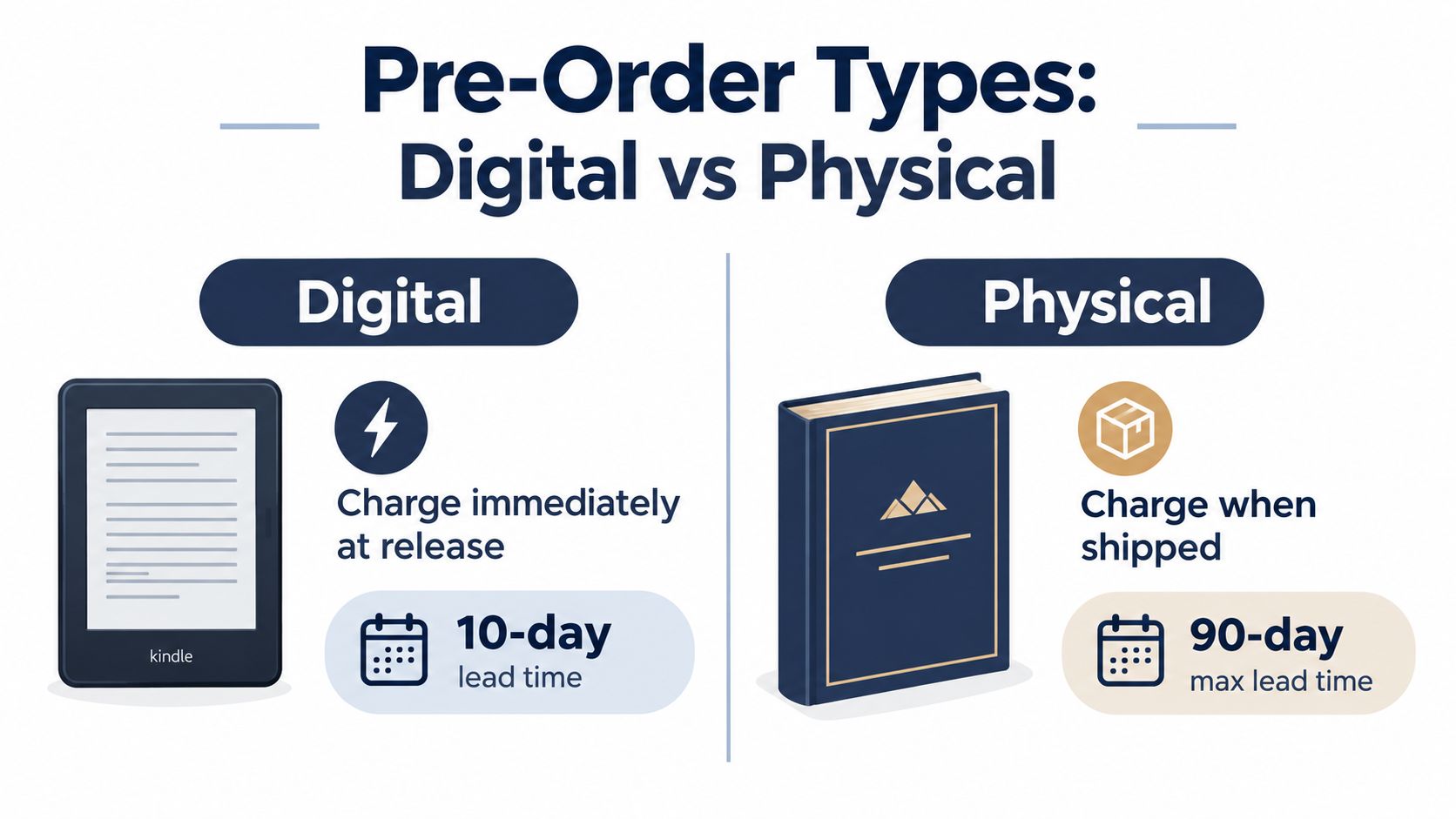
The Kindle eBook workflow
For a Kindle pre-order, choose a future release date and submit the title for advance ordering. Amazon records customer orders and delivers the finished eBook when the release date arrives, so buyers do not need to return to the product page and purchase again.
The setting also reveals the format boundary inside KDP. In Bookshelf > Kindle eBook > Pre-order, you can configure the digital release. If you try to select a paperback in that workflow, KDP does not offer the same pre-order option. The product may still be prepared for publication, but it is not enrolled in the Kindle advance-order system. Amazon's KDP guidance on pre-orders explains the format restriction and notes that marketplace timing can affect reports.
The detail page remains hidden until the release date under KDP's rules. Treat the order record as a scheduled digital delivery, not as proof that readers can browse a fully visible live page throughout the campaign.
What changes with a print book
A print edition must be manufactured, supplied, listed, and shipped. KDP can print and fulfill it after publication, while a separate distribution route may support a different retail arrangement. Those routes involve production readiness and shipping capacity, not the Kindle pre-order workflow.
That distinction matters if your launch plan promises signed copies, launch-day delivery, or simultaneous availability across formats.
Practical rule: Build the Kindle pre-order around Amazon's digital delivery system. Build the paperback launch around production readiness, listing availability, and shipping expectations.
Amazon's broader pre-order practices vary by marketplace and product type, including the local time used to process orders. Use the specific KDP eBook rules for a Kindle campaign, rather than applying a general Amazon product explanation to a print launch.
Understanding KDP Pre-Order Rules and Timelines
Amazon's current KDP rules give authors a longer planning horizon than older publishing guides describe. For pre-orders created on or after September 2, 2026, a Kindle eBook release can be scheduled up to 18 months in advance. Pre-orders created before that date can be scheduled up to 12 months ahead, according to Amazon's KDP pre-order policy. These rules apply to the Kindle eBook pre-order system, so do not transfer the same timeline assumptions to a physical distribution schedule. For ongoing changes, follow BarkerBooks' Amazon KDP news.
An 18-month window gives you time to coordinate developmental editing, copyediting, cover design, translations, advance marketing, and launch assets before the manuscript is finished. It also gives plans more time to drift. Assign owners to each deadline, keep one current production schedule, and control file versions so an outdated manuscript or cover does not reach the final upload.
The postponement rules have consequences
For pre-orders created on or after the same date, Amazon allows authors to postpone the release twice, for a total of up to six months beyond the original release date. A second cancellation triggers a six-month suspension of new or postponed pre-orders, as described in Amazon's KDP Community explanation of the updated pre-order rules.
Treat those limits as safeguards, not scheduling tools. A long pre-order period works when the manuscript, production calendar, and marketing plan have realistic owners. It works poorly when an author selects an ambitious date to create pressure and expects the book to become ready later.
Postponing a release can weaken reader trust and disrupt launch coordination. If the manuscript may not be complete, choose a later date at the outset. The release date should mark the point when production is under control, not the moment when planning begins.
The 72-hour deadline is operational
Amazon requires the final manuscript to be uploaded and submitted at least 72 hours before release. Missing that cutoff cancels the pre-order. The official KDP help page treats this as a hard requirement, not a suggested buffer.
Set your internal deadline earlier. A last-minute upload leaves little room for file validation, corrections, or a submission problem. Schedule a completed manuscript, final proof, and submission checkpoint before Amazon's cutoff, with someone clearly responsible for each step.
Illustrated books, complex layouts, and books prepared in multiple languages need that upload date built into production from the beginning. The longer pre-order window gives you more preparation time, but it does not soften the final submission deadline.
Setting Up Your KDP Pre-Order Step by Step
A reliable setup starts with format discipline. Open the KDP Bookshelf and select the Kindle eBook you want to schedule. Don't begin by configuring the paperback and expecting an equivalent pre-order switch to appear, because KDP print books don't use this pre-order function.
Before enrollment, assemble the assets and information that define the product:
-
Confirm the edition. Choose the Kindle eBook record, not the paperback or hardcover record. If you're publishing multiple formats, keep their metadata and release dates in a working launch document so you can identify differences instead of assuming the editions behave identically.
-
Prepare the cover and manuscript. Upload the correct cover file and a properly formatted manuscript. Use the same final title, subtitle, author name, and series information across the editions where appropriate. A pre-order is a public commitment, so don't use placeholder content as if it were ready for delivery.
-
Complete the metadata. Review the description, contributors, language, categories, keywords, and reading age details that apply to your book. Make sure the information reflects the actual Kindle edition. Metadata errors can create confusion even when the file itself is sound.
-
Set the release date carefully. Select a date that gives your editor, formatter, and marketing team enough time to finish their work. For pre-orders created on or after September 2, 2026, the maximum scheduling window is 18 months, while earlier pre-orders follow the older 12-month limit. The applicable rule depends on when the pre-order was created, not only on when you first began planning the book.
-
Review pricing and territories. Check the price and currency displayed for the markets where you plan to sell. Pricing can vary by territory, so don't assume one market's setup confirms every other market.
Before you submit, verify that your KDP account is active and that no account or content issue is blocking publication. Then record the release date, the final manuscript deadline, and the person responsible for the final upload. Authors who need a broader walkthrough of the publishing process can review how to publish an eBook on Amazon, but the pre-order-specific deadline still comes from KDP.
Keep your launch files under control
Once the pre-order is live, changes may be limited or require additional review. Keep a locked folder containing the approved cover, manuscript, description, pricing decisions, and metadata. Don't let a last-minute change to a subtitle or series number create a mismatch between your advertising, retailer pages, and submitted KDP record.
Most failed setups aren't caused by a mysterious Amazon problem. They come from selecting the wrong format, uploading an unfinished file, overlooking a market-specific detail, or treating the final submission deadline as flexible.
How Pre-Order Sales and Fulfillment Work
A Kindle eBook scheduled for release on June 1 GMT can generate an order before publication, while Amazon may record that sale under the previous calendar day in a regional report. For example, Amazon can show the transaction as a May 31 U.S. pre-order sale, even though the release date in your launch plan is June 1. KDP's guidance on pre-order timing explains why the date in a report may differ from the date you set for publication.
The order has not failed, and the book has not released early. The difference comes from how Amazon handles the scheduled release, customer ordering or charging, and marketplace reporting. Treat those as separate events when you review launch results.
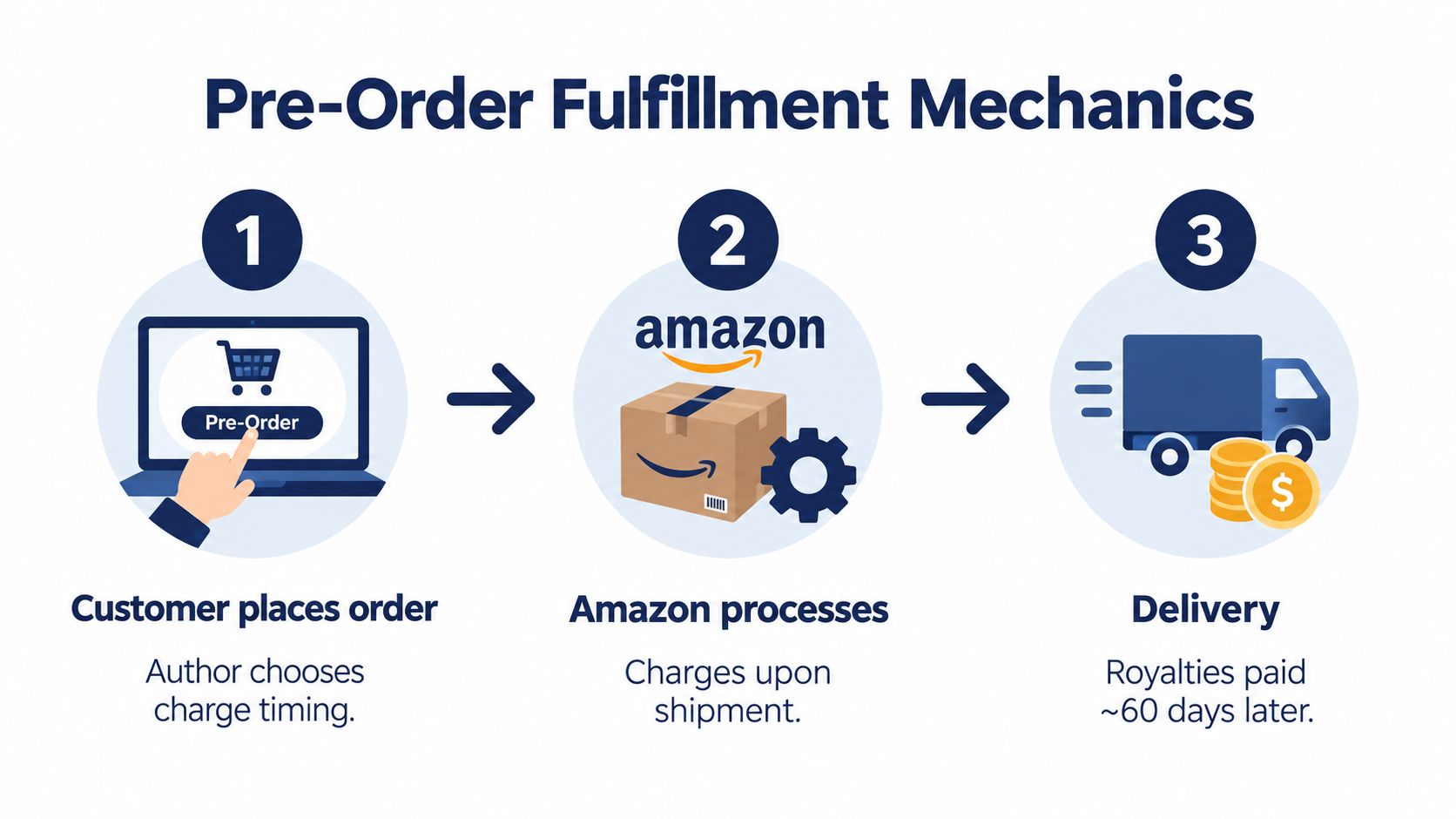
Digital delivery is automatic, physical delivery isn't
For a Kindle eBook, Amazon delivers the book to the pre-order customer on the release date. The reader does not receive the file when placing the order because publication has not occurred. Once the final file completes the required submission process, digital delivery follows the scheduled release.
Physical books follow different mechanics. A print title may be available for advance ordering through a distribution arrangement outside standard KDP eBook pre-orders. Depending on the marketplace and product type, processing or charging can occur close to shipment or around the publication date. Amazon's seller guidance on pre-order timing explains why customer-facing dates and retail reports may not match across markets.
A physical listing also depends on inventory, warehouse allocation, and carrier handoff. Customers may place an order ahead of release and receive the book around publication, but separate warehouse shipments can produce different delivery dates. Amazon's general pre-order guidance describes that customer expectation. Authors should still avoid promising one delivery date to every buyer.
Read reports as operational records, not as a perfect replay of customer behavior. Check the marketplace, time zone, format, and reporting date before judging the launch.
The distinction matters most during a global release. Keep one calendar that records the scheduled release time, regional report dates, final file deadline, and expected physical delivery conditions. If a report shows a May 31 transaction for a June 1 GMT release, that record may reflect marketplace timing rather than a publishing error. Compare like with like, and review digital sales separately from physical fulfillment.
Marketing Strategies to Maximize Pre-Order Sales
A pre-order doesn't generate demand by itself. It gives interested readers a way to commit before publication, but they still need to discover the book, understand who it's for, and decide that ordering now is worthwhile.
Start promotion when the book has a clear promise, not merely when a date has been entered into KDP. Your cover, description, sample material, author positioning, and announcement copy should answer the same basic question: why should this reader care about this specific book?
Build a campaign around owned audiences
Email is useful because you control the relationship with subscribers instead of waiting for Amazon's organic discovery system. Announce the book, explain the release date, share a meaningful preview, and send reminders that add information rather than repeating the same sales pitch.
Social content should give readers something to respond to. A nonfiction author might share a practical excerpt or explain the problem behind the book. A novelist might introduce the setting, discuss the research, or reveal a carefully selected character detail. The aim is to create recognition before release, not to flood every channel with a purchase link.
Influencer outreach also works better when the request is specific. Send the right material to reviewers, podcasters, newsletter writers, and community leaders whose audiences already care about the subject or genre. A generic “please promote my book” message gives them no useful angle.
Don't promise what Amazon can't deliver
Because the Kindle detail page remains hidden until the release date under KDP's rules, don't build your campaign around the assumption that every reader will browse and share a fully visible Amazon page throughout the pre-order period. Use your author website, email list, social profiles, retailer announcements, and other appropriate channels to explain the book and direct readers to the available ordering path.
You can also offer a legitimate reason to order early, such as access to a reader bonus, a launch event invitation, or supplementary material delivered according to clear terms. Don't promise immediate access to the eBook, because pre-order customers receive the book at release, not at checkout.
Paid advertising can support the campaign, but it can't repair unclear positioning. Authors considering Amazon-focused promotion can review Amazon advertising for books and then decide whether advertising fits the book's audience, budget, and launch stage.
A pre-order is a campaign window, not a passive sales setting. Give readers a reason to remember the release date and a clear reason to act before it arrives.
Common Pitfalls and How to Avoid Them
The most damaging mistakes are predictable because they happen at the boundaries between format, timing, and communication.
-
Choosing the wrong format: KDP pre-orders apply to Kindle eBooks, not KDP print books. Create separate launch plans for digital and physical editions.
-
Missing the manuscript cutoff: Amazon requires the final eBook manuscript at least 72 hours before release, and missing that deadline cancels the pre-order. Upload early enough to leave room for technical corrections.
-
Assuming reports use your calendar: A June 1 GMT release can appear as a May 31 U.S. pre-order sale because marketplace time zones affect processing and reporting. Compare like with like before evaluating launch results.
-
Treating a long window as extra flexibility: The newer 18-month maximum applies to pre-orders created on or after September 2, 2026. It gives you more planning room, not permission to postpone production indefinitely.
-
Promising physical launch-day delivery: Print fulfillment depends on the distribution route, inventory position, and shipping conditions. Tell readers what you know, and avoid guaranteeing a delivery date you don't control.
Before enrollment, run a final check:
- Format: Is this definitely the Kindle edition?
- Files: Is the cover approved and is the manuscript final?
- Metadata: Do the title, author name, series details, categories, and description match your launch materials?
- Pricing: Have you reviewed each intended marketplace?
- Schedule: Is the release date realistic, with the upload deadline recorded?
- Audience: Does your promotion explain the difference between the eBook pre-order and the physical-book release?
BarkerBooks offers publishing support that can include Amazon KDP uploading and launch management, which may help authors coordinate the digital setup with broader editorial, design, and distribution work. Whether you handle the process yourself or use support, keep responsibility for the deadline visible and documented.
If you're preparing a Kindle pre-order alongside a print edition, BarkerBooks can help coordinate manuscript preparation, cover and interior production, KDP setup, and launch planning. Visit the team before choosing your release date so your digital and physical publishing schedules are built around what Amazon can deliver.