
For audiobook narration for beginners, plan on roughly a 4:1 studio-to-finished-hour ratio and record at 44.1 kHz, 24-bit, mono, with average loudness around -23 to -18 dB RMS. Those settings won't create a professional audiobook by themselves, but they give you a workable technical foundation.
You may be staring at a manuscript, a microphone, and a recording window that seems to contain far too many buttons. Your first take probably sounds rushed. A few consonants may clip, the room may echo, and every breath suddenly seems louder than the words. That doesn't mean you lack a narrator's voice. It means you're hearing the difference between casual speech and controlled production.
Audiobook narration is a performance craft joined to a technical workflow. The market is substantial and expanding, with one forecast valuing the global audiobook market at USD 8.68 billion in 2026 and projecting USD 14.34 billion by 2031 (Mordor Intelligence's audiobook market analysis). A separate forecast gives different market boundaries and estimates, which is a useful reminder that forecasts vary, but both point to continued demand for recorded books and production capacity.
Starting Your Audiobook Narration Journey
Every beginner has a first session where the manuscript feels more demanding than expected. A sentence that looks simple on the page can require several attempts once you account for breath, emphasis, pronunciation, mouth noise, and the need to sound as though the thought arrived naturally. The microphone captures all of it.
The first useful mindset shift is to stop treating narration as “reading aloud.” You're interpreting a complete work for someone who may listen for hours. That requires consistent character choices, deliberate pacing, clean pronunciation, and repeatable microphone technique. A dramatic take that sounds exciting in isolation can become exhausting if you sustain it through an entire chapter.
What usually goes wrong first
Beginners often push speed because silence feels uncomfortable. They also move closer to the microphone for emotional lines, which changes tone and increases plosives. An untreated hard room adds reflections that no amount of confident delivery can fully hide.
The fix is not to buy more equipment immediately. Record a short test, listen through headphones, and identify one problem at a time. Keep the microphone distance stable, mark difficult words in the manuscript, and pause before a sentence rather than racing into it.
Practical rule: If you can't reproduce the sound of a good take, you don't yet have a reliable recording setup.
The field itself has changed repeatedly. Talking books began on phonograph records through work by the American Foundation for the Blind and the Library of Congress in the 1930s, later moving through cassettes, CDs, and downloadable formats before Audible launched in 1997, as outlined in this history of audiobook evolution. Today, beginners enter a professionalized digital channel, not an informal extension of public reading.
Start with a short practice passage. Record it, edit one version conservatively, and listen on headphones, a phone speaker, and ordinary room speakers. You're checking whether the words remain intelligible, the pauses feel intentional, and the voice stays believable without relying on visual context.
Voice Technique and Pacing Fundamentals
A narrator can have clean equipment and still lose a listener in the first paragraph. The common causes are uneven breath, blurred consonants, rushed transitions, and character choices that cannot hold through a full chapter. Build control before chasing a distinctive performance style.
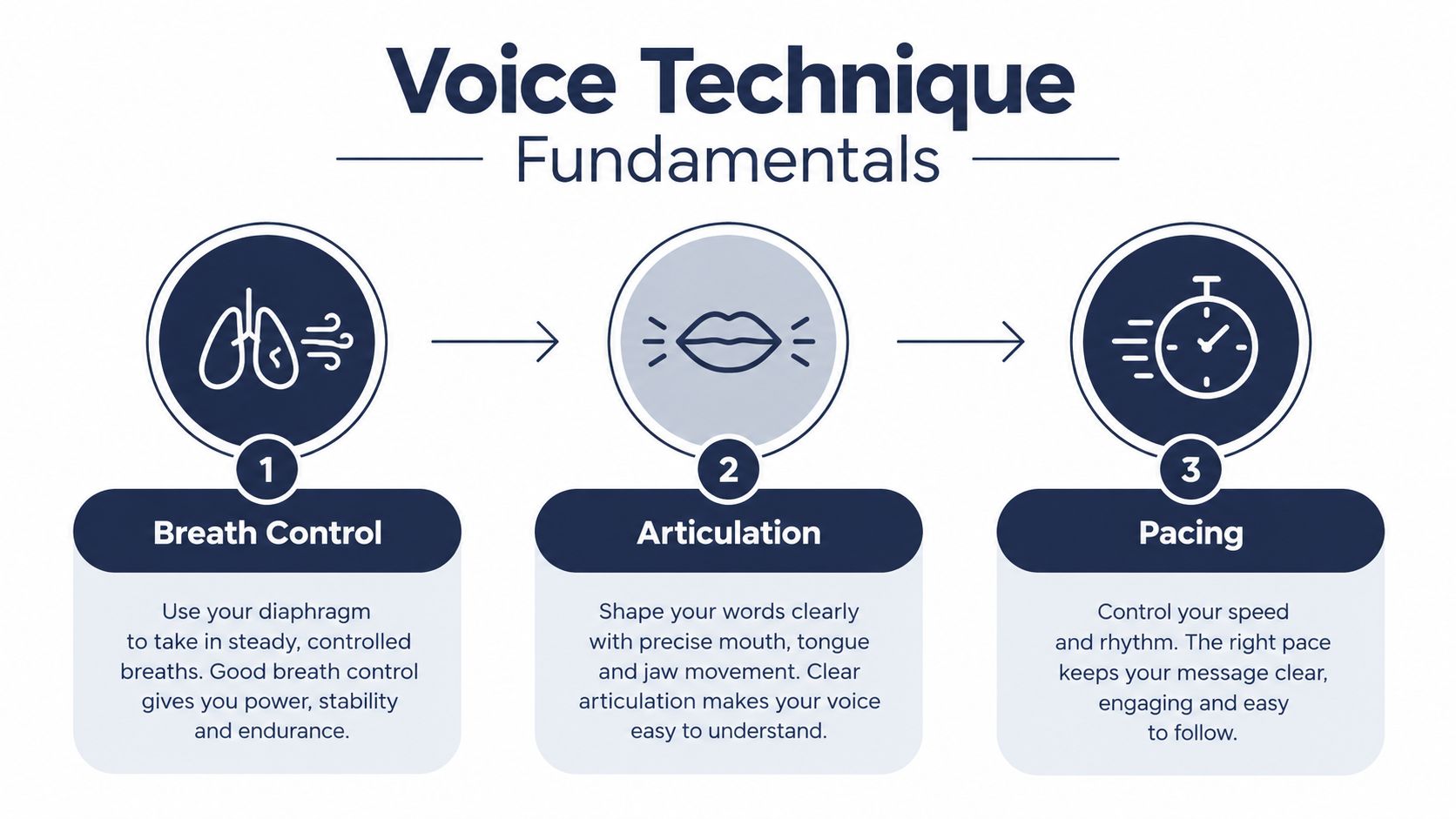
Prepare the instrument
Use a short warm-up with three focused tasks:
Breath control: Breathe low and steadily, then read a sentence while keeping the airflow even. The goal is to carry the final words with the same intent as the opening, rather than letting the line fade when your air runs out.
Articulation: Start with gentle lip trills, move through clear consonant patterns, and read a difficult paragraph slowly. Keep the jaw loose. Excessive precision sounds staged, while softened consonants force listeners to reconstruct words.
Emotional flexibility: Read one line with restraint, curiosity, irritation, and warmth. Keep the pitch changes purposeful. Alter the intention behind the words, then choose the reading that suits the surrounding scene.
Pacing controls comprehension and tone. Industry guidance places narration around 155 words per minute, or roughly 9,300 words per finished hour (Punchtrack's audiobook recording calculator). Use that figure for planning, not as a performance target. Suspense may need space before a reveal, while memoir and dialogue often work better at a rhythm close to natural speech. The 4:1 planning assumption also deserves caution. Four hours of work for one finished hour can cover recording, editing, pickups, and quality checks, but difficult material, retakes, and technical corrections can push the workload higher.
Build consistency across chapters
Mark shifts in thought, not every punctuation mark. A comma may need no audible pause, while a full stop may call for a light continuation instead of a dramatic landing. Follow the connection between ideas and keep the listener oriented.
Record one paragraph at a comfortable pace, then repeat it slightly slower without stretching the vowels. Compare clarity, tension, and effort. Keep the take that makes the meaning easy to follow while preserving the prose's natural movement.
Characters should differ through intention, rhythm, and attitude before you add pronounced accents. Two speakers can become distinct through their responses, timing, and priorities. Extreme voices may sound impressive in a short sample, but they are harder to sustain for hours and can reduce intelligibility.
For a visual demonstration of fundamental delivery habits, use this voice technique video alongside deliberate listening practice.
Choosing Your Recording Equipment
Equipment should solve a specific recording problem. A costly microphone in a reflective room can sound worse than a modest microphone positioned well in a quiet, absorbent space. Beginners also waste time comparing brand names when the more important questions are whether the microphone suits their voice, whether monitoring is reliable, and whether the setup can be repeated every session.
A USB microphone is simpler because the conversion and interface are built into one device. It works well for a beginner who wants to test the craft without assembling a signal chain. An XLR microphone requires an audio interface, but it gives you a modular system that can grow with your work and makes component replacement easier.
Headphones matter because you need to hear mouth noise, room reflections, clicks, and changes in distance. Choose closed-back monitoring headphones that don't leak into the microphone. Avoid mixing on tiny consumer earbuds while editing. They can be useful for a final listener check, but they shouldn't be your only reference.
| Tier | Microphone Type | Interface | Estimated Cost | Best For |
|---|---|---|---|---|
| Entry | USB condenser or dynamic | Built in | Modest | Testing narration and short practice sessions |
| Developing | Better USB microphone or entry XLR microphone | Optional or basic interface | Moderate | Regular home recording with a stable setup |
| Expandable | XLR condenser or dynamic matched to the voice | Dedicated audio interface | Higher | Narrators planning sustained production work |
The table uses qualitative cost bands because the right purchase depends on local pricing and the rest of your room. A dynamic microphone may help in a less controlled space because it can reduce the prominence of some room sound, while a sensitive condenser can capture more detail and more of the room. Neither category is automatically professional.
Before buying a microphone marketed for creators, compare its intended use with audiobook requirements. A guide to compare vlogging microphones 2026 can help clarify how microphones designed for mobile or camera work differ from equipment chosen for sustained spoken-word recording. Wireless convenience is useful in some settings, but a fixed, repeatable wired setup often makes narration easier to control.
Don't buy a complete rack of equipment before recording a test passage. Borrow or use your current microphone, treat the room, record under the intended delivery conditions, and upgrade the component that limits the result.
Setting Up Your Home Studio
A quiet room can still produce unusable audio. Record a test passage at the time you plan to work, then listen for heating systems, refrigerators, traffic, plumbing, computer fans, and neighbors. Software may reduce some noise, but aggressive cleanup can damage consonants and make the voice sound processed. The room and recording position do more for consistency than decorative foam.
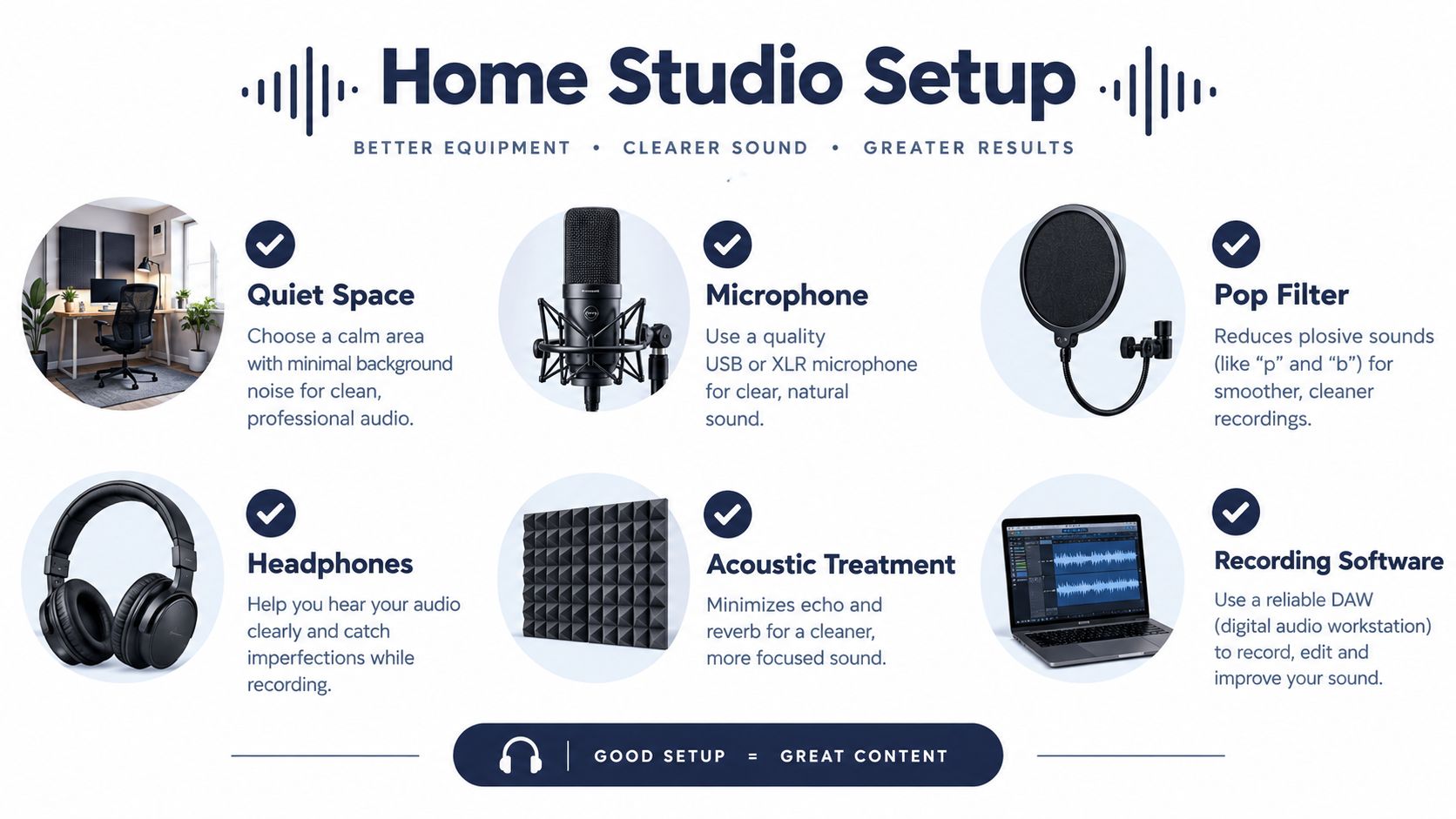
Treat the room before processing
Choose a space with soft furnishings. A wardrobe full of clothes, heavy curtains, rugs, and upholstered furniture can absorb reflections more effectively than thin decorative panels. Keep the microphone away from bare walls and corners. Clap once and listen for a sharp ring or flutter.
Set up in this order:
- Control external noise: Turn off avoidable appliances, silence phone alerts, and record when nearby activity is lowest.
- Reduce reflections: Put absorbent material behind and beside the narration position. Leave enough room to breathe and move naturally.
- Fix microphone position: Mark the stand or boom placement so distance and angle stay consistent between sessions.
- Add a pop filter: Place it between you and the microphone. Aim slightly past the capsule if plosives continue.
- Test room tone: Record silence from the exact position you will use. Check for hum, hiss, and intermittent sounds.
The software should support the session without encouraging unnecessary processing. Audacity handles recording and basic editing. Reaper provides flexible routing and automation. Adobe Audition and iZotope RX offer deeper restoration and analysis, but their extra control can tempt beginners to over-process. This audiobook recording software guide compares programs and audiobook workflows.
Make every session recoverable
Create a book folder with separate locations for original recordings, working edits, exports, and final files. Use consistent names such as BookName_Ch01_Original and BookName_Ch01_Master. Keep every untouched take. If an edit damages a sentence, you should be able to restore it without recording the whole chapter again.
Record at 44.1 kHz and 24-bit, in mono. During takes, aim for peaks around -12 to -6 dB, then edit and master afterward. Add 0.5 to 1 second of room tone at the beginning and end of each chapter so transitions do not jump from narration to digital silence. These delivery practices are outlined in this audiobook recording guide.
Run a short technical check before a long session. Confirm the input, verify that the waveform responds to your voice, listen for latency, and save the project before recording. Those few minutes can prevent hours of unusable audio and make a rejected first episode less likely.
Editing and Quality Control
A clean edit protects the performance. Beginners often remove every breath and tighten every pause, leaving narration that sounds anxious and artificial. Keep breaths that support phrasing, and reduce only those that distract, spike in volume, or interrupt an idea.
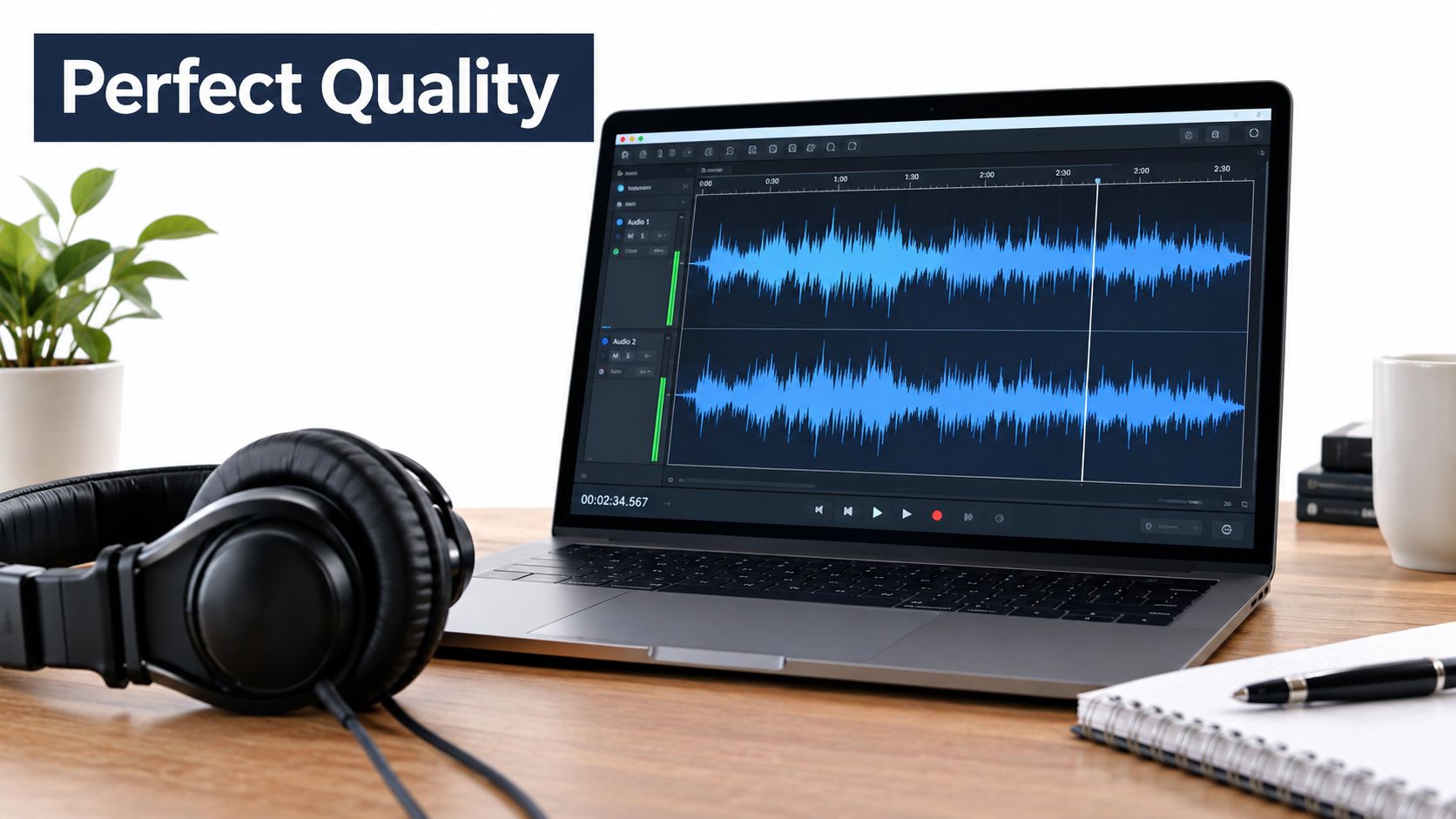
Edit in passes
Begin with performance repairs: false starts, incorrect words, repeated phrases, and obvious handling noise. Join replacement takes with short crossfades so consonants do not click. On the next pass, address mouth clicks, harsh plosives, and disruptive breaths. A de-click tool can help across a session, while manual gain reduction usually sounds more natural for an isolated problem.
Preserve the original recording and edit a copy. Keep every usable take until the chapter has passed review. Export a review file only after the narration plays smoothly from start to finish. The target is one continuous performance, not a string of heavily processed fragments.
For production choices involving complete, uninterrupted editions, consult the unabridged audiobook format guide. An unabridged project demands consistent editorial decisions across the entire performance, including pauses, pronunciation, room tone, and pickups.
Check the file, not just the waveform
A strong performance can still fail delivery when the export misses a required specification. Final files should be mono, exported as MP3 at 192 kbps or higher, with average loudness around -23 to -18 dB RMS, peaks capped at -3 dB, and a noise floor at -60 dB or lower. Treat those values as delivery checks, not targets for aggressive processing.
Use meters to verify the file, then listen manually. Inspect chapter openings and endings, scene changes, proper names, whispers, loud lines, and every edit containing a crossfade. A meter confirms levels, but attentive listening catches a clipped consonant, an unnatural breath cut, or a room-tone change.
Play the complete audiobook in sequence at least once. Keep a correction log with the chapter, approximate location, problem, and replacement take. This process makes final quality control repeatable and reduces the chance that a technical fault survives into delivery.
Your Path Forward in Audiobook Narration
You have finished a short test recording, and the result sounds better than expected. The next decision is larger: should you narrate the entire book, hire a human narrator or production team, or consider synthetic narration? Each route changes the balance of voice control, schedule, cost, rights, and technical responsibility.
Compare the production paths
Self-narration gives authors direct control over interpretation and can work well when the speaking voice suits the manuscript and remains consistent across long sessions. The workload is easy to underestimate. Guidance for beginners places an 8-hour finished audiobook at roughly 32 to 48 hours of recording time for a less experienced narrator. Pickups, pacing corrections, repeated takes, editing, mastering, and review add to that estimate. The 4:1 planning rule is a useful starting point, not a promise. Track the time required for one finished chapter before committing to the full book.
Human narration provides trained performance and an outside perspective on pronunciation, pacing, character choices, editing, and mastering. You give up some direct control, but you also stop carrying every performance and technical task alone. Request an audition or sample review, and ask how the producer handles pronunciation notes, pickups, room tone, and final specifications.
AI narration calls for a decision matrix rather than a reflexive yes or no. Recent industry coverage describes synthetic voices as being used mainly for backlist, niche-language, and lower-budget production, rather than as an outright replacement for human narrators. The cited survey reports that 86% of publishers said voice quality and rights transparency matter when selecting vendors (Publishing Perspectives' coverage of AI and the audiobook market).
Human performance still has an advantage when the book depends on subtle relationships, emotional shifts, comic timing, or a distinctive authorial presence.
Before choosing AI, verify voice rights, platform rules, disclosure requirements, pronunciation controls, and long-form consistency. A synthetic voice can sound convincing in a short sample and still become flat, repetitive, or inconsistent across a complete book. Use it only when the audience, rights position, quality threshold, and budget support that choice.
Turn practice into a career path
Create a short demo that represents the work you want to book. Use contrasting passages, but leave out effects and dramatic music that could hide weak diction. Keep a session record covering microphone position, input level, room setup, pronunciation decisions, and editing settings. A repeatable baseline makes later sessions easier to compare.
If production is the obstacle, BarkerBooks audiobook production services can cover professional voice-actor casting and direction, sample review, pronunciation guidance, pacing support, recording, editing, mastering, and preparation of final audio files. This suits authors who want a finished audiobook without becoming the narrator, engineer, and quality-control editor for every chapter.
Start with a testable commitment. Record a short passage using the required delivery settings, listen on more than one playback system, and measure the time from raw take to approved file. Then decide whether the work fits your voice, schedule, and patience. If the performance improves with practice, build a regular routine. If technical work consumes the available time, bring in a human production partner before recording the full manuscript.
BarkerBooks can coordinate audiobook production from narrator casting and sample review through recording, editing, mastering, and final file preparation. Authors seeking practical support can visit BarkerBooks to discuss the production path that fits the book.